What is AIFlowChart.io?
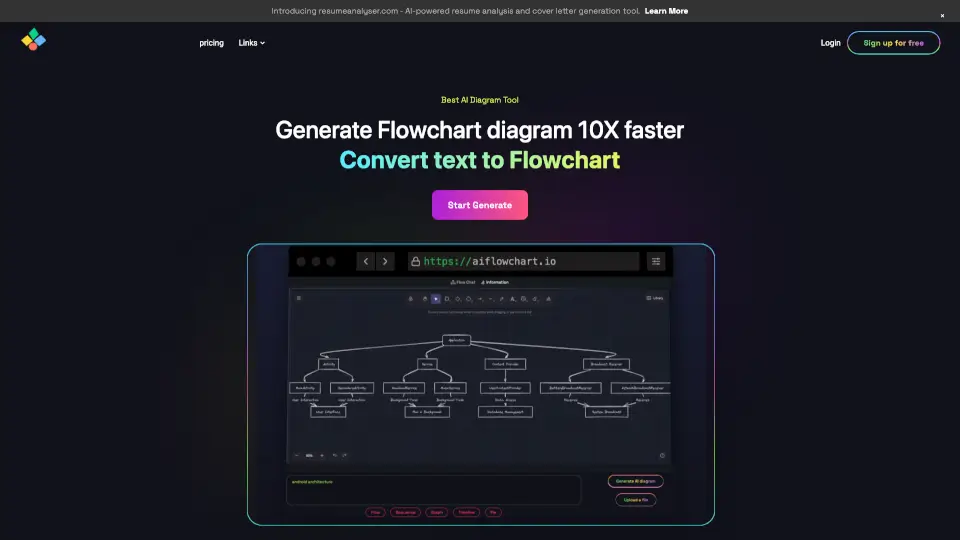
AI Flowchart is an AI-powered diagramming tool that lets you create flowcharts, mind maps, and sequence diagrams by describing them in plain English. Built with Claude AI, it targets anyone who needs to quickly visualize processes, system architectures, or decision trees without manual drag-and-drop. The tool provides a chat interface where you type your intent (e.g., “checkout flow” or “microservice auth”), and Claude generates the diagram with nodes, connectors, and smart layouts. It suits product managers, developers, marketers, students, and teams who want to turn ideas into structured diagrams in seconds.
What are the features of AIFlowChart.io?
- Natural Language Input: Type commands like “add a retry loop after the API call” and Claude restructures the diagram automatically. No drag-and-drop required for basic edits.
- Three Diagram Types: Supports flowcharts, mind maps, and sequence diagrams — each with dedicated AI prompts and smart layouts. Switch instantly without losing your canvas.
- Full Manual Editing: Double-click to rename nodes, right-click to change colors, and drag to reposition. AI and manual editing work side by side on the same board.
- Cloud Sync: Boards and folders auto-save to the cloud, so you can pick up any session from any device.
- Export Anywhere: Download diagrams as PNG, export as JSON, or copy a one-click shareable link.
- Unlimited Undo / Redo: Every drag, resize, color change, and AI action is tracked. Use Ctrl+Z to restore any previous state.
What are the use cases of AIFlowChart.io?
- Product manager mapping a login API flow: Describe the sequence between User, Server, and Database — Claude draws a sequence diagram with actors and messages (auth query, JWT issue, dashboard response).
- Developer documenting a microservice authentication process: Type “microservice auth” and get a flowchart with decision diamonds, Yes/No branches, and swim lanes for multi-actor flows.
- Marketer planning a product launch timeline: Use the mind map type to brainstorm launch phases, tasks, and dependencies. Refine manually or ask Claude to add new branches.
- Student illustrating a business process: Describe a checkout flow or decision tree. Claude builds the diagram with 7 shape types and auto-layout for edge routing.
- Team creating a system architecture diagram: Combine sequence and flowchart elements to represent data flow, error handling, and retry loops. Export as PNG for documentation.
How to use AIFlowChart.io?
- Create a new board: Click “New Board” and choose your diagram type — Flowchart, Mind Map, or Sequence. The canvas is ready instantly.
- Describe your diagram: In the AI chat, type your intent in plain English (e.g., “checkout flow”, “login API flow”). Claude builds the diagram with nodes and connectors.
- Refine manually: Double-click any node to rename it, right-click for color changes, or drag nodes to reposition. You can also ask Claude to modify existing parts (e.g., “add a retry loop after the API call”).
- Export or share: When done, download as PNG, export JSON, or copy a shareable link to send to teammates.