
What is AI Convert Hub?
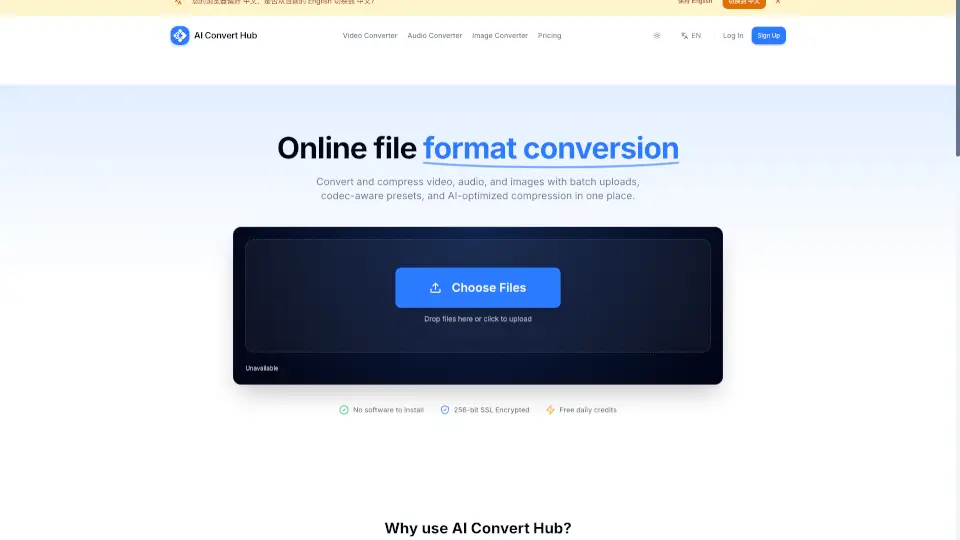
Welcome to AI Convert Hub, your all-in-one solution for converting and compressing video, audio, and images. Whether you're a content creator, web developer, or just someone who needs to convert files, AI Convert Hub is here to make your life easier. With our powerful, browser-based tools, you can handle everything from batch uploads to advanced codec controls, all without the need for any software installations. Plus, our 256-bit SSL encryption ensures that your files are always secure and private.
What are the features of AI Convert Hub?
- Lightning Fast: Our distributed conversion pipeline processes files in parallel, giving you quick results.
- Secure & Private: We use 256-bit SSL for transfers, and your files are automatically cleaned up after processing.
- Advanced Control: Enjoy codec-aware controls for CRF, bitrate, frame rate, audio channels, and more.
- Batch Processing: Easily drag and drop folders or multiple files, and keep conversions within reach with our sticky CTA.
- High Quality: Our FFmpeg-based pipeline, combined with AI tuning, ensures high-quality output while reducing file size.
- Universal Support: We support over 200 formats, including HEIC, WEBM, RAW, and many more.
What are the use cases of AI Convert Hub?
- Content Creators: Batch process and optimize large numbers of 4K videos for faster upload and better quality.
- Web Developers: Convert images and videos to WebP and other web-friendly formats with precise control over parameters.
- Photographers: Convert and compress RAW images for web sharing without losing quality.
- Marketers: Quickly convert and optimize media files for different platforms and campaigns.
- Educators: Prepare multimedia content for online courses and presentations with ease.
How to use AI Convert Hub?
- Upload Files: Simply drag and drop your files into the designated area or click to select them.
- Adjust Settings: Click on the settings icon to fine-tune your conversion options, such as CRF, bitrate, and resolution.
- Start Conversion: Once your settings are adjusted, click the "Convert" button to start the process.
- Download Results: After the conversion is complete, download your files directly from the interface.
- Manage Credits: Keep track of your free daily credits and upgrade to Pro for heavy batch jobs if needed.