
What is Wand?
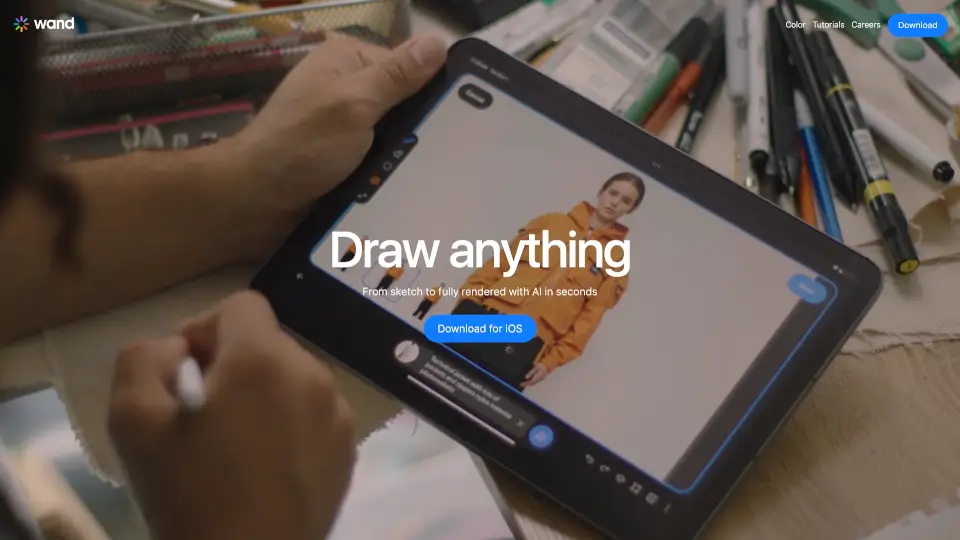
Wand is the first AI-powered drawing app built specifically for iPhone and iPad, letting you go from rough sketch to fully rendered artwork in seconds. Instead of replacing your creativity, Wand works alongside your artistic skills, using AI to enhance your ideas—not take over them. Whether you're a student, illustrator, or professional artist, Wand gives you real-time control to draw, edit, and style your work with tools designed by artists, for artists.
What sets Wand apart is how it respects your originality. You can train private AI models on your own art, apply custom brushes, and make precise edits—all while keeping your work secure and yours alone. With seamless Apple Pencil support and native iOS performance, it feels like a natural extension of your creative process.
What are the features of Wand?
- Custom Brush Engine: Create professional-quality artwork with a responsive, highly customizable brush system that gives you precise control.
- Preloaded Style Library: Instantly transform your sketches using curated artistic styles—or build and save your own unique looks.
- Regional Iterative Editing: Make targeted adjustments to specific parts of your image without redoing the whole piece.
- Secure Private Models: Train AI on your personal artwork and keep those models private, so your creative voice stays protected.
- Multi-Layer Support: Organize complex illustrations with full layer functionality for blending, editing, and compositing.
- Dynamic Morph Intensity: Fine-tune how strongly AI transforms your input, giving you intuitive control over the final result.
- Export Transparent PNGs: Save high-quality images with transparent backgrounds—perfect for design projects, portfolios, or social media.
- Dataset Storage: Reuse and manage your image sets easily to speed up future projects and maintain consistency.
What are the use cases of Wand?
- A comic artist blends hand-drawn characters with AI-enhanced backgrounds to create vibrant, detailed story panels faster.
- A fashion designer rapidly mocks up clothing concepts, iterates on patterns, and visualizes full collections before sewing a single stitch.
- A student uses Wand in art class to experiment with styles, meet tight deadlines, and build a diverse digital portfolio.
- An established painter like David Salle trains a custom AI model on his past work to explore new compositions in his signature style.
- An illustrator combines traditional sketching with AI rendering to push boundaries between analog and digital art.
- A graphic designer creates custom lettering and logo concepts with dynamic AI-assisted typography tools.
How to use Wand?
- Start with a rough sketch using your finger or Apple Pencil—Wand works naturally with your existing drawing habits.
- Apply a preloaded style from the library or select your own custom-trained model to render your sketch instantly.
- Use regional editing to tweak just one area (like a character’s face or background) without affecting the rest of the image.
- Organize your work with layers to separate elements like line art, color fills, and effects for non-destructive editing.
- Export your final piece as a transparent PNG for use in presentations, websites, or print projects.
- Save your favorite styles and datasets to reuse across future creations and speed up your workflow.