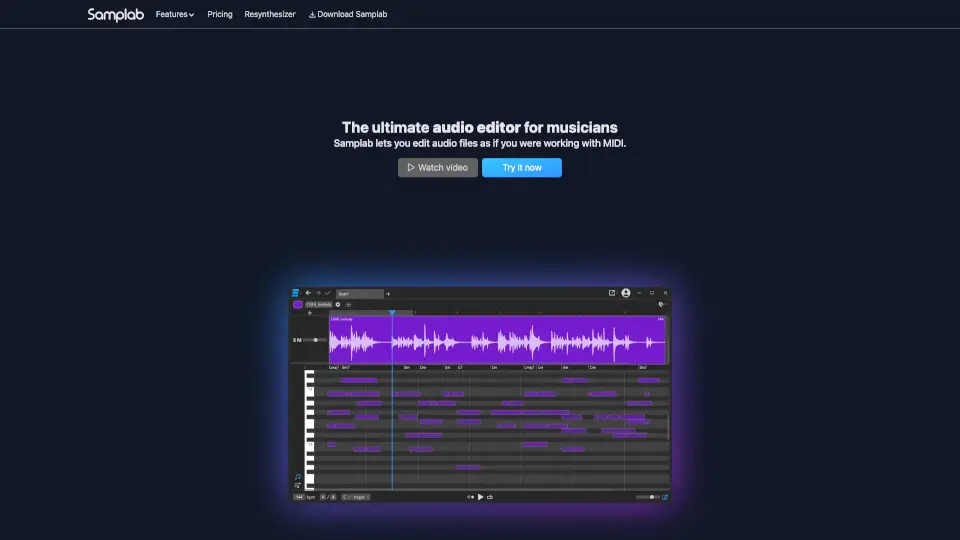
What is Samplab?
Samplab is a revolutionary AI-powered audio editor that lets musicians edit polyphonic audio like MIDI—yes, even full chords and layered tracks. Instead of being stuck with a fixed recording, you can now change individual notes, shift keys, fix timing, or remix stems without starting from scratch. It’s like giving your audio samples superpowers.
Whether you’re sampling old vinyl, tweaking vocals, or aligning drum loops to your track’s key, Samplab uses advanced AI to separate, analyze, and reconstruct sound intelligently. The result? Clean, musical edits that actually sound natural—no robotic artifacts or phasey messes.
What are the features of Samplab?
- Note Editing: Change any note in polyphonic audio (like piano or guitar chords) as easily as dragging MIDI notes.
- Chord Detection & Editing: Automatically detects chords and keeps them harmonically correct when you transpose or edit.
- Stem Separation: Isolate drums, bass, vocals, and instruments with granular control—even down to single notes.
- Audio-to-MIDI Conversion: Extract playable MIDI from any audio file for use in your DAW.
- Audio Warping: Adjust tempo and pitch independently while preserving sound quality.
- Resynthesizer: Rebuild audio using AI for cleaner edits and creative sound design.
- DAW Integration: Works as a VST3 or AU plugin, or as a standalone desktop app.
What are the use cases of Samplab?
- Fix a slightly off-key vocal sample by editing just the wrong note—without re-recording.
- Remix an old song by changing its chord progression to match your new track.
- Match the key and tempo of two unrelated samples so they blend perfectly.
- Extract a drum loop from a full mix and time-stretch it to fit your project.
- Turn a guitar riff into MIDI to trigger your favorite synth or sampler.
- Practice music theory by hearing how chords change when you drag them to new progressions.
- Clean up field recordings by removing unwanted melodic elements while keeping rhythm intact.
How to use Samplab?
- Upload or drag an audio file into Samplab (supports stereo and mono).
- Let the AI analyze the audio—it’ll detect notes, chords, and separate stems automatically.
- Click and drag notes on the piano roll to change pitch or timing.
- Use the chord grid to transpose entire progressions while staying in key.
- Export your edited audio or download the MIDI version for further production.
- Use the plugin version inside your DAW for seamless workflow integration.