What is QR Bliss?
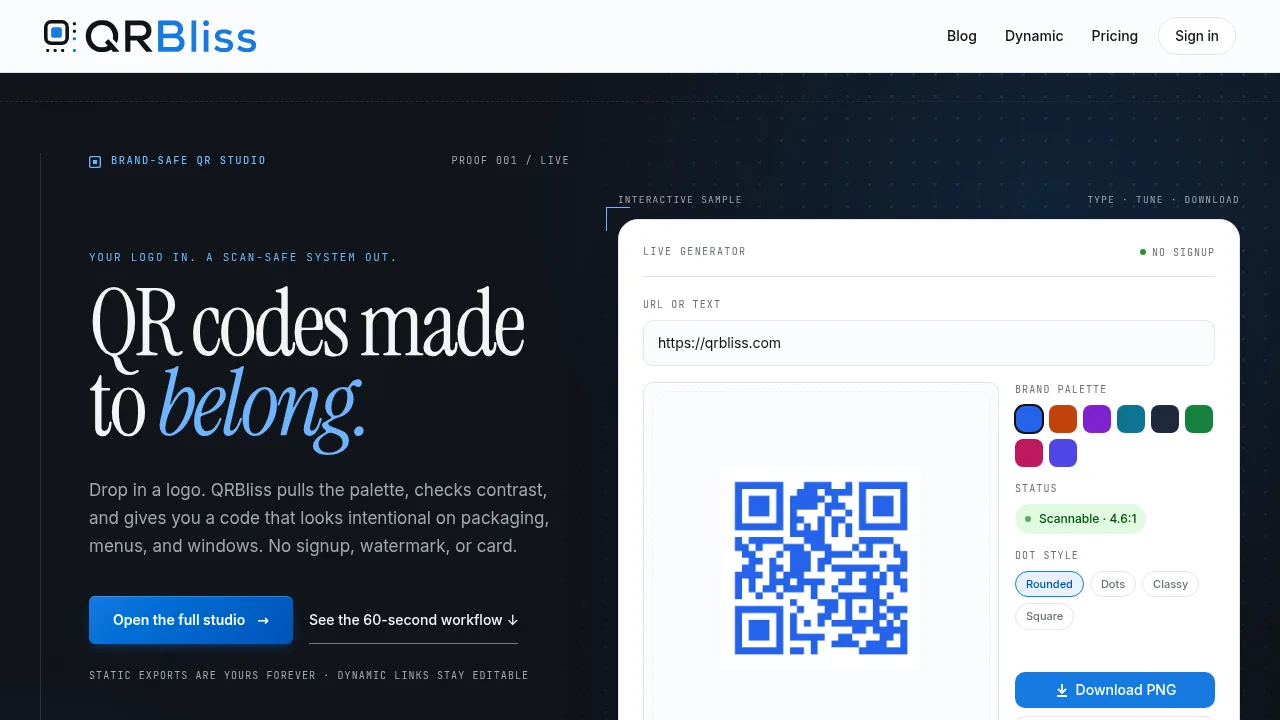
QRBliss is an AI-powered QR code generator for businesses, marketers, and creators who want QR codes that match their brand. Unlike generic QR code tools, QRBliss automatically extracts your brand colors from your logo, checks scan reliability, and exports codes with no watermark or signup required. The platform includes static and dynamic QR codes, privacy-friendly analytics, and print-ready export options—helpful for anyone managing menus, events, or marketing materials where on-brand style matters.
What are the features of QR Bliss?
- AI Brand Sync and Logo Integration: Instantly pulls your logo's palette, verifies scan-safe contrast, and styles QR codes to visually match your branding with no manual color picking.
- Unlimited Static & 15 Free Dynamic QR Codes: Generate unlimited static codes and up to 15 dynamic QR codes with editable destinations and analytics without requiring payment.
- No Signup, No Watermarks: Download scannable QR codes in PNG, JPG, SVG, or PDF without creating an account or dealing with product watermarks.
- Privacy-Focused Analytics: Tracks scans, device types, and rough location without cookies or raw IP storage; analytics are opt-in and simple enough for non-technical teams.
- Print-Ready Export Formats: Download codes in vector or print formats, including options with bleed and quiet zones for professional printing needs.
What are the use cases of QR Bliss?
- Real estate teams can generate branded QR codes for signage, open houses, or yard signs leading buyers to listing details.
- Restaurants and cafes can use dynamic QR codes for menus that can be updated without reprinting new codes.
- Event organizers can create editable QR links for schedules, tickets, or RSVPs, ensuring participants always access current information.
- Small businesses or agencies can add on-brand, scannable QR codes to packaging, print materials, or storefronts.
- Teams needing Wi-Fi or review QR codes for guest access or customer feedback without manual configuration.
How to use QR Bliss?
- Upload your logo or choose from pre-designed templates to start generating a QR code.
- Enter your URL, text, or specific QR type—such as Wi-Fi, menu, or event link.
- AI Brand Sync extracts your colors and applies a scan-safe style to the code.
- Download the finished QR code as PNG, SVG, JPG, or PDF for printing or sharing.
- For dynamic codes, create an account to edit destinations or access scan analytics.