
What is Online Whiteboard?
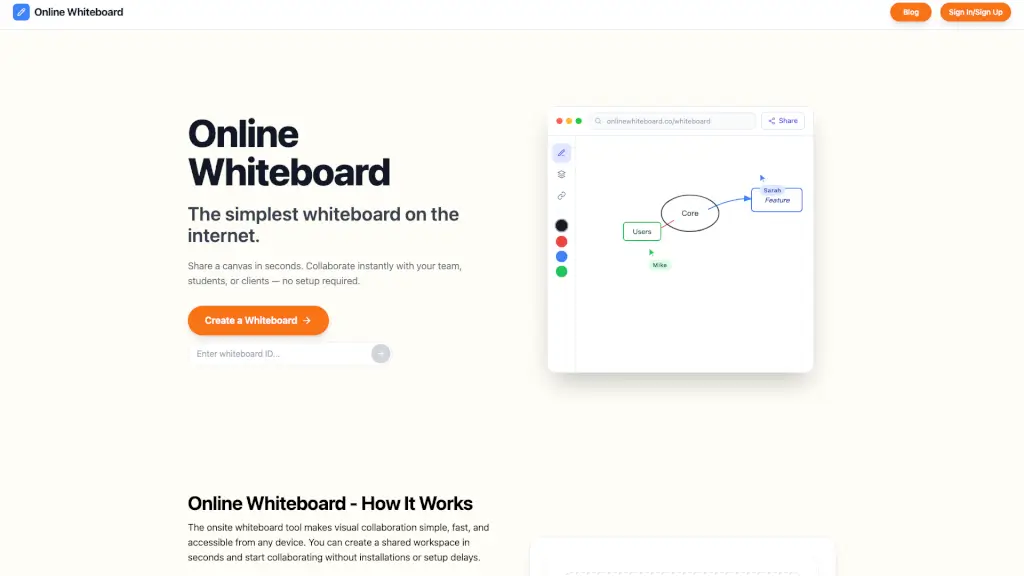
Looking for a no-fuss way to sketch, brainstorm, or teach online? Online Whiteboard is the simplest, fastest free whiteboard on the web—no sign-up, downloads, or setup needed. Just click once, get a private link, and start drawing with anyone, anywhere.
Whether you're a teacher explaining algebra in real time, a remote team sketching a UI wireframe, or a student planning a group project, this tool gives you an instant shared canvas that works right in your browser. It’s built for people who think visually and need to collaborate without the clutter.
What are the features of Online Whiteboard?
- Instant Board Creation: Click one button to generate a unique, private whiteboard link in seconds.
- Real-Time Collaboration: Multiple users can draw, write, and edit together simultaneously—no lag, no login required.
- Zero Installation: Works directly in any modern web browser on laptops, tablets, and phones.
- Infinite Canvas with Zoom: Sketch big ideas with unlimited space and zoom in/out smoothly for detail work.
- Cross-Platform Compatibility: Fully functional on Windows, macOS, iOS, Android, and Chromebooks.
- Completely Free: All essential features—drawing, sharing, and collaboration—are available at no cost.
- Fast Loading: Lightweight design ensures quick access, even on slower connections.
What are the use cases of Online Whiteboard?
- Teachers running live remote lessons by solving math problems or diagramming science concepts while students participate in real time.
- Remote teams dropping a whiteboard link in Slack or email to quickly sketch architecture diagrams or user flows during stand-ups.
- Tutors sharing step-by-step solutions with students and exporting notes afterward for review.
- Students collaborating on group projects or study sessions without needing accounts or software.
- Solo creators mapping out personal goals, travel plans, or storyboards on a clean, distraction-free canvas.
- Designers doing rapid wireframing or visual brainstorming during early-stage ideation.
How to use Online Whiteboard?
- Click “Create a Whiteboard” to instantly generate a private, shareable link.
- Copy the URL and send it via email, text, or any messaging app (like WhatsApp, Slack, or Teams).
- Open the link on any device—no sign-in or download needed—and start drawing immediately.
- Invite others to join using the same link; everyone sees changes in real time.
- Use touch, mouse, or stylus input depending on your device for natural drawing.
- Refresh or revisit the link anytime to continue working—the board stays active.