
What is Magai?
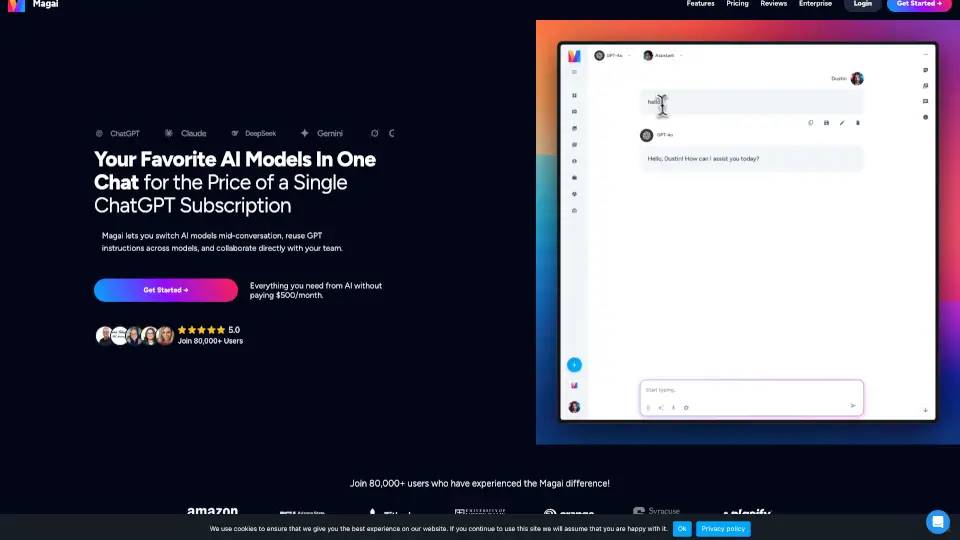
Tired of juggling dozens of AI tools—each with separate logins, subscriptions, and limitations? Meet Magai, the all-in-one platform that gives you access to 50+ top AI models like ChatGPT, Claude, Gemini, DeepSeek, and Perplexity in a single chat. No more switching tabs or losing context when you change models. Magai keeps your full conversation history intact, so you can start brainstorming with one AI and refine your output with another—seamlessly.
Whether you're drafting emails, debugging code, writing blog posts, or managing team projects, Magai unifies the best of generative AI under one roof—and one affordable price. Plus, it works across 130+ apps like Gmail, Notion, Slack, and Google Calendar, letting you automate tasks without ever leaving the chat window.
What are the features of Magai?
- 50+ AI Models in One Chat: Switch between ChatGPT, Claude, Gemini, DeepSeek, and more mid-conversation—without losing context.
- Reusable Personas (Custom Instructions): Write your AI guidelines once and apply them instantly across every model.
- Team Collaboration Tools: Invite teammates into live chats, share read-only links, and upload shared files—all in real time.
- No Rate Limits or Cooldowns: Generate unlimited content with instant top-ups and no 4-hour locks.
- Built-in Document Editor: Draft, edit, and export polished documents as PDF or DOCX directly from chat.
- Smart Automation: Schedule any AI task to run once or on repeat across all your connected apps—zero coding needed.
- Auto Model Selection: Let Magai pick the best AI for your prompt so you don’t have to guess.
- Import ChatGPT & Claude Chats: Migrate your existing conversations in minutes with full history intact.
What are the use cases of Magai?
- A marketer uses ChatGPT to outline a campaign, then switches to Claude to write detailed email sequences—all in one thread.
- A developer debugs code with Gemini, then asks DeepSeek to turn the solution into a user-friendly story for documentation.
- A content creator schedules Perplexity to summarize weekly industry news every Monday morning and auto-post it to Notion.
- A team collaborates on a product launch by sharing files, assigning tasks via calendar integrations, and editing copy together in real time.
- A solopreneur creates a “YouTube Persona” once and reuses it across models to generate titles, thumbnails, and scripts consistently.
- A legal professional runs sensitive queries knowing their data is never used to train AI models—thanks to strict privacy controls.
How to use Magai?
- Sign up for Magai and connect your favorite apps (like Gmail, Slack, or Google Drive) through the integrations panel.
- Start a new chat and pick any AI model—or use the “Auto” option to let Magai choose the best one for your request.
- Create a custom persona (e.g., “SEO Copywriter”) with your preferred tone and rules, then apply it to any model with one click.
- To collaborate, click “Invite Teammates” and add colleagues directly into your active chat.
- Use the Document Editor to polish your AI output, then export as PDF or DOCX with one click.
- Set up recurring tasks (like daily social media posts) using the scheduler—no coding required.