
What is LM Studio?
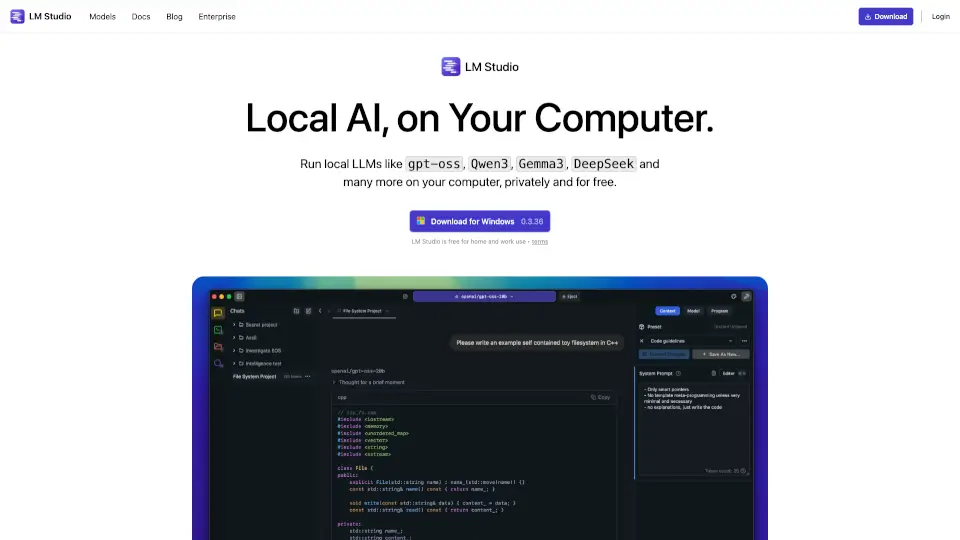
LM Studio is your go-to local AI toolkit, designed to help you discover, download, and run Large Language Models (LLMs) like Llama, DeepSeek, Mistral, and Phi directly on your computer. Whether you're a beginner or an expert, LM Studio makes it easy to explore the world of AI without needing advanced technical skills.
What are the features of LM Studio?
- Run LLMs Offline: Use models like Llama and DeepSeek entirely on your laptop, no internet required.
- Discover New Models: Explore and download the latest open-source LLMs with ease.
- Local LLM Server: Power your apps using a local server for seamless integration.
- Chat with Documents: Engage with your local files using Retrieval-Augmented Generation (RAG) technology.
- Cross-Platform SDKs: Build local AI apps with Python and TypeScript SDKs.
What are the use cases of LM Studio?
- Personal AI Projects: Experiment with LLMs for creative or educational purposes.
- Local Document Interaction: Chat with your PDFs, text files, and other documents offline.
- App Development: Integrate local LLMs into your applications using the SDKs.
How to use LM Studio?
- Download LM Studio: Get the app for Mac, Windows, or Linux.
- Install the SDK: Use
pip install lmstudiofor Python or follow the TypeScript docs. - Start Building: Load an LLM and begin interacting with it locally.