What is Goodnotes?
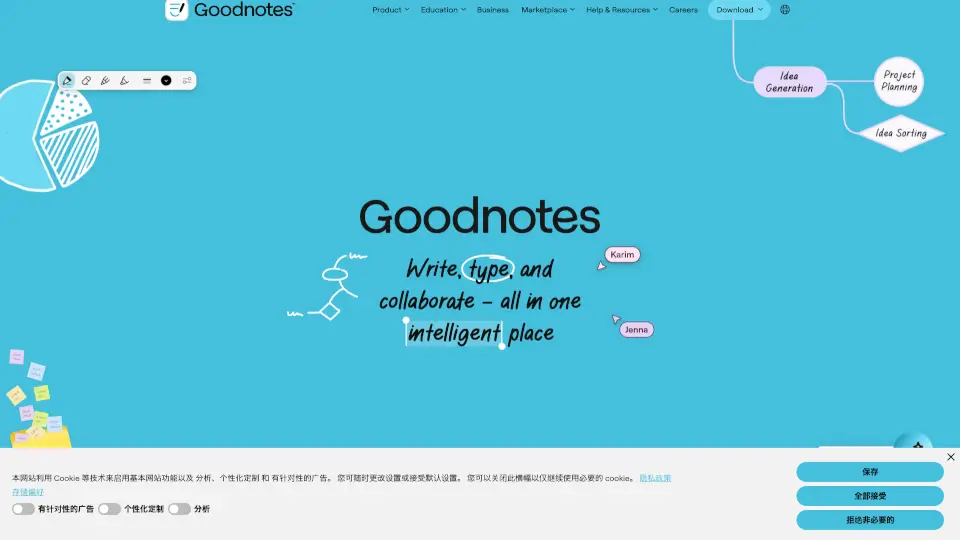
Goodnotes is an AI-powered note-taking app designed for professionals, students, and teams who need to capture, organize, and share ideas across handwriting, typing, sketching, audio, and documents. Unlike traditional note apps that force a single input method, Goodnotes lets you write, type, sketch, or speak naturally, and then surface your work with AI-driven search, summaries, and mind maps. It works across tablets, phones, laptops, and the web, so you can start on an iPad, continue on a phone, and finish on a Windows laptop. The tool is built for real-time collaboration, PDF annotation, and enterprise-grade security, making it a fit for industries like AEC, legal, professional services, government, and education.
What are the features of Goodnotes?
- Handwriting Experience: Rest your hand on the screen, write quickly, cross out to erase, or convert handwriting to text. Designed specifically for tablet use with Apple Pencil and other styluses.
- Whiteboard: Collaborate on an infinite canvas using handwriting, sketches, and sticky notes in real time with your team.
- Text Document: Create and edit typed documents within the app, alongside your handwritten notes and PDFs.
- PDF Annotation: Mark up any contract, brief, or report by hand. Search annotations, collaborate with teammates, and export the annotated PDF when needed.
- AI Productivity: Search across typed text, handwriting, and sketches to surface the right idea or note in seconds. Turn notes into a mind map, or convert meeting minutes into a project plan with one click.
- Real-Time Collaboration: Work together on notebooks, documents, and whiteboards without back-and-forth version chaos. Team members can contribute using handwriting, typing, or visuals.
- Meeting Notes & Audio Recordings: Capture every detail of a meeting, including live audio recordings that can be transcribed and linked to your notes.
- Quicknotes: Capture a thought in a single click, without needing to open a full notebook or document.
What are the use cases of Goodnotes?
- Structural engineer sketches and calculates on a tablet, then revises and reissues documents without manual scanning, as used by M.A. McCloskey Ltd.
- Legal professional annotates contracts and briefs by hand, searches annotations, and collaborates with team members before exporting the final marked-up PDF.
- Medical device transformation manager organizes notes for multiple projects, with handwriting correction and spelling check even when writing by hand.
- Financial advisor uses the cursor and remote feature to give live demonstrations to clients directly from a notepad, as done by Pivot Wealth.
- Voice actor extracts handwritten notes, organizes feedback from seniors during staff meetings, and keeps everything accessible.
- Doctor preps for surgeries by highlighting PDFs on one side of the screen while typing key points in Google Docs on the other, then pulls up notes in read-only mode on a phone mid-procedure.
- Carpenter and timber construction engineer uses Goodnotes as the main communication tool between on-site employees and office staff, bridging analog and digital processes.
- Team brainstorming uses shared whiteboards and notebooks to turn ideas into action, with all contributions linked so context is never lost.
How to use Goodnotes?
- Sign up for a free account at the Goodnotes website or directly in the app.
- Download the app on your preferred device: iOS/iPadOS, Mac, Windows, Android, or use the web version.
- Choose a starting point: create a new notebook, a whiteboard, a text document, or import a PDF to annotate.
- Start capturing using handwriting, typing, sketching, or audio recording. Use Quicknotes for instant capture.
- Use AI features to search your notes, generate a mind map from existing ideas, or convert meeting notes into a project plan.
- Collaborate in real time by sharing a notebook, document, or whiteboard with your team. Use the cursor and remote feature for live demonstrations.