
What is GenApe?
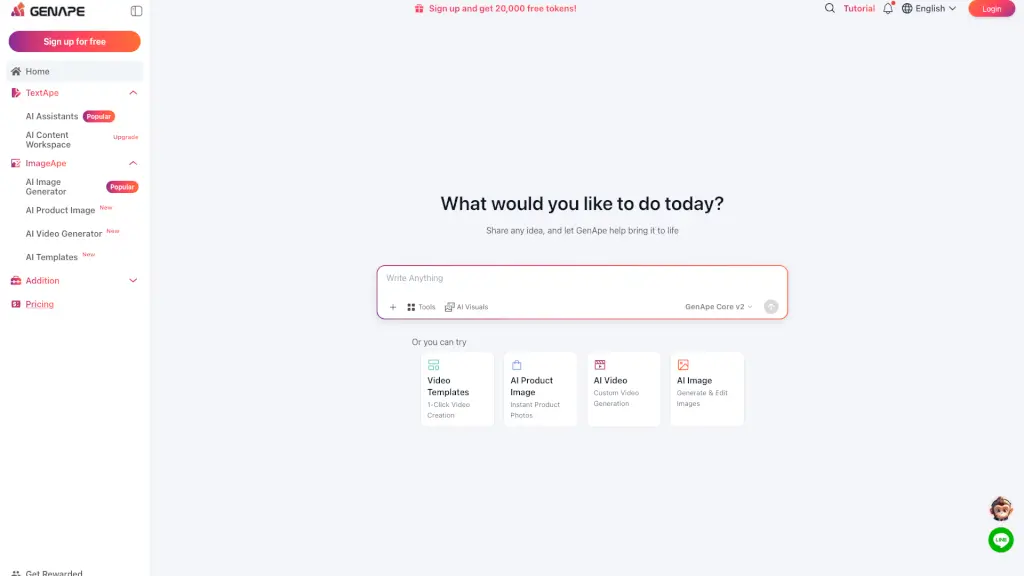
GenApe is a free all-in-one AI tools platform designed for marketers, ecommerce sellers, and business teams. It combines AI writing, image generation, video creation, and presentation tools into one intuitive workspace. Instead of switching between multiple apps, you can create blog posts, product visuals, social media videos, and business documents from a single dashboard. The platform uses guided workflows and pre-built AI agents, so you don’t need to write complex prompts or have technical skills to get professional results.
What are the features of GenApe?
- AI Writing Assistants: Generate, rewrite, expand, or polish SEO articles, product descriptions, ad copy, emails, and social media posts with ready-to-use templates.
- AI Image Generator: Create and edit product visuals, change backgrounds, and enhance images for ecommerce, ads, and social media.
- AI Video Generator: Turn text prompts or image materials into short promotional videos, social media clips, and storytelling content.
- AI Presentation Tools: Build presentation outlines and slides quickly, supported by AI research and content planning.
- AI Research and Learning: Summarize long documents, translate content, and organize information for business or academic use.
- Multi-Model Support: Choose from popular AI models including ChatGPT, Gemini, Claude, DeepSeek, and Seedance for different tasks.
- Free Starter Tokens: New users get 20,000 free tokens after registration to test all tools without upfront cost.
What are the use cases of GenApe?
- Marketing teams: Generate ad copy, SEO outlines, social captions, and campaign visuals in one session.
- Ecommerce sellers: Create product descriptions, product images, and promotional videos for online stores.
- Content creators: Produce blog articles, YouTube scripts, and social media posts with consistent brand voice.
- Small business owners: Draft emails, presentations, and website content without hiring a full creative team.
- Students and researchers: Summarize research papers, rewrite drafts, and organize notes for projects.
- Agencies: Manage multiple client campaigns by producing content across formats quickly.
How to use GenApe?
- Step 1: Sign up for a free account on the GenApe website to receive 20,000 free tokens.
- Step 2: Choose a tool from the dashboard — TextApe for writing, ImageApe for visuals, or Video Templates for video creation.
- Step 3: Enter your idea, upload a file (supported formats: xlsx, csv, docx, txt, pdf, pptx, jpg, png, WebP), or use a pre-built AI agent.
- Step 4: Review the generated output, then edit, refine, or expand it using the same tool.
- Step 5: Export or copy your final content for use in social media, websites, ads, or presentations.