
What is GanttPRO?
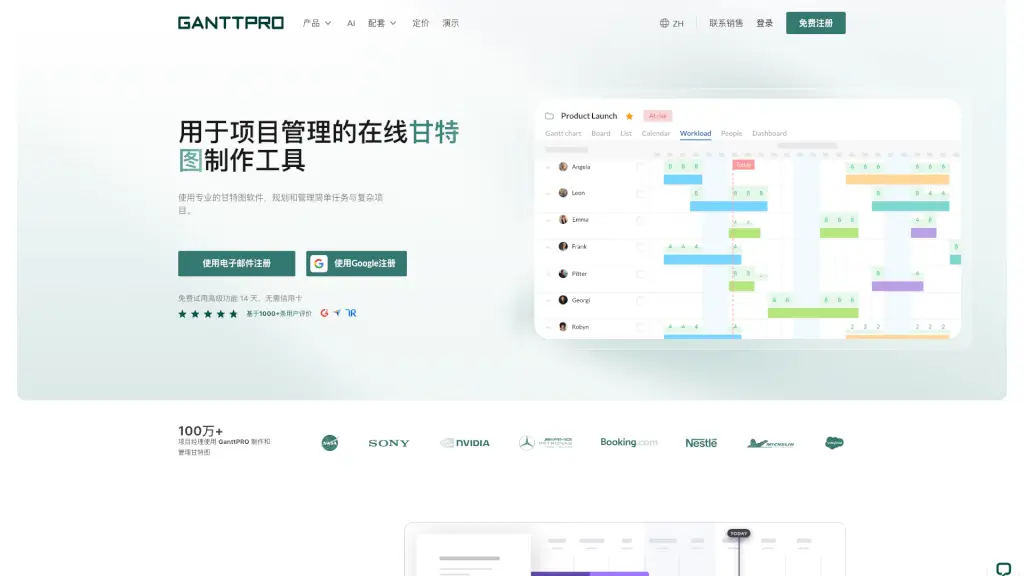
GanttPRO is a powerful online Gantt chart maker designed to simplify project planning for teams and individuals alike. Whether you're managing a small marketing campaign or coordinating a complex software launch, GanttPRO turns your tasks, timelines, and dependencies into a clear, visual schedule—no spreadsheet headaches required.
With real-time collaboration, automatic scheduling, and intuitive drag-and-drop controls, GanttPRO helps you stay on track from day one. Trusted by over 1 million project managers worldwide, it blends professional-grade features with an easy-to-use interface so you can focus on getting work done—not wrestling with tools.
What are the features of GanttPRO?
- Interactive Gantt Charts: Visualize tasks, deadlines, and dependencies in a dynamic timeline that updates automatically when changes occur.
- Workload Management: See who’s overloaded or underused and rebalance assignments to keep your team productive and happy.
- Multiple Project Views: Switch between Gantt, Kanban, and List views to match your workflow—perfect for agile teams or traditional planners.
- Task Dependencies & Critical Path: Set task relationships (like finish-to-start) and enable critical path analysis to spot delays before they happen.
- Time Tracking & Reporting: Log actual hours spent on tasks and generate detailed reports for billing, reviews, or performance insights.
- Real-Time Collaboration: Comment on tasks, attach files, and get instant notifications—everything stays in one place.
- Export & Sharing Options: Share live project links or export timelines as PDF, PNG, XLSX, or XML for presentations and stakeholder updates.
- Free Industry Templates: Jumpstart projects with ready-made templates for marketing, construction, IT, events, and more.
What are the use cases of GanttPRO?
- A marketing team plans a product launch using a pre-built template, tracks campaign milestones, and shares progress with executives via a private link.
- A construction project manager coordinates subcontractors by setting task dependencies and monitoring resource workload to avoid bottlenecks.
- An IT department manages a software rollout with agile sprints in Kanban view while maintaining a high-level Gantt overview for leadership.
- A freelancer uses time tracking to bill clients accurately and exports weekly reports to show completed deliverables.
- A nonprofit organizer schedules a fundraising event, assigns volunteer roles, and sets automatic reminders for key deadlines.
- A consulting firm runs multiple client projects simultaneously using portfolio view to balance team capacity across engagements.
How to use GanttPRO?
- Sign up for a free 14-day trial (no credit card needed) using email or Google.
- Choose a free industry-specific template or start from scratch to create your first project.
- Add tasks, set start/end dates, assign team members, and link dependencies—your Gantt chart builds itself automatically.
- Switch to Kanban or List view if you prefer cards or simple checklists for daily work.
- Use the workload dashboard to spot imbalances and reassign tasks with a few clicks.
- Share your project via secure link or export as PDF/PNG for meetings, clients, or offline reference.