
What is ChatGPT Notepad?
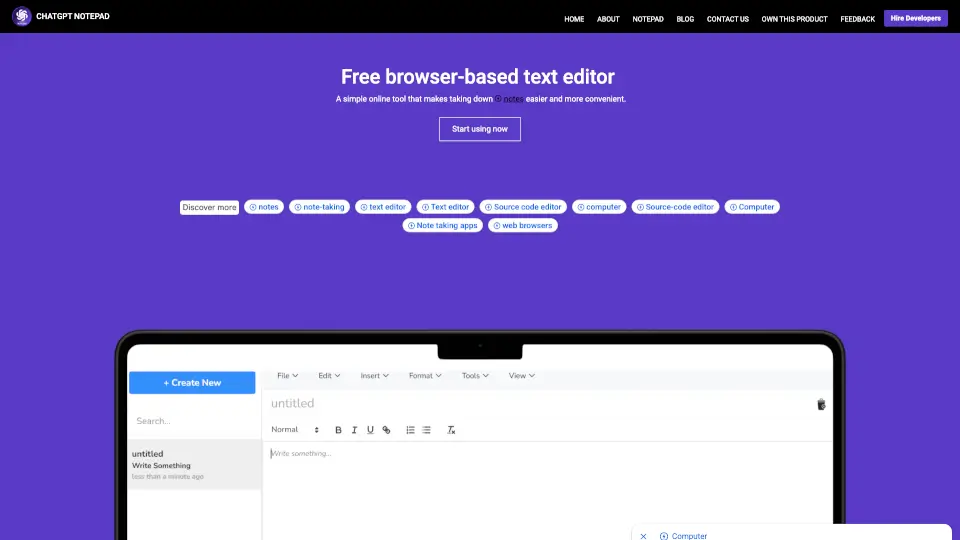
ChatGPT Notepad is your go-to free online notepad for quick, easy, and efficient note-taking. Designed to keep you focused, this browser-based text editor offers a distraction-free interface, perfect for jotting down ideas, drafting documents, or organizing your thoughts. With features like auto text cleanup, real-time word count, and spellcheck, it’s the ultimate tool for anyone looking to streamline their writing process.
What are the features of ChatGPT Notepad?
- Auto Text Cleanup: Automatically removes unwanted symbols like asterisks (*) and hashes (#) from AI-generated text, ensuring your notes are clean and professional.
- Real-Time Word Count: Keep track of your progress with a dynamic word counter that updates as you type.
- Find & Replace: Easily locate and replace specific words or phrases in your document.
- Spellcheck: Use your browser’s built-in spell checker to catch and correct spelling mistakes instantly.
- Print and Save: Quickly print your notes or save them as a text file for later use.
- Browser Compatibility: Works seamlessly on all modern browsers, including Chrome, Firefox, Safari, and more.
What are the use cases of ChatGPT Notepad?
- Quick Notes: Perfect for jotting down reminders, to-do lists, or ideas on the go.
- Study Sessions: Organize study materials, lecture notes, or research without any distractions.
- Content Drafting: Use it as a simple editor for drafting blog posts, articles, or essays.
- Meeting Notes: Capture key points and action items during meetings efficiently.
How to use ChatGPT Notepad?
- Open your web browser and visit chatgptnotepad.com.
- Start typing directly in the editor—no sign-up or setup required.
- Use the toolbar to access features like undo, redo, find & replace, and more.
- Save your work as a text file or print it when you’re done.