
What is AppScreens?
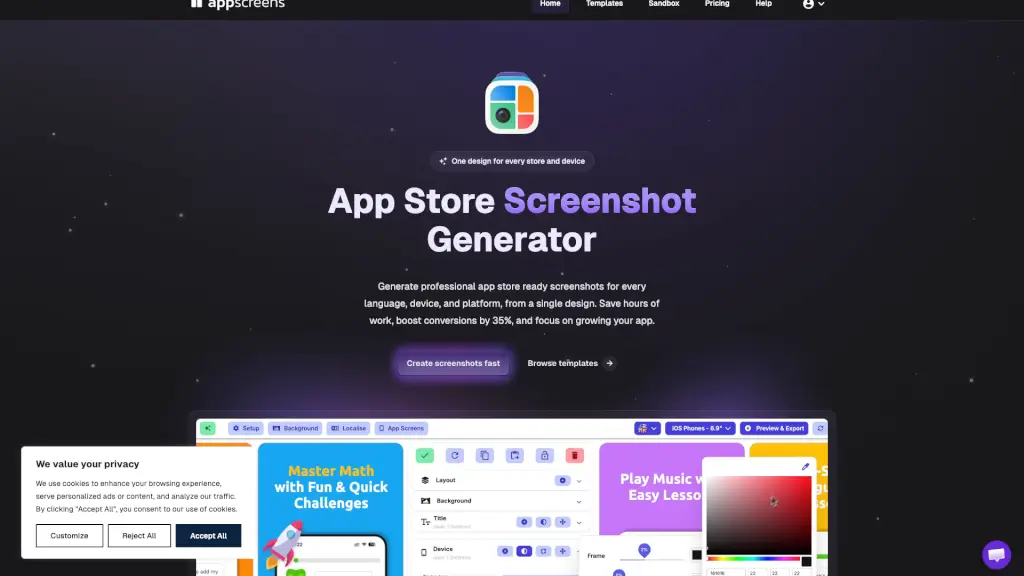
Tired of spending hours resizing screenshots for every iPhone, iPad, and Android device—only to repeat the whole process for each language? AppScreens is a free, smart screenshot generator built specifically for app developers who want professional, store-ready visuals without the design headache. Instead of juggling dozens of files in Photoshop or Figma, you create one responsive design, and AppScreens automatically adapts it across all devices, platforms, and 81+ languages.
Trusted by over 100,000 developers who’ve generated more than 10 million screenshots, AppScreens helps you boost conversions by up to 35% by making your app’s value instantly clear in the first few images. Whether you’re launching globally or running A/B tests with Apple’s Custom Product Pages (CPP) or Google’s Product Page Optimization (PPO), AppScreens turns a weekend chore into a 10-minute task.
What are the features of AppScreens?
- One Design, All Devices: Create a single responsive layout that auto-adapts to iPhone, iPad, Android phones, tablets, and even Apple Watch.
- 81+ Language Localization: Translate once and generate perfectly formatted screenshots for every market—including RTL support for Arabic and Hebrew.
- 500+ Pre-Built Templates: Jumpstart your project with conversion-optimized templates designed specifically for App Store and Google Play.
- One-Click Store Uploads: Publish directly to App Store Connect and Google Play Console with full support for CPP and PPO variants.
- Smart Mockups & Styling: Choose from real, clay, or 3D device frames, customize backgrounds, fonts, and overlays—no design skills needed.
- Bulk Import & Auto-Matching: Upload all your app screens at once; AppScreens matches them to the right device sizes automatically.
- AI-Powered Assistance: Get AI-suggested captions and fast translations, then fine-tune per language without rebuilding layouts.
What are the use cases of AppScreens?
- Launching your app in 10+ countries and needing localized screenshots that respect text expansion and RTL layout rules.
- Running App Store Optimization (ASO) experiments with different messaging or visual styles using CPP/PPO.
- Updating screenshots for a new app version without redesigning assets for every device size manually.
- Creating high-quality store visuals as a solo developer with no access to a designer or marketing team.
- Generating consistent, brand-aligned screenshots across both iOS and Android from a single source file.
- Preparing feature graphics and promotional images alongside standard screenshots in one workflow.
How to use AppScreens?
- Start by selecting your app or choosing a template from the 500+ options in the AppScreens editor.
- Import your app screenshots in bulk—AppScreens auto-matches them to correct device aspect ratios.
- Customize your layout: pick frames, adjust backgrounds, add titles, and use AI to draft benefit-driven captions.
- Preview how your screenshots look across iPhone, iPad, Android, and all target languages in real time.
- Localize by translating once—then override text, fonts, or spacing per language if needed.
- Export pixel-perfect PNGs or publish directly to App Store Connect and Google Play with one click.