
What is Zubtitle?
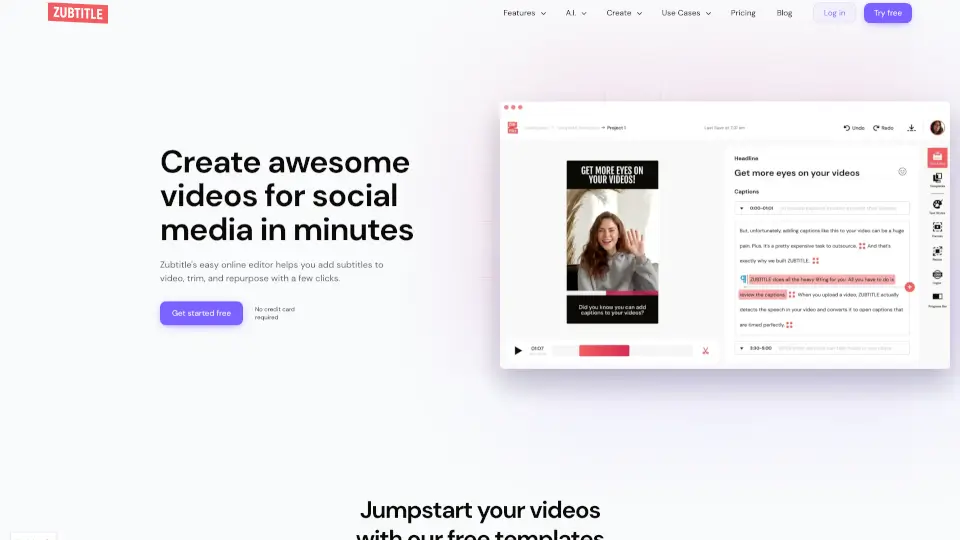
Zubtitle is an AI video editing tool for coaches, creators, and small teams that turns talking videos into polished social posts. It automatically adds captions, headlines, branded styles, and platform-ready formats without requiring complicated video editing software. Users upload a video, clean up the transcript, add a headline, and resize for different social feeds. The tool is designed for anyone who needs to repurpose talking-head content quickly for platforms like TikTok, Instagram, LinkedIn, and YouTube.
What are the features of Zubtitle?
- Automatic Captions & Subtitles: Generate captions from speech automatically, then fine-tune words and timing in a simple text editor.
- Style Templates: Save brand fonts, colors, and layouts as reusable templates to speed up editing across multiple videos.
- Video Headline Editor: Add a scroll-stopping headline directly in the built-in text editor to tease content and grab attention.
- Resize & Crop: Quickly crop and change aspect ratio to square, vertical, widescreen, or feed-ready clips for any social platform.
- AI Generate Social Posts: Convert a video into social media post text, titles, hashtags, and YouTube descriptions or timestamps automatically.
- Logo & Progress Bar: Upload a custom logo or watermark with drag-and-drop and add animated progress bars to increase viewer retention.
What are the use cases of Zubtitle?
- Content creators repurpose a single talking video into square, vertical, and widescreen clips for TikTok, Instagram Reels, and YouTube Shorts.
- Small business owners add branded captions, logos, and headlines to client testimonial videos for LinkedIn and Facebook.
- Marketing agencies save time by using AI-generated hashtags, descriptions, and timestamps for client YouTube uploads.
- Coaches and consultants trim long recordings to highlight the strongest moment and add a progress bar to keep viewers watching.
- Social media managers upload a webinar clip, generate captions, resize for Instagram Stories, and publish without opening a full video editor.
How to use Zubtitle?
- Upload your video file (MP4, MOV, or M4V under 1 GB and 20 minutes).
- Let the AI auto-generate captions, then review and edit the transcript timing.
- Use the built-in text editor to add a headline and choose a style template or custom branding.
- Resize or crop the video to the aspect ratio needed for your target platform.
- Download the final video or export the SRT subtitle file separately.