
What is Zread?
Zread is a smart, developer-friendly platform that helps you discover, track, and manage open-source repositories based on your interests and coding stack. Whether you're into AI, Rust, Java, or workflow engines like Camunda, Zread surfaces trending projects, private repos, and personalized recommendations—so you never miss a useful tool or library.
Built for curious coders and engineering teams, Zread combines real-time trend detection, personalized feeds, and seamless integration with tools like CLI and GitHub. It’s not just another repo browser—it’s your personal radar for what’s hot, useful, and worth watching in the open-source world.
What are the features of Zread?
- Trending Repository Discovery: See what’s popular this week across languages like Python, Go, and Rust.
- Private Repository Support: Add and monitor your own private repos alongside public ones.
- Personalized Recommendations: Get suggestions based on your tech stack (e.g., AI, LLM, Camunda, MCP).
- Subscription & Collections: Follow repos and save favorites to organized collections.
- Zread CLI Integration: Parse local projects and sync insights directly from your terminal.
- Theme Toggle & Sharing: Switch between light/dark mode and share cool finds with one click.
- Feedback-Driven Updates: Shape the platform’s evolution through direct user input.
What are the use cases of Zread?
- A Python developer exploring AI-powered document tools discovers MinerU2PPT for converting PDFs to editable slides.
- A DevOps engineer tracks s5cmd to optimize parallel S3 operations in their cloud pipeline.
- A Camunda user monitors official repos like camunda/feel-scala and c8ctl for workflow engine updates.
- Open-source contributors use Zread to find Hacktoberfest-tagged projects in Scala or Java.
- Teams building database clients evaluate TabularisDB for its cross-platform SQL support and plugin architecture.
- Researchers scan internet-wide data using zmap, found via Zread’s security/networking category.
- Mobile developers explore ConnectBot as a reference for secure SSH implementations on Android.
How to use Zread?
- Sign up or log in to personalize your feed and unlock subscriptions.
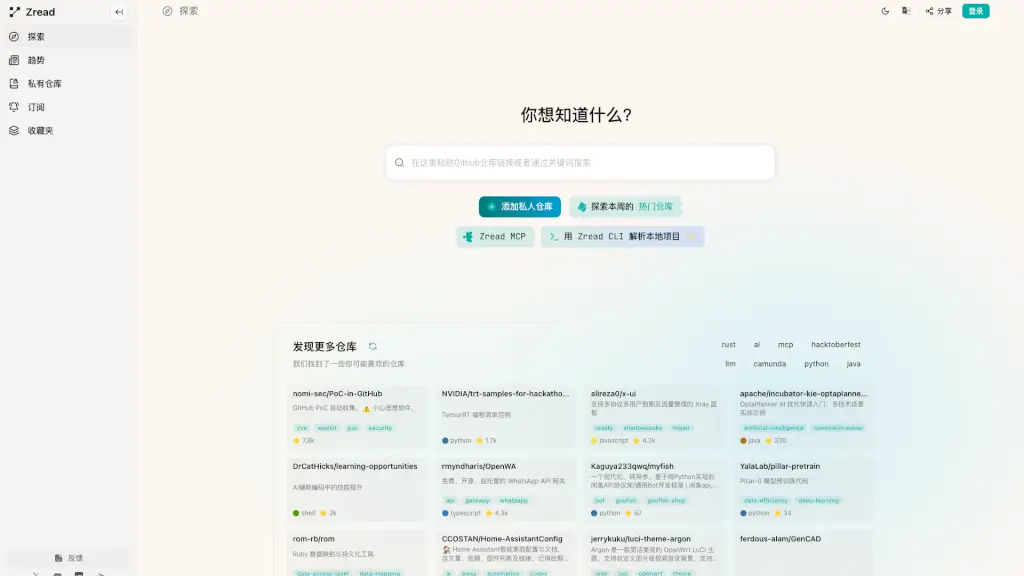
- Use the search bar (“What do you want to know?”) to look for keywords like “LLM,” “workflow,” or “S3.”
- Click “Add private repository” to connect your internal Git repos (if supported).
- Browse “This Week’s Popular Repositories” for fresh, high-star projects.
- Click the heart icon to add repos to your Favorites for later review.
- Install Zread CLI to analyze local codebases and auto-suggest relevant public repos.