What is Whimsical?
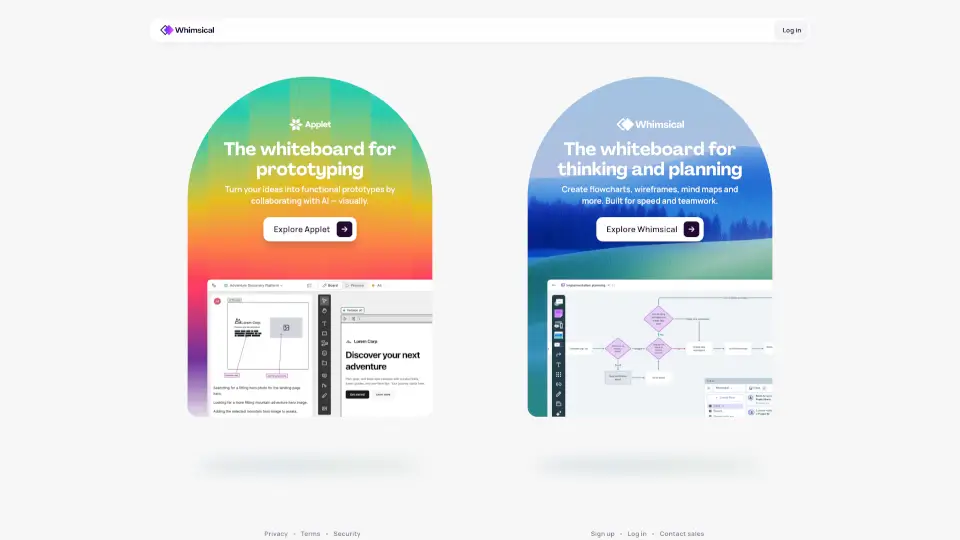
Whimsical is an infinite whiteboard designed specifically for product builders. It combines diagrams, wireframes, and AI-powered tools to help teams capture ideas, design interfaces, and document implementation—all in one collaborative space. Whether you're sketching a quick flowchart or refining a full product UI, Whimsical keeps you in a flow state with real-time multiplayer editing and a clean, fast interface.
What are the features of Whimsical?
- AI Flowcharts & Mind Maps: Automatically generate diagrams and organize ideas using conversational AI.
- Boards: An infinite canvas for freeform diagrams, wireframes, whiteboards, and more.
- Wireframes with Drag-and-Drop: Quickly build UI mockups using pre-built components.
- Multiplayer Editing: Work together in real-time with your team or AI.
- Templates from Experts: Jumpstart any project with a library of ready-to-use templates.
- Comments & Version History: Keep focused discussions on your work and restore earlier versions anytime.
- Image/Video Embedding: Add context by uploading images or embedding Loom, YouTube, and other videos.
- Integrations: Connect Whimsical with the tools you already use (e.g., Slack, Jira).
What are the use cases of Whimsical?
- Product Documentation: Map out system architecture, user flows, and decision trees with diagrams.
- UI/UX Wireframing: Explore new product ideas and iterate quickly on screen layouts before development.
- Brainstorming & Mind Mapping: Expand and organize ideas during team brainstorming sessions.
- Process Mapping: Communicate complex workflows and interaction flows using intuitive flowcharts.
- Remote Collaboration: Use real-time editing and comments to keep distributed teams aligned.
How to use Whimsical?
- Get started free: Sign up at whimsical.com and begin with a blank board or choose a template.
- Use AI to generate: Type a prompt in the AI Flowchart or AI Mind Map tool to instantly create a structured diagram.
- Collaborate in real-time: Invite teammates via link and edit simultaneously—watch changes appear live.
- Add media for context: Drag in images or paste video links to enrich your wireframes or diagrams.
- Review and restore: Access version history from the menu to roll back changes if needed.
- Export or integrate: Share your board link, or connect Whimsical to Slack or Jira for seamless workflow.