
What is Webflow?
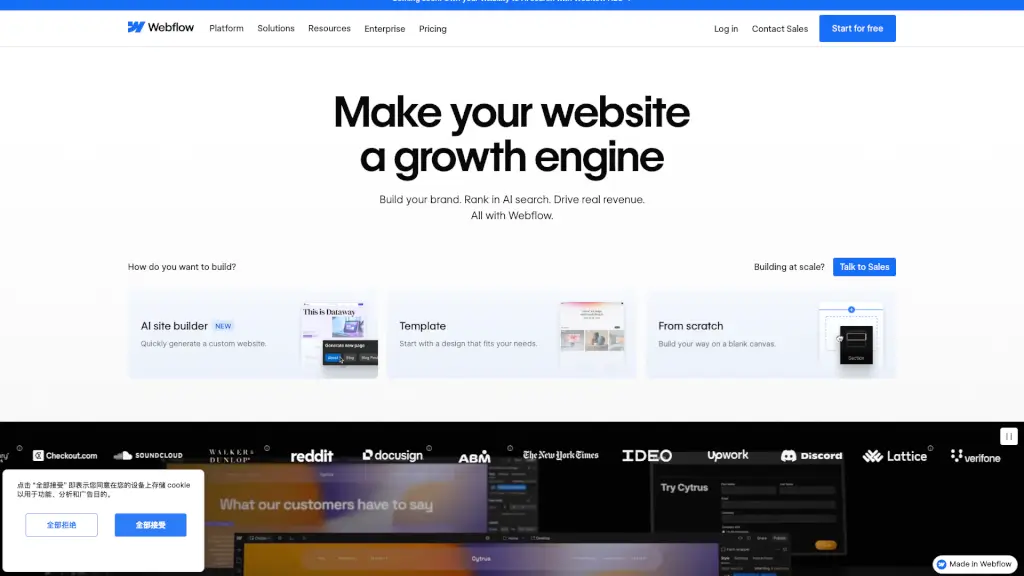
Webflow is an all-in-one visual web development platform that lets marketers, designers, developers, and agencies build, publish, and optimize professional websites—without needing to write code. It combines the flexibility of hand-coded sites with the ease of a drag-and-drop builder, so teams can create fast, responsive, and brand-consistent experiences at scale.
What sets Webflow apart is its AI-native approach, especially with new features like AEO (Answer Engine Optimization) that help your site show up not just in traditional search results, but also in AI-powered answers from tools like Google’s AI Overviews or ChatGPT. Whether you're launching a startup site or managing hundreds of enterprise pages, Webflow gives you full creative control while cutting dev bottlenecks and boosting performance.
What are the features of Webflow?
- Visual Builder: Design pixel-perfect, responsive websites directly in the browser using real HTML, CSS, and JavaScript—no coding required.
- Webflow AEO: Optimize your content to appear in AI-driven search results with built-in tools that help machines understand and surface your site.
- Composable CMS: Manage dynamic content visually with collections, reusable components, and structured data—perfect for blogs, product catalogs, or multilingual sites.
- Native Analytics & Optimization: Track performance, run A/B tests, and personalize content based on audience behavior—all within the same platform.
- Collaboration Tools: Work in real time with teammates, clients, and even AI agents using comments, version history, staging environments, and role-based permissions.
- Enterprise-Grade Hosting: Enjoy 99.99% uptime, global CDN, automatic SSL, and zero-maintenance infrastructure powered by Webflow Cloud.
- AI-Powered Workflows: Generate copy, page sections, or entire sites using contextual AI that respects your design system and brand guidelines.
- Figma & Dev Integrations: Seamlessly import designs from Figma or extend functionality with custom code, APIs, and tools like Cursor or React.
What are the use cases of Webflow?
- A marketing team launches localized campaign pages weekly without waiting for developer support.
- A freelance designer builds fully custom client websites and hands off an easy-to-use CMS for ongoing updates.
- An enterprise company manages 30+ global brand sites with shared design systems, ensuring consistency and speeding up time-to-market.
- An agency uses Webflow AEO to future-proof client sites for visibility in both Google and emerging AI search engines.
- A startup rapidly prototypes and iterates landing pages using AI-generated layouts, then scales with native analytics to optimize conversions.
- A nonprofit creates accessible, multilingual donation pages that load instantly worldwide thanks to Webflow’s global hosting.
How to use Webflow?
- Start by choosing “From scratch,” a template, or the new AI site builder to generate a custom foundation in seconds.
- Use the visual editor to design layouts with flexbox, grid, and interactions—everything you build outputs clean, semantic code.
- Set up your CMS collections to manage dynamic content like blog posts, products, or team members visually.
- Enable SEO and AEO settings per page to control meta tags, structured data, and AI-readiness for better visibility.
- Invite collaborators with specific roles (editor, designer, admin) and use comments and version history to streamline reviews.
- Publish instantly with one click—and keep optimizing using built-in analytics and AI-powered personalization tools.