
What is Elementor?
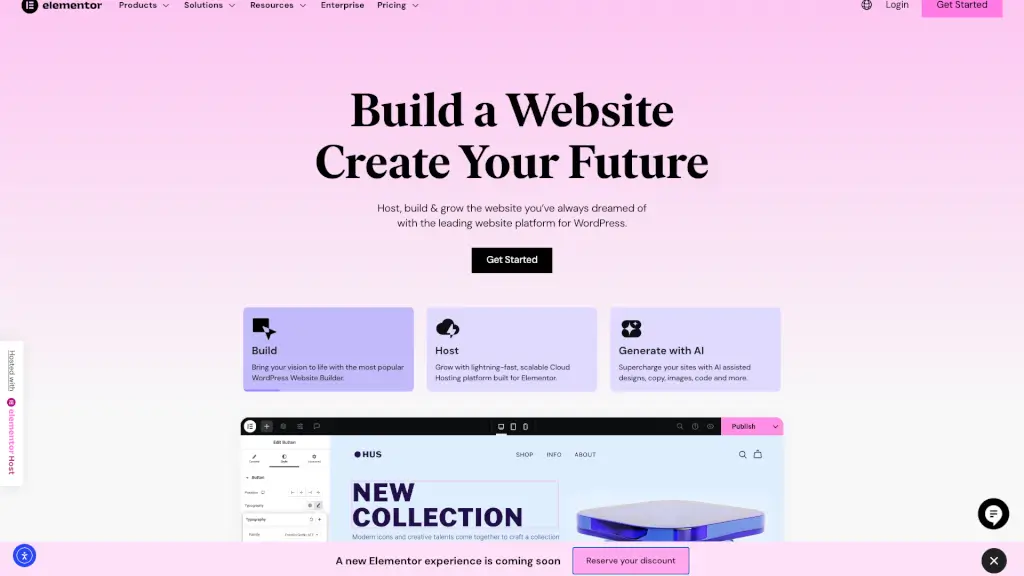
Elementor is a powerful and user-friendly website builder that makes it easy for anyone to create a stunning, high-performing website or online store. With its intuitive drag-and-drop interface, you can design and build your site without any coding knowledge. Whether you're a business owner, designer, or developer, Elementor provides the tools and features you need to bring your vision to life. From responsive design to advanced marketing tools, Elementor has everything you need to create, host, and grow your online presence.
What are the features of Elementor?
- Drag & Drop Editor: Easily create pixel-perfect websites with the Elementor Editor's intuitive drag & drop interface.
- AI Site Planner: Plan your site and create wireframes in minutes using AI, turning your vision into a meaningful brief, sitemap, and wireframe.
- Responsive Design: Adjust web components to any screen size, ensuring a seamless online experience across all devices.
- Dynamic Elements: Save time and maintain consistency with dynamic tags and elements that automatically update content changes across your site.
- Built-in Marketing Tools: Engage and convert visitors with powerful marketing tools like forms, pop-ups, and landing pages.
- eCommerce Integrations: Sell anything online with native integrations for WooCommerce, PayPal, and Stripe, providing branded shopping experiences.
- High-Performance Hosting: Get lightning-fast, secure hosting that handles traffic spikes and ensures top performance and security.
What are the use cases of Elementor?
- Small Business Owners: Create a professional and engaging website to showcase your products and services.
- Freelancers and Creatives: Build a portfolio or personal website to highlight your work and attract new clients.
- E-commerce Entrepreneurs: Launch and manage an online store with integrated eCommerce tools and hosting.
- Marketing Agencies: Scale client projects with advanced tools and custom solutions designed for growing digital agencies.
- Enterprise Businesses: Custom solutions with dedicated support and enterprise-grade security for large-scale operations.
- Educational Institutions: Develop informative and interactive websites for schools, universities, and educational programs.
How to use Elementor?
- Start with a Template: Choose from a wide range of pre-designed templates to get a head start on your website.
- Customize Your Design: Use the drag & drop editor to add and arrange elements, customize colors, fonts, and layouts.
- Add Dynamic Content: Use dynamic tags and elements to keep your content consistent and up-to-date.
- Optimize for SEO: Utilize built-in SEO tools to improve your site’s visibility and search engine rankings.
- Test and Publish: Preview your site on different devices, make any necessary adjustments, and publish it to the world.
- Monitor and Improve: Use analytics and feedback to continuously improve and optimize your website.