
What is VoiceDub?
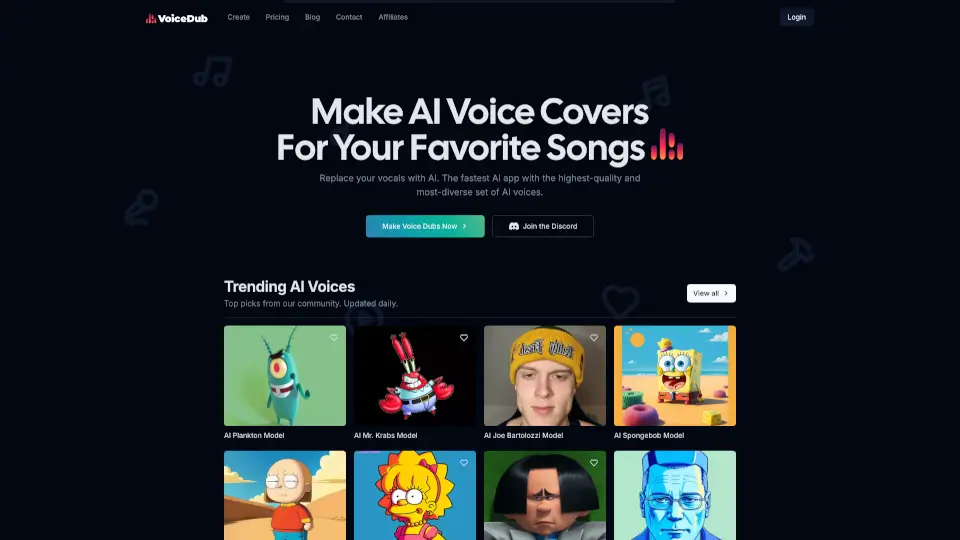
VoiceDub is an in-browser AI studio that lets you make AI voice covers from any song. Swap vocals with over 10,000 user-created AI voices, clone your own voice with a 30-second sample, or remove vocals for free. No install needed—just paste a link, pick a voice, and get a studio-mastered cover in under 30 seconds.
What are the features of VoiceDub?
- Voice Covers: Swap vocals from any song into 10,000+ user-created AI voices with studio-quality mastering.
- Voice Cloning: Train an AI on a 30-second voice sample, then use it for covers or text-to-speech.
- Free Vocal Remover: Split any song into clean vocal and instrumental stems—no sign-up, no watermark.
- Free Vocoder: Make any video or audio clip sing by applying a melody, perfect for memes and skits.
- Live Text-to-Speech: Turn any script into natural-sounding speech using any user-created AI voice.
- Studio Mastering: Every cover is automatically EQ-matched, de-essed, and leveled.
What are the use cases of VoiceDub?
- Cover Songs: Record a cover of your favorite song using a celebrity or cartoon character voice.
- Content Creation: Generate unique voiceovers for videos, skits, and memes without hiring an actor.
- Karaoke & Remixing: Split a track into vocals and instrumental for karaoke or sample creation.
- Voice Preservation: Clone a family member's or your own voice for personal keepsakes.
- Text-to-Speech Narration: Create narrated videos, podcasts, or audiobooks with any AI voice.
How to use VoiceDub?
- Step 1 – Paste or Upload: Drop a YouTube link or drag an audio file into VoiceDub. The tool automatically isolates the vocals.
- Step 2 – Pick a Voice: Browse 10,000+ user-created AI voices (celebrity impressions, characters, or your own clone).
- Step 3 – Render: Hit render and download a mastered cover as WAV, MP3, or stems in under 30 seconds.
- Step 4 – Clone (Optional): For own voice, record a 30-second sample and train a reusable voice profile for covers and TTS.
- Step 5 – Explore Free Tools: Use the vocal remover or vocoder anytime—no credits or sign-up required.