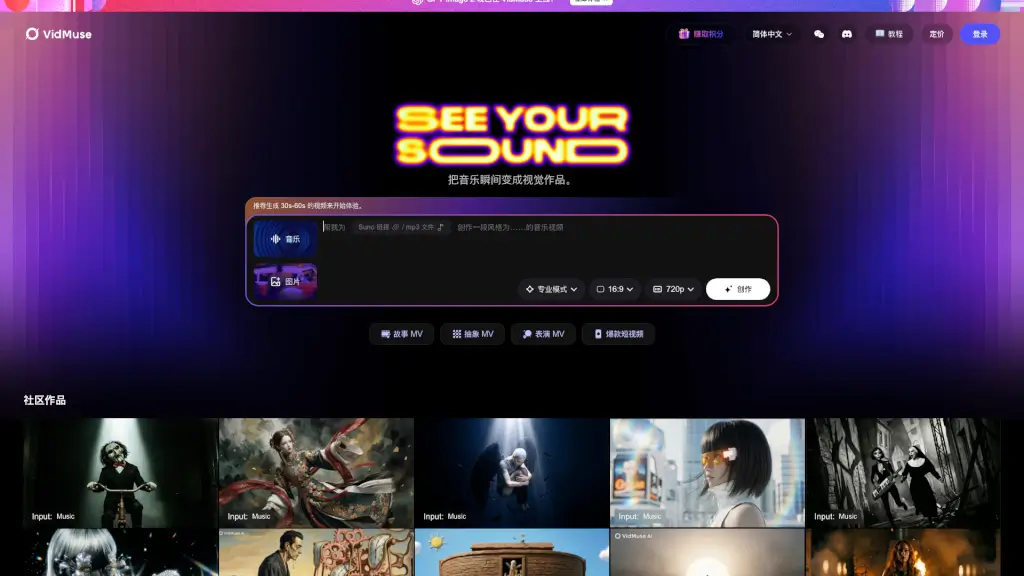
What is VidMuse?
VidMuse is a cutting-edge AI music video generator designed for artists on platforms like Suno, Udio, and Spotify. With VidMuse, you can transform your music into stunning visual stories, from narrative MVs to viral shorts and Spotify Canvas. Simply paste your Suno link or upload an MP3 file, and let the AI work its magic. Whether you're looking to create a 30-second teaser or a full-length music video, VidMuse offers a range of styles to suit your artistic vision.
What are the features of VidMuse?
- AI-Generated Music Videos: Automatically creates professional-quality music videos from your audio and lyrics.
- Multiple Video Styles: Choose from story MVs, abstract MVs, performance MVs, and more.
- Customizable Length: Generate videos ranging from 30 seconds to several minutes.
- High-Quality Output: Produces videos in 16:9 aspect ratio and 720p resolution.
- Spotify Canvas Integration: Create eye-catching visuals for your Spotify tracks.
- Community Showcase: Share and discover other artists' creations within the VidMuse community.
What are the use cases of VidMuse?
- Promoting New Releases: Launch your new single with a visually captivating music video.
- Social Media Content: Create engaging short clips for platforms like Instagram, TikTok, and YouTube.
- Live Performance Backdrops: Use generated videos as dynamic backdrops during live shows.
- Artist Branding: Develop a consistent visual style that complements your musical identity.
- Fan Engagement: Offer exclusive content to your fans, such as behind-the-scenes footage or special remixes.
- Music Video Teasers: Build anticipation for upcoming releases with short, intriguing previews.
How to use VidMuse?
- Upload Your Music: Paste your Suno link or upload an MP3 file.
- Select a Style: Choose the type of music video you want (e.g., story MV, abstract MV).
- Set the Duration: Specify the length of the video, ideally between 30-60 seconds for optimal engagement.
- Customize Settings: Adjust any additional settings to fine-tune the video's look and feel.
- Generate and Preview: Let the AI generate your video and preview it before finalizing.
- Download and Share: Once satisfied, download the video and share it across your social media channels.