
What is Video Magic?
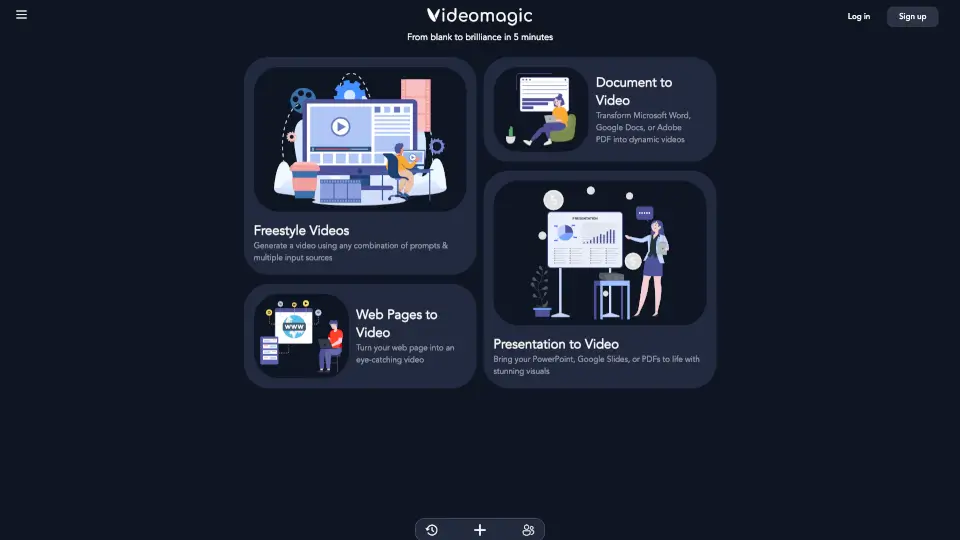
Tired of sifting through walls of text just to understand a report, article, or webpage? Videomagic is your shortcut. This smart AI video generator turns any URL—whether it’s a blog post, PDF, or internal document—into a clear, narrated short-form video in under 5 minutes. No editing skills, formatting, or resizing needed.
What makes Videomagic different? It doesn’t just read content aloud—it transforms dense information into structured, visual understanding. Think of it as a friendly explainer that highlights key points, dives into details, and even lets you ask “why?” while staying grounded in the original source. Perfect for students, professionals, or anyone who values clarity over clutter.
What are the features of Video Magic?
- URL-to-Video Conversion: Paste any webpage link and instantly generate a polished, narrated video—no manual work required.
- Visual Clarity Engine: Replaces overwhelming text with clean visuals, voiceovers, and smart segmentation (Intro, Key Points, Deep Dive, Summary).
- Ask Why Functionality: Interact with your content by asking follow-up questions; answers are pulled directly from source material with page references.
- Source Transparency: Every claim in the video links back to its original document or webpage, so you always know where info comes from.
- Zero Formatting Needed: Automatically adapts content from websites, PDFs, slides, or enterprise threads—no cleanup or resizing on your end.
- Fast Generation: Create high-quality explanatory videos in less than 5 minutes, start to finish.
What are the use cases of Video Magic?
- Turn a quarterly earnings report (like Q4_Report_2024.pdf) into a quick team briefing video.
- Convert a complex news article or research paper into an easy-to-digest study aid.
- Share product documentation with customers as a clear, engaging walkthrough video.
- Summarize internal Slack threads or Notion pages for remote team alignment.
- Create social media explainers from blog posts without filming or editing.
- Help non-technical stakeholders understand data-heavy updates through visual storytelling.
How to use Video Magic?
- Go to the Videomagic platform and sign in (or start free if you’re new).
- Choose your input: paste a webpage URL, upload a file (like a PDF), or paste raw text.
- Click “Create Video”—the AI processes your content and structures it automatically.
- Review your generated video with labeled sections (Intro, Key Points, etc.).
- Use the “Ask Why” feature to explore deeper insights tied to specific parts of the source.
- Download, share, or embed your video directly from the platform.