
What is Vectr?
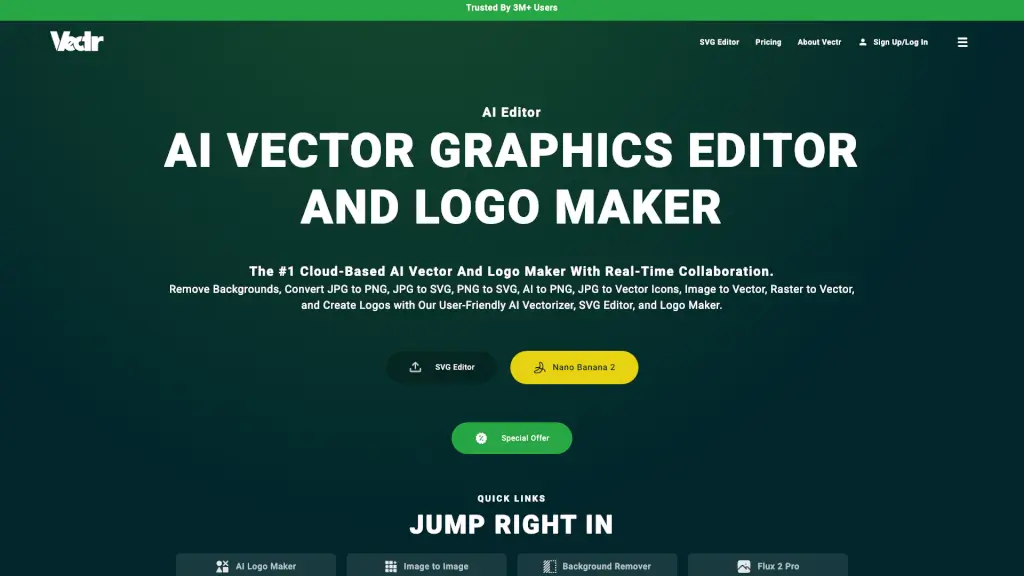
Vectr is a powerful, cloud-based AI vector graphics editor and logo maker that simplifies the design process for both beginners and professionals. With Vectr, you can create stunning logos, convert images to vectors, and remove backgrounds with just a few clicks. Whether you're a student, a professional designer, or someone looking to enhance their visual content, Vectr's user-friendly interface and advanced AI tools make it easy to achieve professional results without a steep learning curve. Plus, its real-time collaboration feature allows teams to work together seamlessly, no matter where they are.
What are the features of Vectr?
- AI Vector Graphics Editor: Create and edit vector graphics with ease, thanks to intuitive tools and AI-powered features.
- Logo Maker: Design unique and professional logos using AI-driven templates and customization options.
- Background Remover: Remove backgrounds from images in seconds, making your visuals stand out.
- SVG Converter: Convert JPG, PNG, and other image formats to SVG for scalable, high-quality graphics.
- Real-Time Collaboration: Work together with your team in real-time, with live workspace sharing and integrated chat.
- Cross-Platform Sync: Access and edit your projects from any device, ensuring you can continue designing wherever you are.
What are the use cases of Vectr?
- Creating Professional Logos: Design unique and eye-catching logos for your business or personal brand.
- Image to Vector Conversion: Transform raster images into scalable vector graphics for use in various projects.
- Removing Backgrounds: Quickly remove backgrounds from product photos, selfies, and more for a clean, professional look.
- Collaborative Design Projects: Work on design projects with your team in real-time, improving efficiency and creativity.
- Educational Use: Ideal for students and teachers to create and edit graphics for presentations, projects, and more.
- Social Media Content: Generate high-quality, visually appealing content for social media platforms, ads, and promotions.
How to use Vectr?
- Sign Up/Log In: Start by creating an account or logging in if you already have one.
- Choose Your Project: Select whether you want to create a new project or open an existing one.
- Use AI Tools: Utilize the AI-powered tools like the background remover, logo maker, and SVG converter to streamline your design process.
- Edit and Customize: Edit your designs using the intuitive vector editor, adding shapes, text, and other elements as needed.
- Collaborate: Share your project with team members to collaborate in real-time, enhancing productivity and creativity.
- Export and Save: Once you’re done, save and export your designs in various formats like SVG, PNG, and JPG.