What is UXMagic.ai?
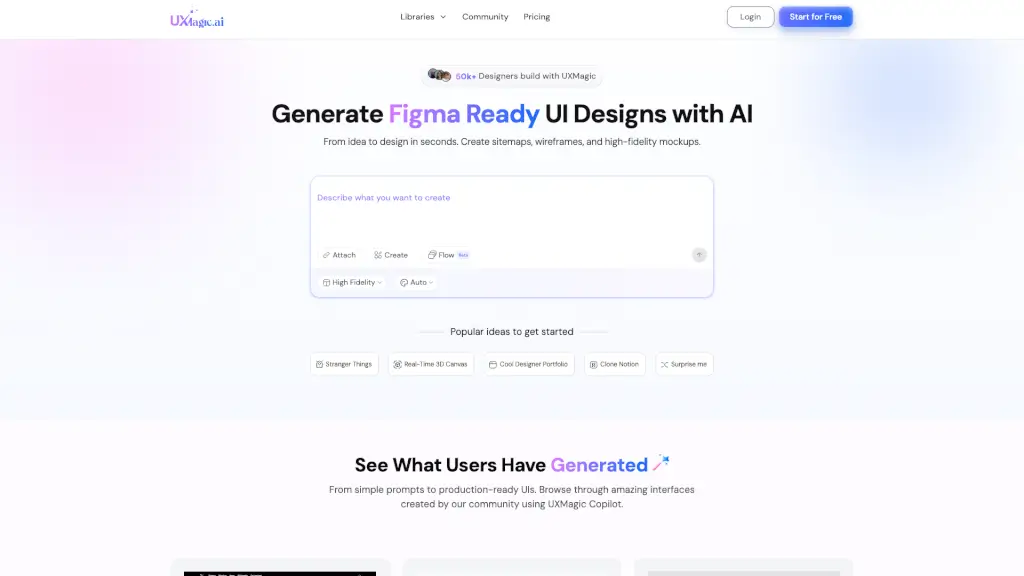
UXMagic.ai is a powerful AI-driven design platform that helps you turn your ideas into stunning UI designs, wireframes, and sitemaps in just seconds. Whether you're a seasoned designer or a complete beginner, UXMagic simplifies the design process, allowing you to focus on creativity rather than the nitty-gritty details. With features like Prompt to UI, Image to UI, and Sketch to UI, you can quickly generate high-fidelity designs and Figma-ready components, making it perfect for both quick prototypes and production-ready projects.
What are the features of UXMagic.ai?
- Prompt to UI: Instantly transform text descriptions into functional UI designs.
- Image to UI: Upload a design screenshot to get production-ready code.
- Sketch to UI: Convert your hand-drawn sketches into polished digital interfaces.
- Clone a Website to UI: Recreate any website design by simply providing a URL.
- Figma Integration: Seamlessly integrate with your existing Figma projects and workflows.
- Responsive Design: Create layouts that adapt seamlessly to any device or screen.
- Export Code (HTML/React): Turn your final designs into developer-friendly HTML and React components.
What are the use cases of UXMagic.ai?
- Rapid Prototyping: Quickly generate wireframes and mockups for client presentations.
- Design System Creation: Build and maintain a consistent design system with Figma integration.
- Website Redesigns: Recreate and improve existing websites with the Clone a Website feature.
- Startup Development: Speed up the design-to-development process for fast-paced projects.
- Marketing Campaigns: Create visually appealing landing pages and promotional materials.
- Educational Projects: Help students and educators create professional-looking designs without needing advanced design skills.
How to use UXMagic.ai?
- Start with a Clear Prompt: Begin by describing your design idea in a clear and concise way.
- Upload Your Assets: If you have a sketch or an image, upload it to the platform.
- Generate the Design: Click the "Generate" button to see your idea come to life.
- Customize and Edit: Use the built-in editing tools to refine and customize your design.
- Export to Figma: Once satisfied, export your design to Figma for further collaboration.
- Generate Code: For developers, export the design as HTML or React components for easy implementation.