

Was ist Uizard?
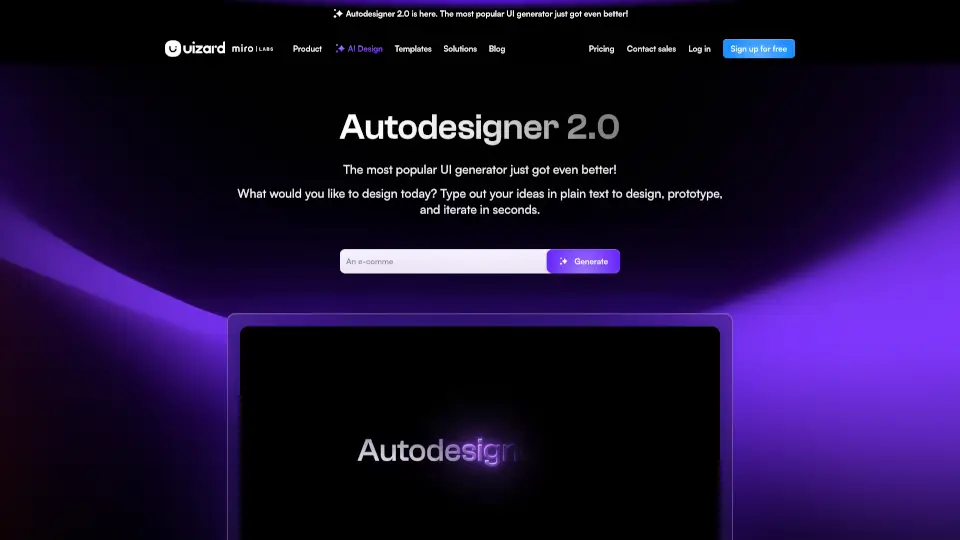
Uizard ist ein revolutionäres AI-gestütztes UI-Design-Tool, das es jedem ermöglicht, in Minuten professionelle Designs für Apps, Websites und Software zu erstellen. Mit einer benutzerfreundlichen Oberfläche und leistungsstarken KI-Funktionen ist Uizard die perfekte Lösung für Designer, Produktmanager und Startups.
Was sind die Merkmale von Uizard?
- Autodesigner 2.0: Generiere komplette Projekte, Screens und Designs mit einfachen Textbefehlen.
- Screenshot Scanner: Konvertiere Screenshots in bearbeitbare Mockups.
- Wireframe Scanner: Digitalisiere handgezeichnete Wireframes in Sekunden.
- Echtzeit-Kollaboration: Arbeite mit deinem Team in Echtzeit an Designs.
- Vorlagenbibliothek: Nutze vorgefertigte Vorlagen für mobile Apps, Websites und mehr.
Was sind die Anwendungsfälle von Uizard?
- Produktmanager: Erstelle schnell Mockups für neue Ideen.
- Designer: Iteriere und verbessere Designs in Rekordzeit.
- Startups: Entwickle MVPs ohne teure Designressourcen.
- Unternehmen: Beschleunige den Designprozess für große Teams.
Wie benutzt man Uizard?
- Wähle ein Gerät (z.B. Smartphone, Tablet, Desktop).
- Gib eine Textbeschreibung deiner Designidee ein.
- Wähle einen Designstil aus.
- Lass die KI dein Design in Sekunden generieren.
- Bearbeite und passe das Design nach Bedarf an.