
What is useArtemis?
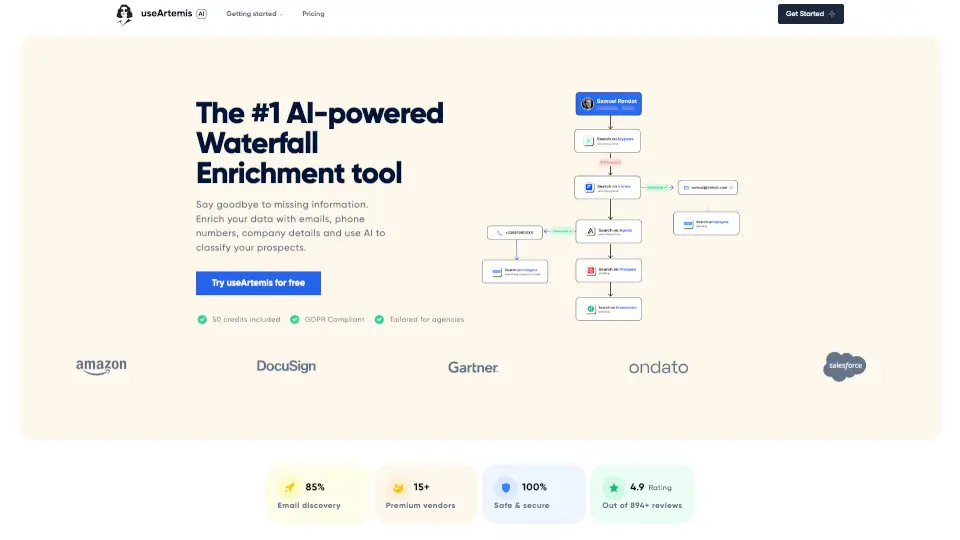
useArtemis is an AI-powered waterfall enrichment tool that helps sales teams, agencies, and marketers find verified emails and phone numbers for prospects. It combines data from 15+ premium vendors, then verifies each contact before delivering it. The tool also adds company details, social profiles, tech stack, and SEO metrics. It fits into lead generation workflows by replacing manual research with automated, multi-source enrichment.
What are the features of useArtemis?
- Waterfall Email & Phone Finder: Searches across 15+ vendors to find contacts; if one source fails, the next is tried. Each result is verified before delivery.
- 10+ Data Point Enrichment: Beyond emails and phones, retrieves company details, LinkedIn profiles, tech stack, and SEO metrics automatically.
- AI-Powered Lead Classification: Lets users ask natural language questions about leads; the AI analyzes each prospect and returns a targeted answer.
- Verification & Safety Check: Validates every email and phone number; if a contact is risky, the tool continues searching until a safe match is found.
- Zapier & API Integration: Connects to 1000+ apps via Zapier, or plugs directly into custom workflows using the API for automated enrichment.
What are the use cases of useArtemis?
- Sales teams building targeted outbound lists by enriching raw CRM contacts with verified emails and phones.
- Agencies qualifying leads by adding company tech stack, size, and industry details from a simple list.
- Marketers segmenting prospects by asking AI questions like “which leads use Shopify?” to classify hundreds of records.
- Recruiters finding direct contact info for candidates by scraping LinkedIn profiles and enriching with phone numbers.
How to use useArtemis?
- Sign up for a free account; you receive 50 credits to start testing.
- Upload or paste a list of prospect names and companies (or LinkedIn URLs).
- Let the tool run the waterfall search across vendors; it will verify each result.
- Review the enriched data in the dashboard, then export or send to your CRM via Zapier or API.
- Use the AI filter to ask classification questions about your leads before exporting.