
What is Bloom?
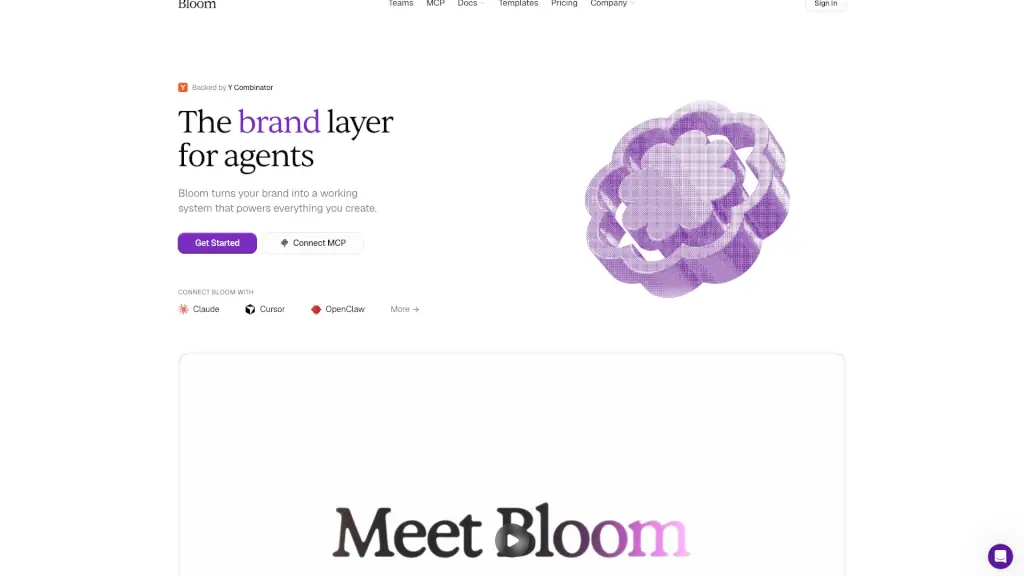
Bloom AI is your brand’s new best friend—think of it as a brand layer for agents that turns messy brand files into a clean, working system. Whether you’re a solo founder or part of a marketing team, Bloom ingests everything from Figma files and PDFs to videos and style guides, then organizes them into one unified source of truth. No more digging through folders or guessing your brand voice—it’s all instantly accessible.
Once your brand lives in Bloom, you (or your AI agents) can generate on-brand assets like ads, social posts, emails, and product visuals in seconds. Every output stays consistent because it pulls from the same canonical system. That means fewer revisions, faster launches, and total brand confidence across every channel.
What are the features of Bloom?
- Brand Ingestion from Any Source: Upload decks, websites, Figma files, images, videos, and docs—Bloom absorbs it all.
- Unified Brand System: Automatically structures your brand into aesthetics, colors, fonts, voice, tone, and references.
- On-Demand Asset Generation: Create images, videos, copy, carousels, and campaigns that stay perfectly on-brand.
- Real-Time Brand Updates: Change your logo or palette once, and every future asset reflects it instantly.
- Plain English Search: Just describe what you need (“summer sale Instagram post”), and Bloom finds or generates it.
- API & MCP Access: Plug Bloom into tools like Claude, Cursor, or your own stack so agents always use the right brand.
- Team Collaboration: Share brands, assets, and credits across unlimited team members with pooled billing.
- Reference Library: Recreate trending or competitor content—but automatically adapted to your brand.
What are the use cases of Bloom?
- A marketing team launching a new product campaign uses Bloom to auto-generate dozens of ad variations in their exact brand voice and colors.
- A startup founder connects Bloom to Claude via MCP so their AI assistant writes customer emails that sound authentically “them.”
- An agency manages 10 client brands in one workspace, letting designers and copywriters switch between accounts without confusion.
- A content creator uploads past reels and moodboards, then asks Bloom to suggest new TikTok ideas that match their aesthetic.
- An e-commerce brand updates its seasonal palette in Bloom, and all future social banners, product pages, and email headers update automatically.
- A developer embeds Bloom’s API into their SaaS app to offer customers branded export templates without building design infrastructure.
How to use Bloom?
- Step 1: Upload your brand files—PDFs, Figma links, videos, style guides, or even social posts.
- Step 2: Let Bloom analyze and unify your brand into structured components (voice, colors, fonts, etc.).
- Step 3: Start creating by typing a request in plain English (“Instagram carousel for Q3 launch”) or use the visual editor.
- Step 4: Connect Bloom via MCP to tools like Claude Desktop or Cursor for AI-assisted, brand-aware workflows.
- Step 5: Invite teammates to collaborate—everyone shares the same brand system and credit pool.
- Step 6: Update your brand anytime; all future generations will reflect changes automatically.