What is FlowiseAI?
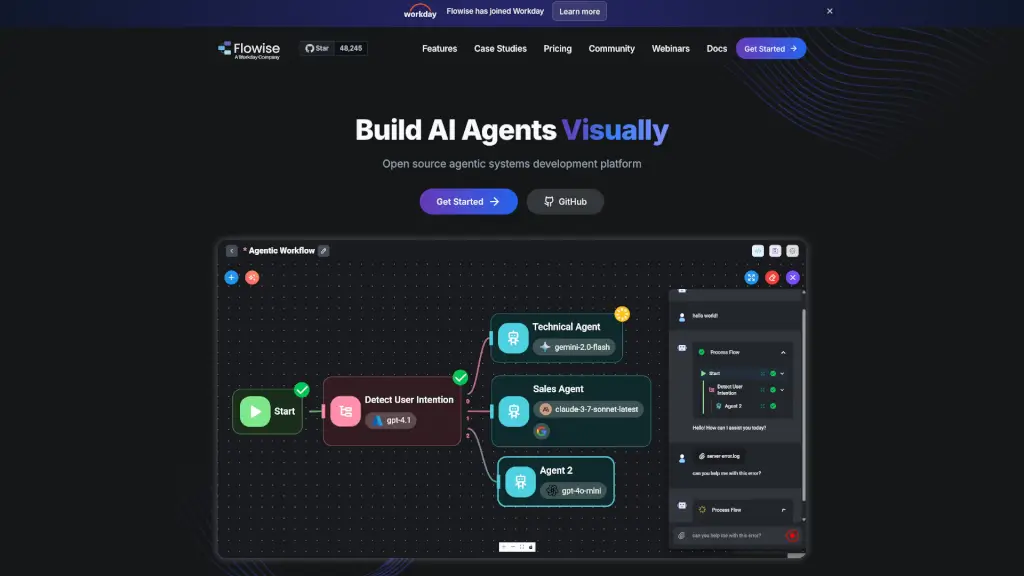
Flowise is an open-source platform that makes it easy to build AI agents and chatbots, even if you're not a coding expert. With its user-friendly drag-and-drop interface, you can create complex AI systems in no time. Whether you need a simple chatbot or a sophisticated multi-agent system, Flowise has the tools to help you get the job done. It's perfect for individuals, small teams, and even medium-sized businesses looking to integrate AI into their workflows.
What are the features of FlowiseAI?
- Visual Builder: Create AI agents and chatbots with a simple, intuitive drag-and-drop interface.
- Multi-Agent Systems: Build and orchestrate multiple coordinated agents to handle complex tasks.
- Chatflow Support: Develop single-agent systems and chatbots that can call tools and retrieve knowledge from various data sources.
- Human-in-the-Loop (HITL): Allow humans to review and provide feedback on tasks performed by AI agents.
- Observability: Get full execution traces and support for popular observability tools like Prometheus and OpenTelemetry.
- Developer-Friendly API: Extend and integrate Flowise into your applications using APIs, SDKs, and embedded widgets.
- Enterprise-Ready: Deploy and scale your AI applications with enterprise-grade infrastructure, supporting both cloud and on-premises environments.
- 100+ LLMs and Tools: Access a wide range of language models, embeddings, and vector databases to power your AI projects.
What are the use cases of FlowiseAI?
- Customer Support Chatbots: Automate customer service with AI-powered chatbots that can answer common questions and escalate issues when needed.
- Internal Knowledge Management: Build AI assistants that help employees find information quickly and efficiently.
- Project Management: Create AI agents that can generate project tasks, track progress, and provide updates.
- Education and Training: Develop AI tutors and educational bots that can provide personalized learning experiences.
- Data Analysis: Use AI to analyze large datasets and provide insights, making data-driven decisions easier.
- Content Generation: Automate the creation of blog posts, reports, and other content with AI-powered writing assistants.
How to use FlowiseAI?
- Install Flowise: Start by installing Flowise globally using
npm install -g flowiseand then start the server withnpx flowise start. - Create a New Project: Use the visual builder to drag and drop components and create your AI agent or chatbot.
- Configure Agents: Set up the behavior and logic of your agents, including how they interact with users and other systems.
- Integrate Data Sources: Connect your AI agents to various data sources, such as PDFs, Excel files, and databases.
- Test and Deploy: Test your AI system in a development environment and then deploy it to production.
- Monitor and Improve: Use the observability features to monitor performance and make improvements based on feedback.