
What is Taskade?
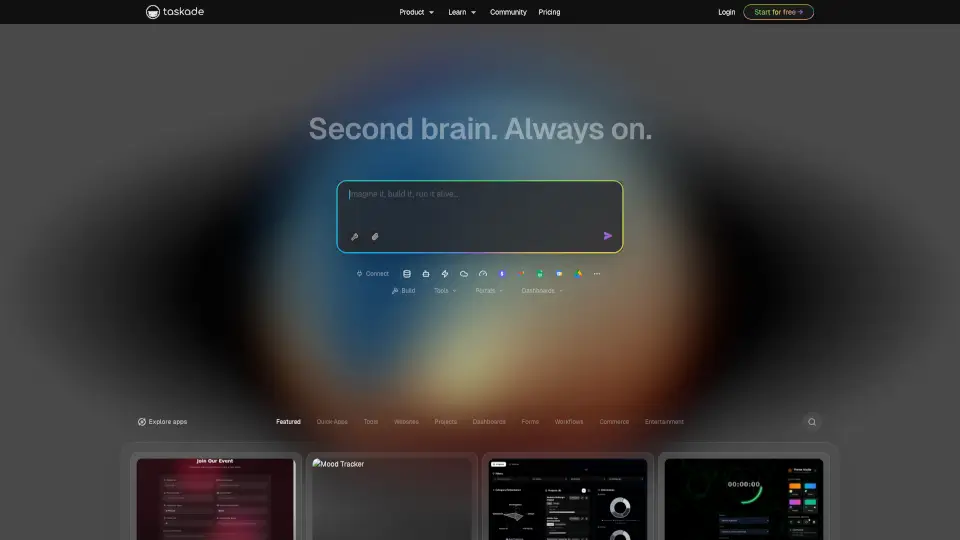
Taskade Genesis is an AI business app builder that turns a simple description into a fully functioning app—complete with AI agents, automations, and live data—all in minutes. No coding, no developer team needed. Just tell it what you need (like a CRM, client portal, or dashboard), and Taskade builds a real, hosted application you can use immediately.
What makes Taskade stand out is its “living workspace” approach: your apps remember past interactions, AI agents act on your behalf using tools like Stripe or Slack, and workflows run reliably 24/7. Whether you're a solo founder, marketing agency, or operations team, Taskade helps you automate repetitive work and ship professional tools fast.
What are the features of Taskade?
- One-Prompt App Builder: Describe your idea in plain English—Taskade generates a full-stack app with database, UI, and logic.
- AI Agents with Memory: Deploy smart agents that retain context, access your files, and take action across 100+ apps like Gmail, GitHub, or Shopify.
- Durable Automations: Create complex workflows with branching, loops, and automatic retries that never fail silently.
- Cloneable Live Apps: Instantly copy pre-built systems like sales CRMs, finance dashboards, or booking portals and customize them with your data.
- Built-in Stripe Payments: Add e-commerce functionality with ready-to-use checkout—no extra setup required.
- Branded Client Portals: Publish secure, white-labeled portals with custom domains and user sign-in.
- Workspace DNA: A self-reinforcing system where memory fuels intelligence, which triggers execution, which updates memory—creating smarter workflows over time.
What are the use cases of Taskade?
- A freelance designer builds a client portal where customers view project progress, approve deliverables, and pay invoices—all in one place.
- A startup founder clones a sales CRM to track leads, deals, and follow-ups without hiring a dev team.
- An e-commerce brand creates a real-time inventory tracker that syncs with Shopify and alerts staff when stock runs low.
- A marketing agency launches a white-labeled analytics dashboard for clients showing campaign ROI, traffic, and conversions.
- A small hotel uses a operations dashboard to monitor bookings, guest check-ins, and daily revenue automatically.
- A SaaS company deploys an AI support agent trained on their docs to answer customer questions 24/7 and log issues in their internal tracker.
How to use Taskade?
- Sign up for free at taskade.com—no credit card needed to start.
- Click “Create an app” and type a clear prompt like “Build a CRM for my consulting business with client info, invoices, and meeting notes.”
- Browse the App Gallery to clone a proven template (e.g., Sales Pipeline Dashboard) instead of starting from scratch.
- Add AI agents to handle tasks like sending follow-up emails or updating spreadsheets based on new data.
- Connect your favorite tools via 100+ integrations (Slack, Google Sheets, Stripe, etc.) to make your app truly operational.
- Publish your app with a custom domain or share a link directly with clients or teammates.