
What is Tango AI?
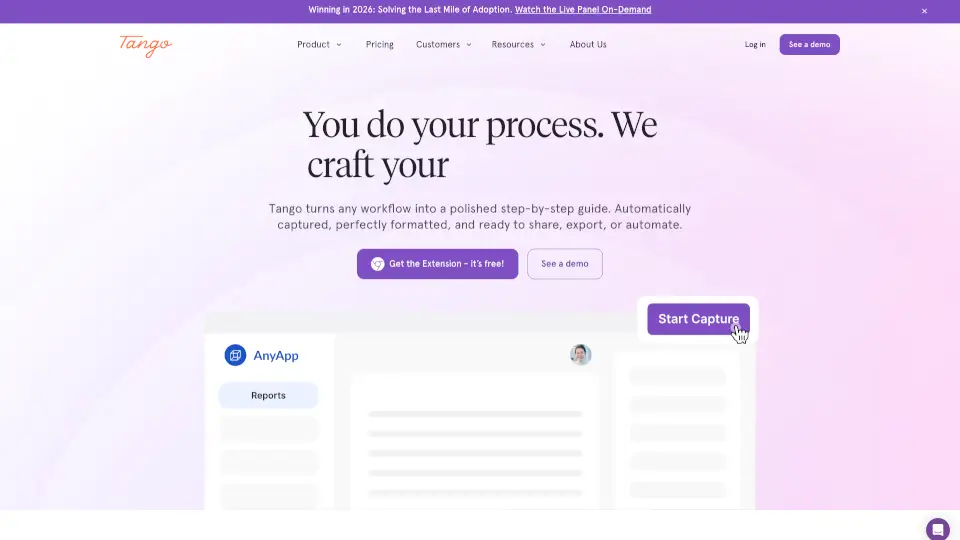
Tango is a powerful tool that helps you create step-by-step guides and automations in minutes. Whether you're rolling out new software, standardizing processes, or onboarding new employees, Tango makes it easy to capture and share knowledge. With its user-friendly browser extension, you can turn any workflow into a polished, easy-to-follow guide, complete with screenshots, highlights, and descriptions. This means your team can get the help they need exactly when and where they need it, boosting productivity and reducing errors.
What are the features of Tango AI?
- Real-Time Enablement: Capture processes with Tango's browser extension and pin them inside of tools so teammates receive help exactly where and when they need it.
- Automated Documentation: Click through your workflows and Tango instantly creates a how-to guide with screenshots, highlights, and descriptions you can customize.
- Pinned Guides and Tips: Pin your guides exactly in the spots where teammates need help. Also use pins to leave reminders, reference info, and links to other team resources.
- On-Screen Guidance: Enable teammates to complete your process perfectly by following on-screen highlights and instructions.
- Integration and Embedding: Embed your guides into your knowledge base, learning management, ticketing, and chat systems.
- Automations: Turn guides into automations and let Tango do the repetitive clicking, navigating, typing, and form-filling. Your team can supervise and intervene at any point.
- Analytics: See who's completing processes, who's utilizing content, and the specific steps they're getting stuck on.
What are the use cases of Tango AI?
- Roll Out New Software: Drive adoption and ROI on your first day by creating detailed, step-by-step guides for new software.
- Standardize Processes: Increase efficiency and reduce mistakes by documenting and automating standard operating procedures.
- Onboard New Employees: Ramp up new hires faster with clear, interactive guides that show them exactly what to do.
- Support Customers: Reduce support tickets and increase self-service by providing customers with easy-to-follow guides.
- IT and Ops Efficiency: Boost software ROI and reduce the time spent on training and support by automating repetitive tasks.
- Knowledge Management: Capture and share tribal knowledge, ensuring that important information isn't lost when employees leave.
How to use Tango AI?
- Install the Extension: Get the free Tango browser extension and install it in your web browser.
- Capture Your Workflow: Click through your process while the extension captures each step, including screenshots and descriptions.
- Customize Your Guide: Add or edit descriptions, highlights, and other details to make your guide more informative and user-friendly.
- Pin and Share: Pin your guide in the exact spot where your teammates need it, or share it via email, chat, or your knowledge base.
- Run Automations: Convert your guides into automations to handle repetitive tasks, freeing up your team’s time.
- Analyze and Improve: Use Tango's analytics to see how your guides are being used and make improvements as needed.