
What is SpeechGen.io?
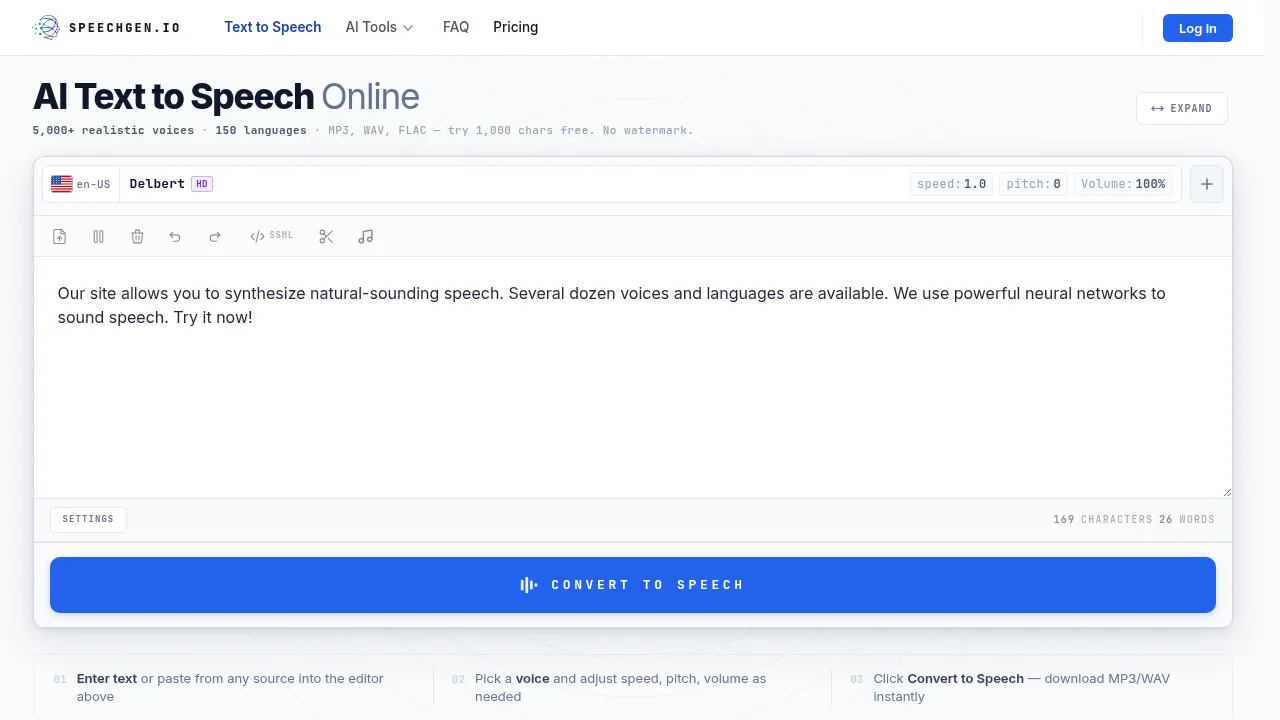
SpeechGen.io is a web-based text-to-speech converter that generates audio files from typed or pasted text, uploaded documents, and subtitle files. It offers over 5,000 voices across 150 languages with downloads in formats including MP3, WAV, and FLAC. The service operates on a pay-as-you-go credit model, though the first 1,000 characters require no account or payment.
What are the features of SpeechGen.io?
- Text segmentationInserting a
<cut>tag on its own line splits the input into separate exported audio files, allowing long scripts to be divided by chapter or lesson without manual editing. - Multi-speaker dialogueAssign different voices to specific paragraphs using speaker tags (such as
<Jennifer>) so multiple narrators appear in a single exported file. - SSML controlInsert markup tags directly into the text editor to define exact pause durations, adjust pitch and rate, or trigger built-in sound effects during synthesis.
- Smart CacheRegenerate previously synthesized text without deducting credits if the content matches a recent conversion.
- Subtitle synchronizationUpload SRT or VTT files to produce audio voiced at each line's exact timecode for direct import into video editors.
- REST APISend an HTTP request containing text and receive an audio URL in response, supporting integration with automation platforms like n8n, Make, and Zapier.
What are the use cases of SpeechGen.io?
- Bilingual IVR systemsGenerate phone menu prompts in multiple languages and update them quickly without booking voice talent.
- Localized video voiceoversUpload one SRT file and assign different native voices per language to produce localized audio tracks.
- Industrial safety alertsTrigger automated public address announcements via API based on sensor inputs across multilingual work environments.
How to use SpeechGen.io?
- Enter textType, paste up to 1,000,000 characters, or upload a DOCX, PDF, or SRT file into the web editor.
- Select voice settingsChoose a voice from the available library and adjust speed, pitch, and volume parameters.
- Generate audioClick Convert to Speech to synthesize the file.
- Download outputSave the resulting audio in formats such as MP3, WAV, or FLAC once processing completes.
SpeechGen.io Pricing Information:
- Guest access1,000 characters free with no sign-up required; outputs carry no watermark.
- Free registered accountAn additional 2,000 characters upon sign-up, plus a daily allowance of 3,000 characters that renews for 7 days.
- Pay-as-you-go creditsPaid tiers start from $4.99; purchased credits expire 365 days from purchase. Standard quality voices cost 0.5 credits per character, Pro costs 1 credit per character, and HD costs 2 credits per character. All tiers include a commercial license, API access, smart caching, and 30-day history.