
What is SocialBee?
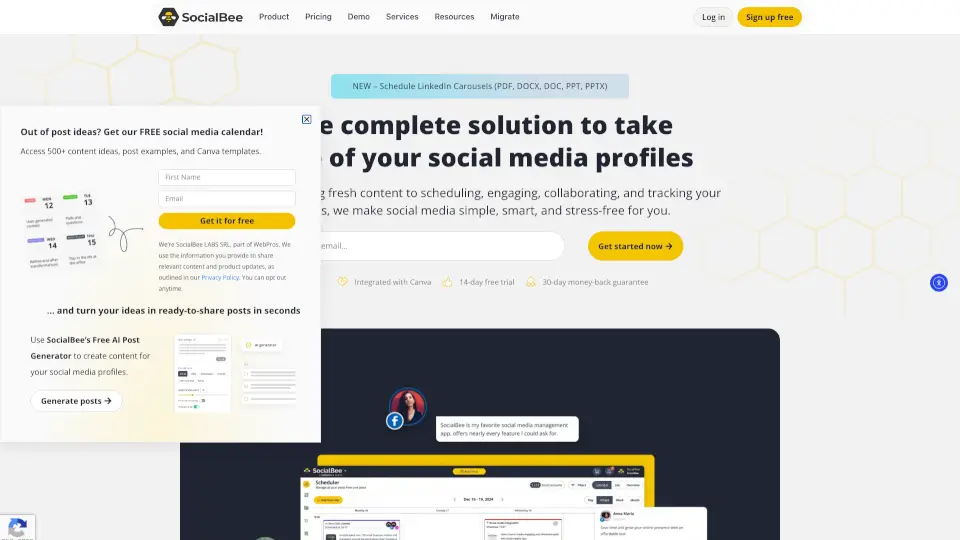
SocialBee is an all-in-one social media management software that helps you create, schedule, publish, analyze, and manage conversations across multiple platforms from a single dashboard. Whether you're a solopreneur, small business, or agency, SocialBee uses AI tools to cut down repetitive tasks, keep your content consistent, and save you up to 8 hours every week. With a 14-day free trial (no credit card required), it's designed to make social media management simpler and more effective.
What are the features of SocialBee?
- AI Content Creation: Use the AI Post Generator or Copilot to turn simple prompts into on-brand captions, visuals, and full content strategies in seconds.
- Scheduling & Publishing: Organize posts into categories, set recurring schedules, and automatically publish at best posting times based on your past performance.
- Analytics & Reporting: Track reach, engagement, and growth across all connected profiles, then generate branded PDF reports to share with clients or team members.
- Social Inbox: Manage comments, mentions, and DMs from Facebook, Instagram, LinkedIn, X, Threads, and YouTube in one unified inbox.
- Team Collaboration: Invite team members, leave feedback directly on posts, and set up an approval workflow to review content before it goes live.
- Workspaces: Keep multiple brands or clients completely separate with their own profiles, content, and analytics — ideal for agencies.
What are the use cases of SocialBee?
- Solopreneurs & Small Business Owners: Plan two weeks of content in about four hours across four social apps, without logging into each platform daily.
- Social Media Managers & Agencies: Manage up to 25 social profiles across 5 workspaces, collaborate with team members, and export analytics reports for clients.
- Nonprofits, Churches & Educational Institutions: Keep multiple contributors aligned by using shared calendars, content categories, and approval workflows to avoid missed deadlines.
- Growing Teams: Use the post approval system and internal notes to streamline feedback and ensure every post meets brand guidelines before publishing.
How to use SocialBee?
- Start with a Free Trial: Sign up for a 14-day Pro plan trial (no credit card required) to explore all key features.
- Connect Your Profiles: Link your social media accounts — Facebook, Instagram, X, LinkedIn, Pinterest, TikTok, YouTube, Threads, Bluesky, or Google Business Profile.
- Create Content with AI: Use the AI Post Generator or Copilot to generate captions and visuals. Describe what you need, and get multiple variations ready for each platform.
- Organize with Categories: Set up content categories (e.g., tips, promotions, testimonials) and assign a recurring schedule so posts publish automatically in order.
- Use the Scheduler: Switch between calendar, list, or grid view to review and edit scheduled posts. Adjust time slots or remove posts anytime before they go live.
- Engage and Analyze: Monitor all incoming comments and DMs from the social inbox, and check analytics to see which content drives the best results.