
What is SFX Generator?
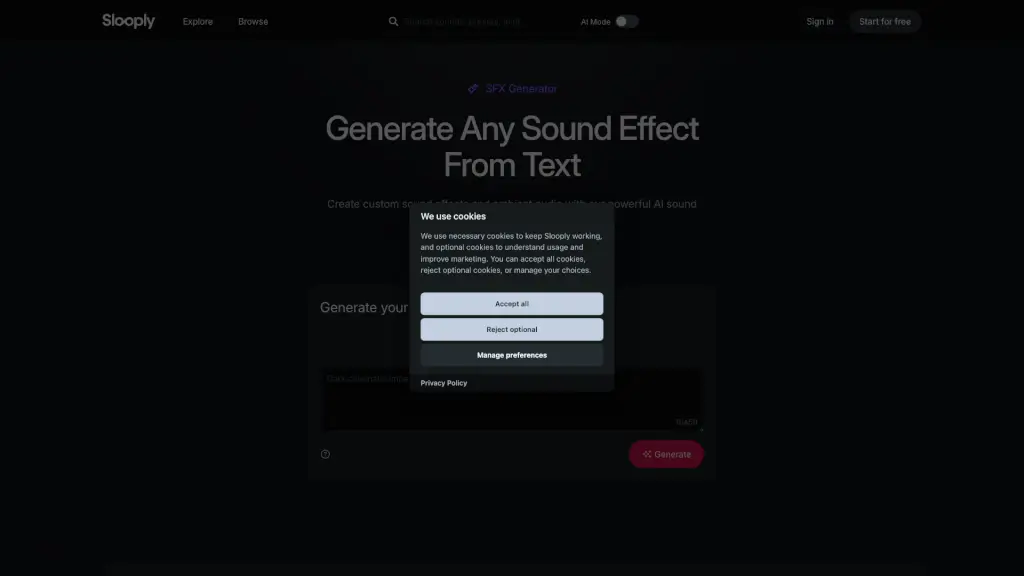
Slooply SFX Generator is an AI sound effects tool that lets you create custom audio from text prompts. It targets music producers, video editors, game developers, and content creators who need unique, royalty-free sound effects fast. The tool generates four variations per prompt, delivers studio-quality WAV files (44.1kHz/24-bit), and saves every generation for re-download without extra cost.
What are the features of SFX Generator?
- Text-to-SFX Generation: Describe any sound effect in up to 450 characters, and the AI produces four unique audio variations in seconds. No audio editing skills required.
- Royalty-Free Licensing: All generated sounds are 100% royalty-free, usable in commercial and non-commercial projects including music, video, games, apps, and podcasts with no additional fees.
- Studio-Quality Output: Sounds are delivered as WAV files at 44.1kHz / 24-bit, ready for professional use in DAWs, game engines, and video editors.
- Generation History: Every sound effect is automatically saved. You can revisit and re-download any previous generation at any time without spending additional credits.
- Credit-Based Generation: Each generation costs 5 credits. Downloads are free, and you can manage your credits through your account. The tool offers a free start option.
What are the use cases of SFX Generator?
- Music producers: Quickly add unique sound effects or ambient textures to a track without searching sample libraries.
- Game developers: Generate custom SFX like footsteps, explosions, or environmental ambience for specific game scenes.
- Video editors: Create matching sound effects for visual moments, such as car engines, rain, or notifications, directly from a text prompt.
- Content creators: Produce royalty-free audio for social media videos, podcasts, or YouTube intros without licensing concerns.
- Sound designers: Prototype unusual sounds (e.g., “big cat, small meow”) to experiment with creative audio concepts before final production.
How to use SFX Generator?
- Sign up for a free account on Slooply and click “Start for free” to access the SFX Generator.
- Enter a text prompt describing the sound effect you want (up to 450 characters). Use specific details like “rain heard inside a tent” or “footsteps on sand.”
- Select generation length (Short or Long) and click generate. Each generation uses 5 credits and produces four audio variations.
- Listen to the previews and download the desired WAV file. All generated sounds are saved in your history for re-download later.