
What is Suno AI Bark?
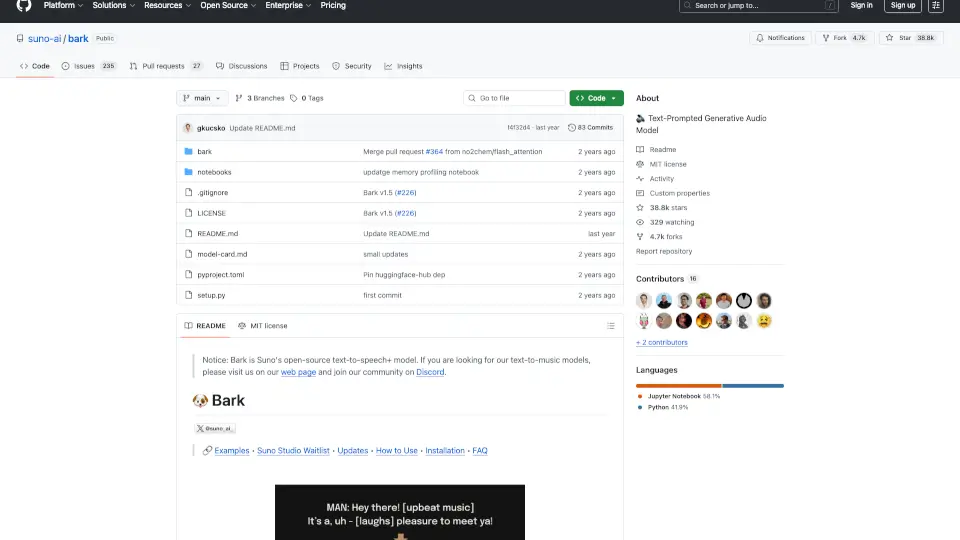
Bark is a powerful open-source text-to-audio model developed by Suno that goes far beyond traditional text-to-speech. Instead of just reading words aloud, Bark generates rich, expressive audio—including speech, music, sound effects, and even emotional cues like laughter or sighs—directly from simple text prompts. Trained using a GPT-style architecture and EnCodec audio representation, it treats all sounds as part of the same generative space.
What makes Bark stand out is its creativity and flexibility. It supports over 100 voice presets, handles multiple languages automatically, and can blend accents or switch between speech and song seamlessly. Whether you're prototyping voiceovers, experimenting with AI-generated music, or building interactive audio experiences, Bark offers a research-friendly tool that’s also free for commercial use under the MIT License.
What are the features of Suno AI Bark?
- Multilingual Speech Generation: Automatically detects and speaks English, Spanish, French, German, Hindi, Japanese, Korean, Chinese, and more—with native-like accents.
- Non-Speech Audio Support: Generates laughs, sighs, gasps, background noise, and music using intuitive text tags like
[laughs]or♪ lyrics ♪. - Voice Presets Library: Choose from 100+ pre-trained speaker voices across languages to control tone, pitch, and emotion.
- MIT License: Fully open-source and free for commercial use, making it ideal for developers and startups.
- Long-Form Audio Capability: Extend beyond the default ~13-second limit using notebook-based techniques for dialogues or narration.
- Low Hardware Requirements: Runs on CPU or GPU; supports low-VRAM devices (<4GB) with environment flags like
SUNO_USE_SMALL_MODELS=True. - Hugging Face Integration: Available via 🤗 Transformers library for easy plug-and-play in existing ML workflows.
What are the use cases of Suno AI Bark?
- Creating expressive voiceovers for indie games or animations without hiring voice actors
- Prototyping multilingual audiobooks or language-learning tools with natural pronunciation
- Generating custom sound effects or ambient audio for podcasts and videos
- Building AI companions that laugh, hesitate (“uh…”), or react emotionally to user input
- Composing short musical phrases or jingles directly from lyric prompts
- Researching generative audio models for academic or creative AI projects
- Rapidly testing voice UI concepts for apps or smart devices
How to use Suno AI Bark?
- Install correctly using
pip install git+https://github.com/suno-ai/bark.git—never usepip install bark(it installs a different package). - Preload models with
preload_models()before generating audio to avoid repeated downloads. - Use semantic tags like
[laughter],♪, or[WOMAN]in your text prompt to guide non-speech output or speaker gender. - For longer audio, follow the official notebook examples that stitch together multiple generations smoothly.
- On low-memory GPUs or CPUs, set
os.environ["SUNO_USE_SMALL_MODELS"] = "True"before importing Bark. - Browse the community voice preset library or Discord #audio-prompts channel to discover effective prompts.