
What is Simplescraper?
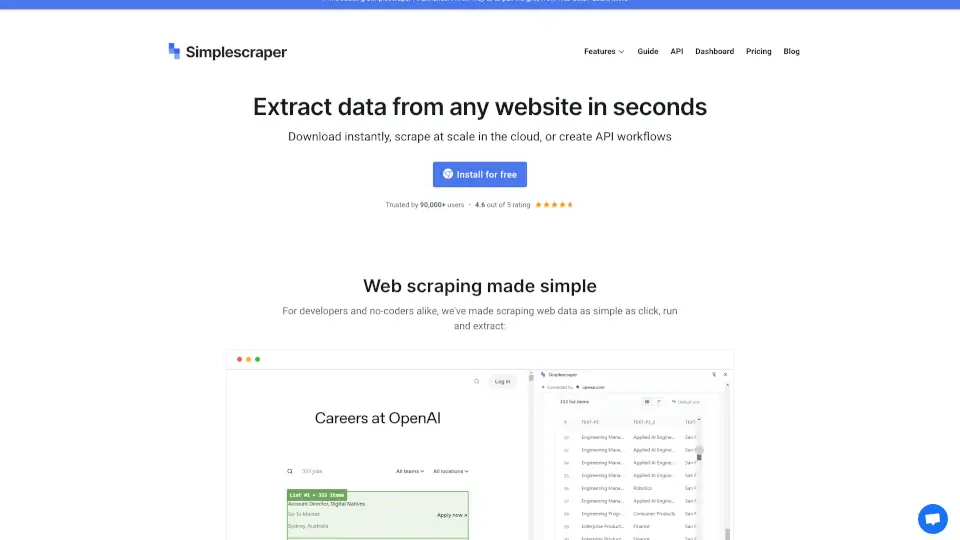
Simplescraper is a powerful and user-friendly Chrome extension that makes web scraping a breeze. Whether you're a developer or a no-coder, this tool allows you to extract data from any website in seconds, automate the process in the cloud, or even turn websites into APIs—all without writing a single line of code.
What are the features of Simplescraper?
- No Code Required: Extract structured data with just a few clicks—no configuration or parsing needed.
- Cloud Automation: Scrape at scale in the cloud with automated workflows.
- API Creation: Turn any website into an API instantly.
- AI Enhance: Pull insights from web data using AI for summarization, analysis, and formatting.
- Multiple Integrations: Push data directly to Google Sheets, Airtable, Zapier, and more.
What are the use cases of Simplescraper?
- Real Estate Listings: Scrape property details from sites like Zillow for market analysis.
- E-commerce Data: Extract product information from Shopify for competitive research.
- Business Listings: Gather data from Yellow Pages for lead generation.
- Job Boards: Scrape job listings from Indeed for recruitment purposes.
How to use Simplescraper?
- Install the Extension: Download and install Simplescraper from the Chrome Web Store.
- Select Data: Navigate to the website you want to scrape and highlight the data you need.
- Run the Scraper: Click "Extract" to get structured data instantly.
- Automate or Export: Choose to automate the process in the cloud or export the data to your preferred platform.