What is Reclip.io?
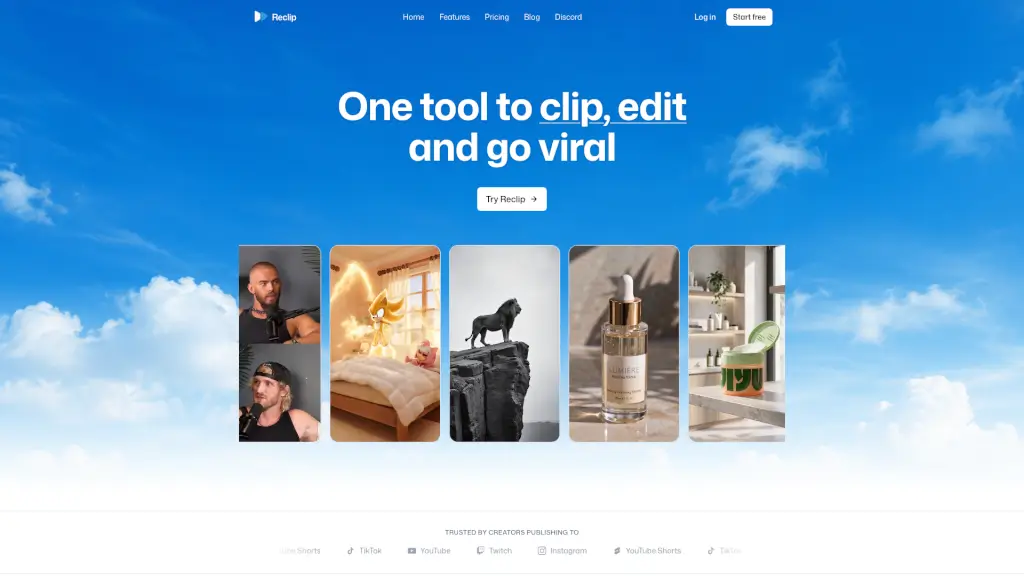
Reclip is an AI-powered creator toolkit designed for social media creators who publish short-form content to platforms like Instagram, YouTube Shorts, TikTok, and Twitch. It bundles multiple AI tools — including an AI Clipper that automatically finds the best moments from long videos, an AI Voiceover powered by ElevenLabs, a Caption Remover, a Video Compressor (up to 58% smaller), and a Video Downloader — into a single platform. The tool is aimed at helping creators move from manually clipping, captioning, and editing every video to automating repetitive tasks so they can ship more content consistently. Based on user testimonials, Reclip is used by creators who want to go from 2 videos a week to 2 a day, cut editing time in half, or run faceless channels with professional-sounding voiceovers.
What are the features of Reclip.io?
- AI ClipperAutomatically analyzes long-form videos and extracts the best moments to create short clips. Users report that it finds moments better than manual editing. Works with uploaded or linked videos.
- AI VoiceoverGenerates unlimited AI voiceovers using ElevenLabs technology. Supports faceless channels where the voiceover replaces human narration, and sounds professional according to users.
- Caption RemoverRemoves existing captions or watermarks from videos using AI. A user says it alone is worth the price because it avoids re-uploading someone else’s watermark.
- Video CompressorCompresses large video files into smaller MP4s with quality and speed controls. Claimed to reduce file size by up to 58%.
- Video DownloaderDownloads videos from YouTube, TikTok, Instagram, and more in seconds. No need for separate download tools.
- AI Video GeneratorCreates watermark-free videos from text or images using models such as Google Omni, Veo 3.1 Fast, Kling 3.0, Grok Imagine, and Seedance 2.
- AI Ad GeneratorCreates AI video ads from a product image, an optional avatar, and a creative direction. Useful for e-commerce or marketing teams.
- AI Image GeneratorGenerates AI images from prompts with optional reference images, saving them to a library for later use.
- Remove Image BackgroundInstantly removes the background from any image and downloads a transparent PNG.
What are the use cases of Reclip.io?
- Social media creator repurposing long-form contentA YouTuber uploads a 20-minute video, and the AI Clipper automatically finds the top 5 moments to turn into TikTok or Instagram Reels shorts.
- Faceless channel operatorA creator who doesn’t want to show their face uses the AI Voiceover feature to generate narration for instructional videos, combined with AI-generated visuals from the AI Video Generator.
- Marketer making video adsA product manager uploads a product image, selects an avatar, and writes a creative direction to generate multiple ad variations for Instagram or YouTube Shorts.
- Editor removing watermarks from purchased clipsA content team uses the Caption Remover to clean up stock footage or licensed clips that have overlays, avoiding re-uploading with someone else’s branding.
- Creator scaling daily postingA user on the Pro plan (520 credits/month) clips, voiceovers, and compresses 2 shorts per day, tripling views in a month according to a testimonial.
- Student or beginner learning video editingSomeone with no editing experience uses the AI tools to generate, caption, and download a finished short without learning complex software.
How to use Reclip.io?
- Sign up and choose a planStart with the free trial or pick a paid plan (Starter $19/mo, Pro $39/mo, Creator $69/mo). Each plan comes with a monthly credit allowance (220, 520, or 1,050 credits) that covers tool usage.
- Upload or link your videoFor the AI Clipper, upload a long-form video or paste a URL from YouTube, TikTok, etc. The AI will analyze it and suggest clips.
- Review and edit AI suggestionsThe AI Clipper will present the best moments. You can preview them, trim further, or adjust settings before finalizing.
- Add voiceover or remove captionsUse the AI Voiceover tool to generate narration (choose language and voice), or use the Caption Remover to clean up existing overlays.
- Compress and downloadUse the Video Compressor to reduce file size (up to 58%) with quality and speed controls, then download the final MP4. Optionally, use the Video Downloader to grab source videos from other platforms.