What is QuiverAI?
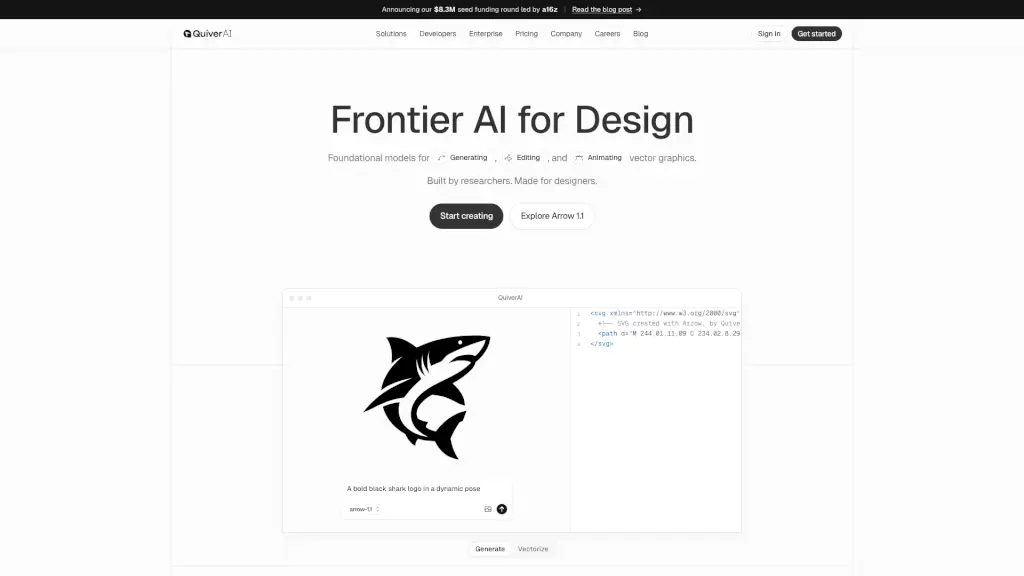
QuiverAI is a cutting-edge tool that helps designers, developers, and teams create, edit, and animate editable SVG assets. Whether you're working on logos, illustrations, or animations, QuiverAI streamlines the process, making it faster and more efficient without sacrificing quality. With its powerful AI, you can generate clean, production-ready designs that are perfect for product, brand, and marketing workflows.
What are the features of QuiverAI?
- Generate Vector Graphics: Create high-quality, editable SVGs from text or references.
- Edit and Customize: Fine-tune your designs with precise control over weight, contrast, and character details.
- Animate SVGs: Bring your vector graphics to life with smooth, controllable animations.
- Typography Tools: Generate custom vector letterforms and fonts, from display types to functional UI typography.
- Illustration Creation: Produce fully vector illustrations that can be easily edited, recolored, or adapted.
- API Integration: Seamlessly integrate QuiverAI's capabilities into your existing workflows via API.
What are the use cases of QuiverAI?
- Branding & Identity: Create cohesive, ownable brand systems including logos, icons, and typography.
- UX/UI Design: Design consistent, lightweight, and editable SVG assets for seamless integration into products.
- Web & App Development: Ship production-ready SVGs and animations that fit perfectly into modern front-end workflows.
- Print & Clothing: Generate high-fidelity vector artwork that translates flawlessly from screen to paper or fabric.
- Marketing Materials: Develop visually appealing and consistent marketing materials with ease.
- Product Visuals: Enhance product visuals with professional, editable SVG assets.
How to use QuiverAI?
- Sign Up and Log In: Start by creating an account and logging in to the QuiverAI platform.
- Choose Your Project Type: Select the type of project you want to work on, such as logos, illustrations, or animations.
- Input Your Design Prompt: Enter your design prompt or upload a reference image to get started.
- Customize and Edit: Use the intuitive tools to adjust and refine your design until it meets your needs.
- Export and Integrate: Once satisfied, export your design and integrate it into your project.
- Explore Advanced Features: Dive into advanced features like typography and animation to take your designs to the next level.