What is PseudoEditor?
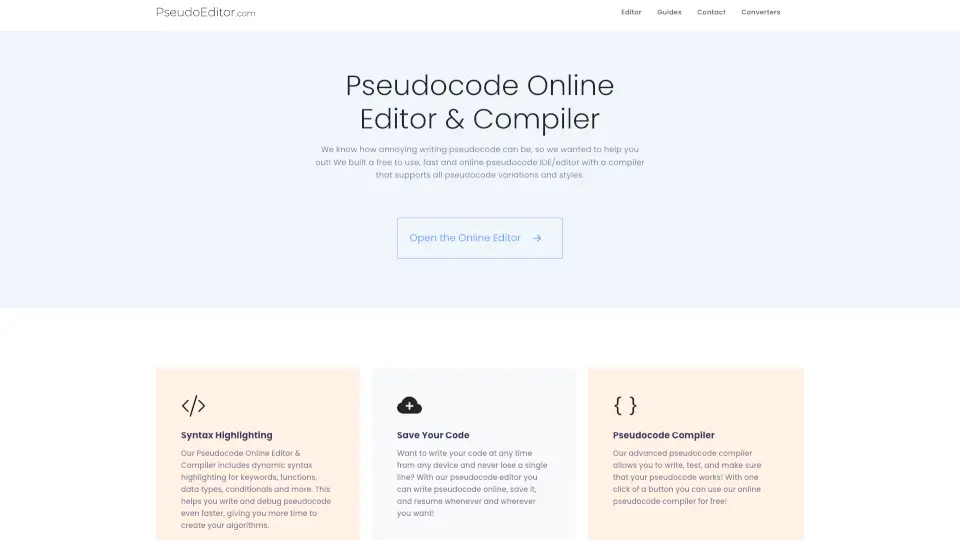
Say goodbye to the hassle of writing pseudocode in basic text editors! PseudoEditor is here to revolutionize your coding experience. It’s the first-ever online pseudocode editor designed to make your life easier, faster, and more efficient. Whether you’re a student, teacher, or developer, this tool is your new best friend.
What are the features of PseudoEditor?
- Syntax Highlighting: Automatically highlights keywords, functions, and conditionals for faster debugging and writing.
- Code Saving: Save your pseudocode online and access it from any device, anytime.
- Pseudocode Compiler: Test and validate your pseudocode with just one click.
- Light & Dark Modes: Choose your preferred style for a comfortable coding experience.
What are the use cases of PseudoEditor?
- Students: Perfect for learning and practicing algorithms without the complexity of actual code.
- Teachers: Great for creating and sharing pseudocode examples with students.
- Developers: Ideal for quickly drafting and testing algorithms before implementation.
How to use PseudoEditor?
- Open the PseudoEditor in your browser.
- Start writing your pseudocode with the help of syntax highlighting.
- Save your work online to access it later.
- Use the pseudocode compiler to test your logic.