
PromptSREF logo

PromptSREF

5.0
(0 Reviews)
United States34.64%

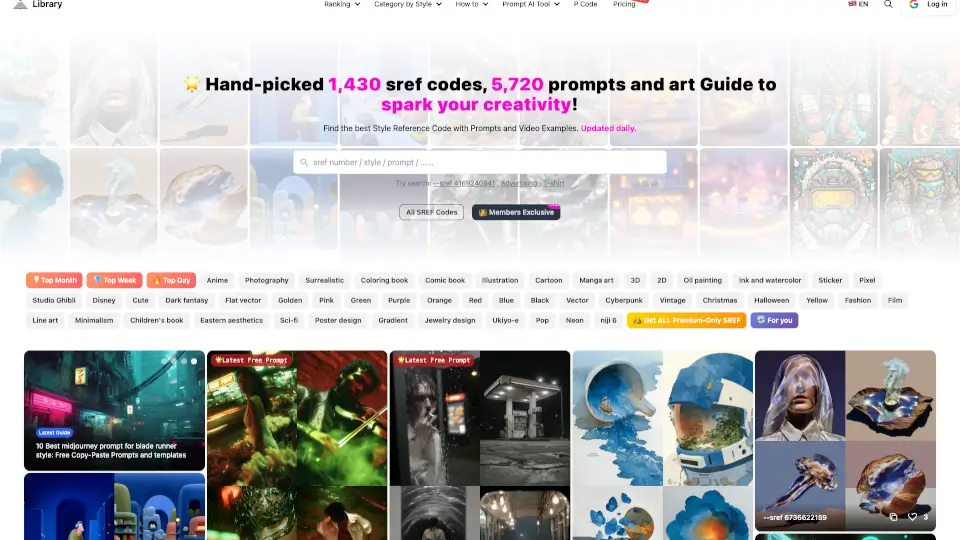
Promptsref is an AI prompt library and generation workspace for creators that combines curated visual references, model-specific prompts, and multi-model tools for images, videos, and voice.

Verified by SeekTool
Social Media:
PromptSREF

PromptSREF Product Information

What is PromptSREF?

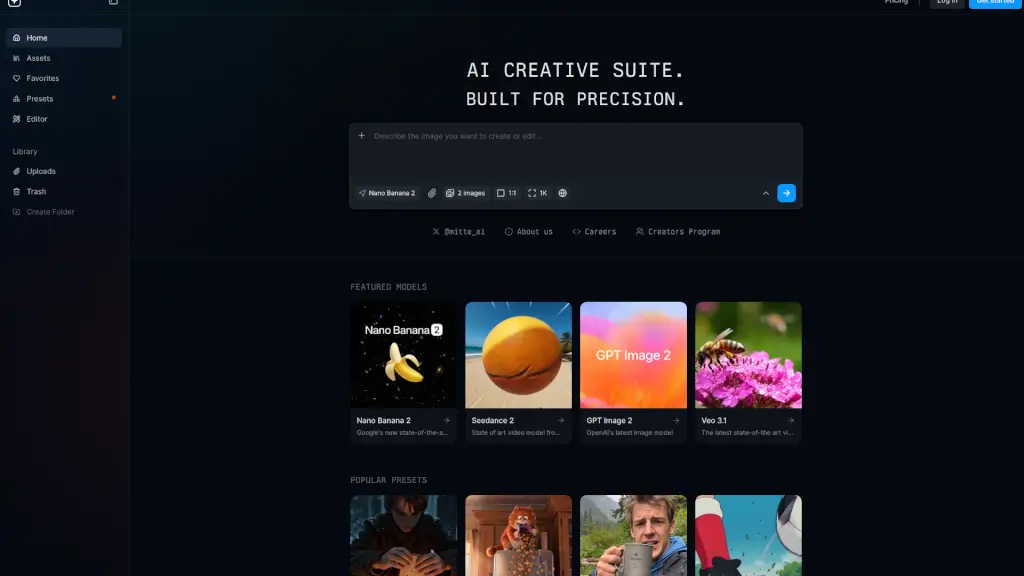
Promptsref is an AI prompt library and AI generation workspace for creators who want to skip the blank page and find visual inspiration faster. It collects curated images and videos alongside the prompts that produced them, so you can study the style, composition, lighting, and model-specific details before creating your own version. The platform supports multiple AI models — including GPT Image, Nano Banana, Seedance 2.0, and Midjourney — and offers tools for generating images, videos, voice, and motion effects in one place. It’s built for designers, marketers, video creators, and independent creators who need reliable references and quick variations without losing control over the output.

What are the features of PromptSREF?

  • Curated Prompt Library by Model: Browse thousands of public prompts organized by creative style (portrait, anime, illustration, 3D, wallpaper, character design) and specific AI models like GPT Image, Nano Banana, Seedance 2.0, and Midjourney. Each prompt is paired with its visual result, so you can learn what works.
  • Multi-Model Generation Tools: Generate images, videos, and audio directly from the platform. Choose from 20+ models, adjust subject, ratio, style, and details, then create a new version without leaving the workflow.
  • AI Image-to-Image and Video Effects: Tools like AI Image to Image Generator, AI Effect Templates, Video Motion Control, and Video Frame Extractor let you edit existing images or videos — change angles, remove backgrounds, split images into grids, or turn a grid into a video.
  • Voice Generation and Cloning: Generate voice audio, clone voices, or design new voice profiles using the built-in Text to Speech, Voice Clone, and Voice Design tools.
  • Visual Search and Reference Workflow: Instead of typing a prompt from scratch, you can search by style, image, video, or prompt text. Find a result you like, examine its prompt, and then modify it to test new directions with the generation tools.

What are the use cases of PromptSREF?

  • Designer looking for style inspiration: Browse the prompt library by model (e.g., Midjourney) and style (e.g., illustration or 3D), then duplicate the prompt, tweak the subject, and generate a new image to match a brand brief.
  • Video creator testing trending effects: Use AI Effect Templates and Video Motion Control to apply trending AI video effects to existing footage, then export the result for social media.
  • Marketer creating product listings: Generate product listing images with the AI Product Listing Image Generator, then upscale to 4K with the Upscale Image AI tool for e-commerce use.
  • Independent creator building a consistent character set: Use the library’s character design prompts, adjust the character description, and generate multiple images of the same AI character in different poses or scenes.
  • Student learning prompt engineering: Study the prompts behind top-rated images, compare how different models (e.g., GPT Image vs. Nano Banana) handle the same concept, and practice writing your own prompts with the Image to Prompt Generator.
  • Content team repurposing assets: Take a single image, split it into a grid with Split Image Into Grid, then use Turn Grid to Video to create a short looping video for social posts.

How to use PromptSREF?

  • Start by visiting the Promptsref homepage and browsing the Prompt Library — use the filter by model (e.g., Seedance 2.0) or style (e.g., Photography) to find a visual example that matches your idea.
  • Click on any prompt card to see the full prompt text, the model used, and the generated image or video. Study the structure of the prompt, including the subject, style, lighting, and composition details.
  • To create your own version, open the generation tool (e.g., AI Image Generator or Multi-Model AI Video Generator), paste the base prompt, then modify the subject, ratio, style, or model before generating.
  • After generation, use the Edit tools — such as Crop & Remove Background, Upscale Image AI 4K, or Change Camera Angle — to refine the output.
  • For voice or motion projects, select the Voice or Motion Control tools, upload your source file or describe the desired effect, and adjust settings before rendering.
PromptSREF Contact Email:

[email protected]

Do you like this tool?

Upvote to help others discover it!

PromptSREF Alternatives

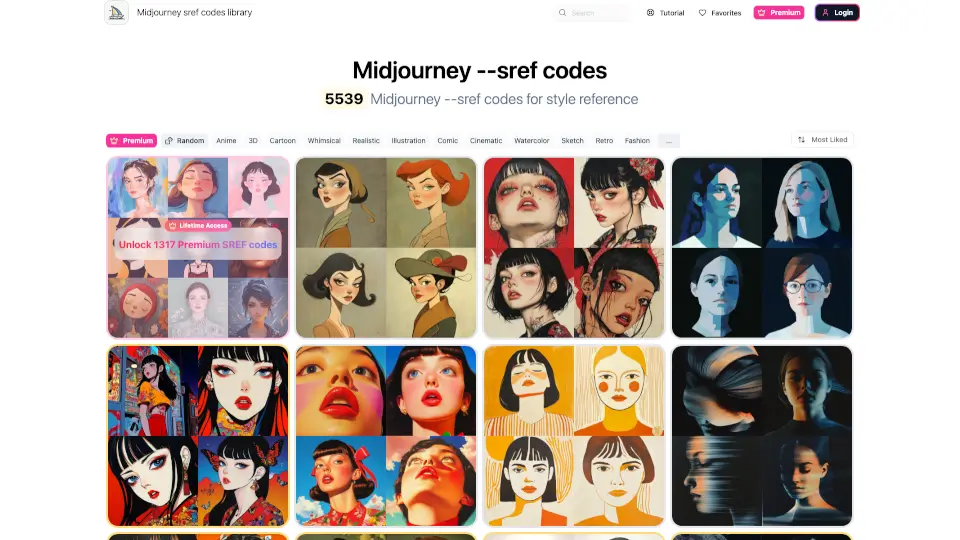
Midjourney --sref codes

Midjourney --sref codes

Elevate your Midjourney creations with over 5,539 SREF codes, offering a wide range of styles from vibrant anime to retro pop art. Monthly updates and community favorites ensure you always have the best and most popular options at your fingertips.

IN
8.58%
33.0K
4.0
Midlibrary

Midlibrary

Midlibrary is a free, comprehensive resource for Midjourney AI users, offering styles, guides, and tools to enhance your AI art journey.

US
9.64%
153.7K
5.0
PUMPG - Powerusers MidJourney Prompt Generator

PUMPG - Powerusers MidJourney Prompt Generator

PUMPG simplifies AI art prompts with intuitive controls, style presets, and GPU-saving tricks—perfect for creators at any level.

US
11.98%
78.6K
5.0
MidJourney Prompt Helper

MidJourney Prompt Helper

The Midjourney Prompt Generator simplifies the process of creating AI-generated images, offering a range of customization options to suit your needs.

US
18.40%
57.3K
5.0
Public Prompts

Public Prompts

Discover a vast collection of free, high-quality prompts to fuel your creativity.

US
28.59%
14.6K
4.0
PromptHero

PromptHero

PromptHero is the ultimate search engine for high-performing AI prompts across image, video, and text models—helping creators generate better results faster.

IN
14.59%
1.4M
5.0
IMI Prompt

IMI Prompt

IMI Prompt: Midjourney Prompt Generator v5 is the ultimate tool for creating AI art effortlessly. With thousands of options and a user-friendly interface, it’s perfect for anyone looking to explore their creativity.

US
62.27%
3.7K
3.0
AI2image

AI2image

ChatGPT Ghibli Prompts makes it easy to create Studio Ghibli-style art with AI. Perfect for artists, storytellers, and meme lovers!

US
36.56%
8.6K
3.0

PromptSREF Related Other Categories

PromptSREF Traffic Analysis

💡 Insights

Medium Scale
100K-1M monthly visits. Growing tool with active development.
📉
Traffic Decline
Significant traffic drop recently. Check for alternatives.
👍
Good Experience
Bounce rate of 49%. Users are willing to explore features.
  • Monthly Visits

    144.94K

  • Bounce Rate

    49.47%

  • Pages Per Visit

    3.69

  • Visit Duration

    00:03:15

  • Global Rank

    253386

  • Country Rank

    152600

Visits Over Time

Traffic Sources

SocialOrganic44.64%
Direct43.91%
Referrals4.74%
SearchOrganic4.06%
GenAi1.61%
DisplayAds0.37%
Mail0.33%
SocialPaid0.21%
SearchPaid0.13%
Affiliate0.00%

Top Keywords

1
ai提示词库图片
680Traffic
2
promptsref
520Traffic
3
图片提示词
370Traffic
4
sref
CPC$0.34
310Traffic
5
gpt image 2提示词
170Traffic

Top Regions

RegionPercentage
United States
United States
34.64%
South Korea
South Korea
18.46%
China
China
14.18%
Vietnam
Vietnam
7.15%
Taiwan
Taiwan
6.32%
Low
High

Powered by SimilarWeb

PromptSREF FAQ

What is Promptsref?

Promptsref is an AI workspace and prompt library for creators. It collects curated images and videos together with the prompts behind them, so you can find a result you like, study how it was written, and create with AI tools without starting from a blank page.

How does Promptsref help me write better AI prompts?

Promptsref brings examples, prompts, search, and creation tools into one workflow. It collects prompts for different models, including GPT Image, Nano Banana, Seedance 2.0, and Midjourney. You can search by style, image, video, or prompt, adjust the subject, style, and details, then test the direction with the generation tools.

Is Promptsref only for Midjourney?

No. Promptsref started with SREF research, but the library now covers broader AI image and video workflows. You can compare prompts and model examples, then continue creating with the tools on the site.

Who is Promptsref for?

Promptsref is useful for designers, marketers, video creators, and independent creators. It helps when you want faster AI results without losing control, with reliable prompts, clear references, and quick variations.

How is the prompt library organized?

Promptsref organizes prompts by model and creative style. Alongside model-based collections, you can browse portrait, anime, and illustration categories. If you need something specific, use search to find matching prompts.

Can I generate images or videos here directly?

Yes. Pick an example from the library, open its prompt, change the subject, ratio, style, or model, and create a new version with the AI tools. You can then edit the result and compare different directions.

PromptSREF Reviews

0

0

0 Reviews
Sign Into leave a review

Recent Reviews

No reviews yet

PromptSREF Embed

Use website badges to drive community support for SeekTool.ai. They are easy to embed in your homepage or footer.

Light
Dark
PromptSREF - Featured on SeekTool.aiPromptSREF - Featured on SeekTool.ai
How to install?