
What is NotebookLM?
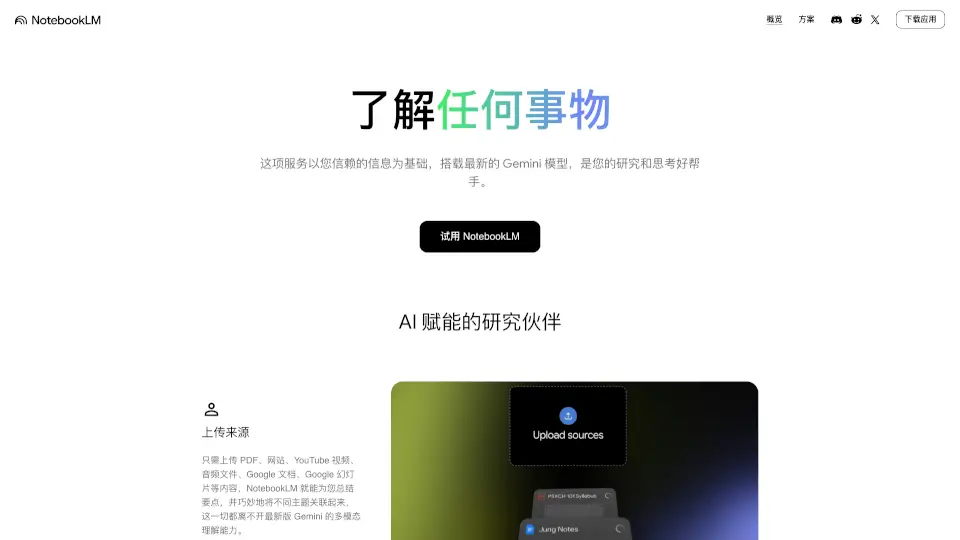
Google NotebookLM is your AI-powered research companion that turns your own documents into a smart, personalized knowledge base. Instead of giving generic answers like other chatbots, it reads your PDFs, Google Docs, YouTube videos, audio files, and websites—then explains, connects ideas, and answers questions based only on what you provide. This means fewer hallucinations, more accuracy, and insights that actually match your work or study materials.
Powered by Google’s latest Gemini model, NotebookLM doesn’t just summarize—it helps you think deeper. Whether you’re a student tackling dense textbooks, a professional analyzing reports, or a creator brainstorming ideas, NotebookLM acts like a thinking partner who’s already read everything you care about.
What are the features of NotebookLM?
- Source-Based AI: Answers grounded in your uploaded content only—no random internet guesses.
- Multi-Format Support: Works with PDFs, Google Docs, Slides, YouTube videos, audio files, and web pages.
- Citations & Traceability: Every response includes direct quotes and source links so you always know where info comes from.
- Audio Overviews: Instantly turn your notes into podcast-style discussions for listening while on the go.
- Idea Synthesis: Automatically finds connections between documents and surfaces hidden themes or trends.
- Privacy-First Design: Your data isn’t used to train AI models unless you choose to share feedback (and even then, Workspace users are fully protected).
What are the use cases of NotebookLM?
- Students upload lecture recordings and textbook chapters to get simple explanations, real-world examples, and study aids like flashcards.
- Professionals feed meeting notes and competitor reports into NotebookLM to generate presentation outlines with supporting evidence.
- Researchers combine academic papers and field notes to uncover patterns and draft literature reviews faster.
- Content creators use brainstorming docs and audience research to spark fresh podcast or video ideas.
- Writers organize interview transcripts and reference materials to structure articles or scripts with AI-guided flow.
How to use NotebookLM?
- Upload your sources: Add PDFs, Google Docs, YouTube links, or audio files to your notebook.
- Ask questions naturally: Type queries like “What’s the main argument in this paper?” or “Compare these two strategies.”
- Use Audio Overview: Click the speaker icon to hear a dynamic, conversational summary of your materials.
- Follow citations: Click any quote in an answer to jump directly to its source.
- Refine with follow-ups: Treat it like a conversation—ask for examples, simpler terms, or deeper analysis.
- Export or share: Use insights to build slides, emails, or study guides right from the interface.