
What is Media.io?
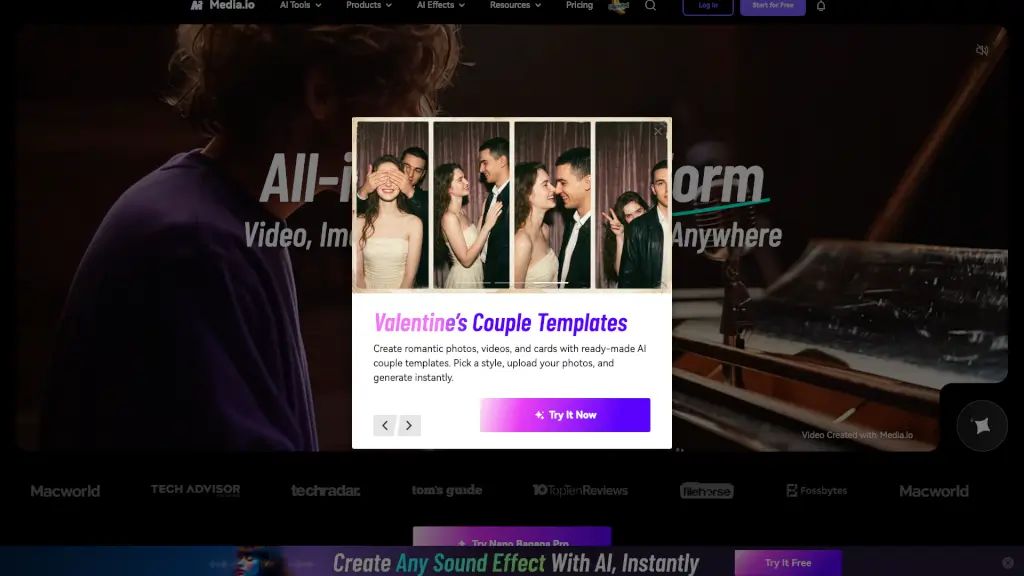
Media.io is your all-in-one AI creative studio for making videos, images, and music—all in one browser tab. Whether you're a student, marketer, content creator, or small business owner, Media.io gives you powerful AI tools to turn simple text prompts or photos into scroll-stopping content fast. No downloads, no complex software—just type, click, and create.
What sets Media.io apart is its seamless blend of generation, editing, and remixing across video, image, and audio formats. From turning a selfie into a cinematic group dance clip to generating original music from lyrics, it’s built for real-world creativity—not just tech demos. Plus, you can start 100% free with no daily cap, making it easy to experiment without risk.
What are the features of Media.io?
- Text-to-Video & Image-to-Video: Instantly animate ideas or photos into smooth, engaging videos using advanced models like Seedance 2.0 or Veo 3.1.
- AI Editing Suite: Remove watermarks, erase unwanted objects, enhance portraits, upscale resolution, or extend clips—all with smart AI that understands context.
- AI Music & Audio Tools: Generate full songs from text or lyrics, remove background noise, isolate vocals, or add realistic sound effects in seconds.
- Creative Effects Library: Access over 4K+ AI-powered effects, including viral trends like “Glow Up,” “Pet Dance,” “Anime Style,” and seasonal themes.
- MediaAgent (Beta): An AI creative assistant that plans workflows and turns your prompts into polished content automatically—like having a personal editor.
What are the use cases of Media.io?
- A social media manager creates viral Instagram Reels using trending AI effects like “Lofi Dusk Filter” or “AI Muscle Generator” for fitness brands.
- An e-commerce seller generates lifestyle product photos with virtual try-ons, shadow effects, and AI-enhanced models—no photoshoot needed.
- Students produce engaging class presentations with AI-generated videos, custom music, and animated visuals in minutes.
- Content creators remix popular styles from the 600M+ community creations to stay on-trend without starting from scratch.
- Marketers build high-converting ad campaigns using AI-generated commercial videos, voiceovers, and branded transitions.
How to use Media.io?
- Sign up for free at Media.io—no credit card required—and get instant access to core AI tools.
- Choose your medium: click Video, Image, or Audio, then pick a feature like “Text to Video” or “AI Object Remover.”
- Enter a prompt, upload a file, or select a template—then let AI generate your content in seconds.
- Use built-in editors to refine your result: trim clips, adjust motion, remove watermarks, or apply trending effects.
- Download your creation (watermarked on free plan) or upgrade for watermark-free, commercial-ready exports.
- Explore the AI Prompt Library and Community Challenges for inspiration and ready-to-use ideas.