What is Make?
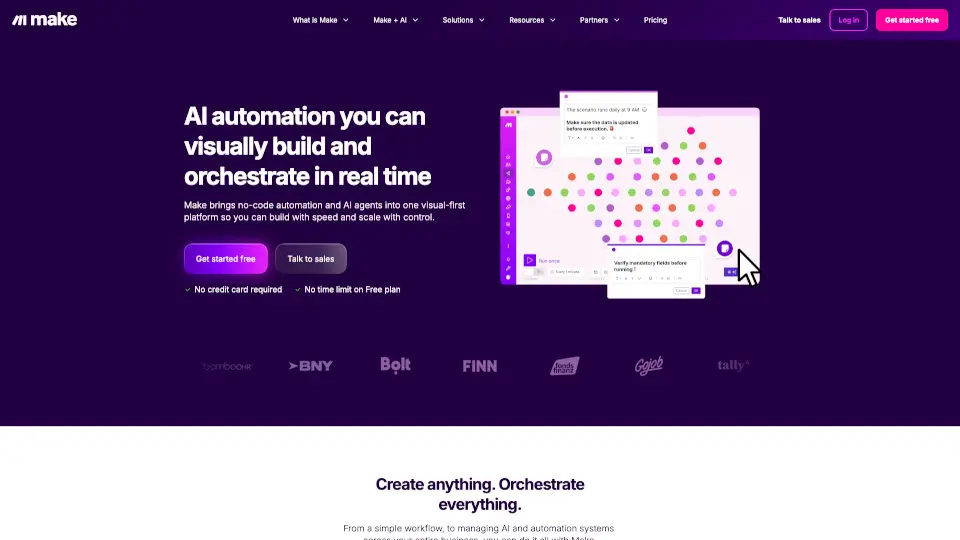
Make is a visual AI workflow automation platform that lets you connect apps, data, and AI models without writing code. Whether you're a marketer, salesperson, HR professional, or IT manager, Make helps you automate repetitive tasks so you can focus on work that actually matters. With drag-and-drop simplicity and powerful AI capabilities, it turns complex processes into smooth, automated workflows.
Trusted by over 400,000 organizations worldwide, Make combines no-code ease with enterprise-grade security and scalability. From posting to social media to managing customer onboarding or syncing financial data across systems, Make handles it all—visually, instantly, and reliably.
What are the features of Make?
- Visual Workflow BuilderDesign automations using an intuitive drag-and-drop interface—no coding needed.
- AI AgentsCreate smart, adaptive agents that take action across 3,000+ apps based on real-time conditions.
- 3,000+ Pre-Built App IntegrationsInstantly connect tools like Slack, Salesforce, HubSpot, OpenAI, NetSuite, and more.
- Make GridGet a bird’s-eye view of all your automations in one visual dashboard for better control and monitoring.
- Agentic AutomationAutomations that learn, adapt, and respond dynamically to changing business needs.
- Enterprise-Grade SecurityBuilt-in GDPR, SOC 2 Type II, and SOC 3 compliance, plus SSO and encryption.
- Multiple Build MethodsAutomate using prompts, visual blocks, or the Make MCP Server for advanced control.
- Free Plan with No Time LimitStart building right away—no credit card required.
What are the use cases of Make?
- Automatically post content to multiple social media platforms on a schedule.
- Sync new leads from a website form into your CRM and trigger personalized email sequences.
- Streamline employee onboarding by auto-creating accounts, sending welcome emails, and assigning training.
- Connect support tickets to your project management tool and notify teams via Slack when SLAs are at risk.
- Generate AI-powered content drafts (blogs, ads, emails) and push them into your marketing calendar.
- Automate finance workflows like invoice processing, expense approvals, and payment reminders.
- Monitor IT systems and trigger alerts or runbooks when anomalies occur.
- Personalize customer experiences by updating records and sending tailored messages based on behavior.
How to use Make?
- Sign up for a free Make account—no credit card or time limit required.
- Browse the template library or start from scratch using the visual scenario builder.
- Drag and drop apps from the 3,000+ integration library to connect your tools.
- Add AI actions (like summarizing text or generating responses) using built-in AI app connectors.
- Test your workflow with sample data before going live.
- Use Make Grid to monitor, pause, or optimize all your automations in one place.