
What is Ludex?
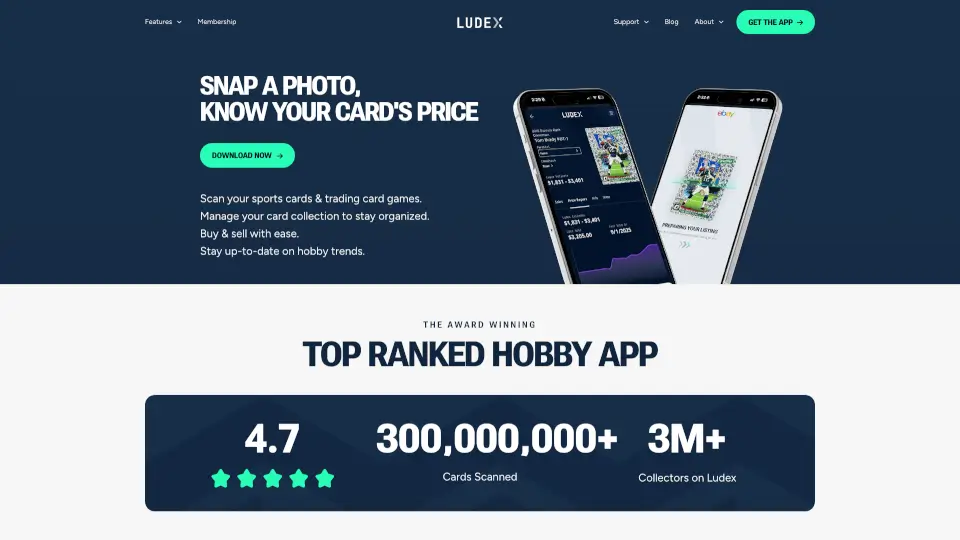
Ludex is the fastest and most accurate sports card and trading card scanner app on the market. Just snap a photo of any card — whether it’s a vintage baseball rookie, a modern Pokémon chase, or a football prizm — and Ludex instantly identifies it and pulls real-time prices based on actual sales. With over 400 million cards scanned and 3 million collectors already using it, this app is your go-to tool for managing your collection, staying on top of hobby trends, and listing cards for sale faster than ever. And it’s free to start.
What are the features of Ludex?
- Instant Card Scan & Price: Snap a photo and get accurate card data plus real-time market prices based on actual eBay sales — no guesswork.
- Fastest Way to List Cards: After scanning, Ludex automatically builds your listing for you. Just review and post to your favorite marketplace.
- Hobby Trends: Discover what players and sets are selling the most on eBay. Browse favorite sets and see trending players right in the app.
- Organize Your Collection: Manage your scanned cards in one place. Keep everything sorted and easy to find.
- Award-Winning Accuracy: 4.7-star rating with a 98% first-scan success rate across years and brands (60s to present day).
- Supports Major Categories: Works with sports cards (baseball, basketball, football, soccer) and trading card games like Pokémon TCG.
What are the use cases of Ludex?
- Back-to-collecting after years away: Quickly catalog a huge stash of old cards without manually looking up each one. Ludex helps you get organized fast.
- Selling cards on eBay or other platforms: Scan your cards, let Ludex generate the listing, then post in minutes instead of typing everything out.
- Staying ahead of the market: Check hobby trends to see which players are hot right now before buying or selling.
- Building a digital inventory: Keep a searchable record of your entire collection for insurance or personal reference.
- Buying at card shows or shops: Scan a card before buying to instantly know its current market value and avoid overpaying.
How to use Ludex?
- Step 1: Download the Ludex app for free from the App Store or Google Play.
- Step 2: Open the app and tap the camera icon to scan a card. Hold your phone steady over the front of the card.
- Step 3: Wait a second — Ludex will identify the card and show you its estimated value based on recent sales.
- Step 4: Add the card to your collection with a single tap, or tap “List” to have Ludex auto-generate a marketplace listing.
- Step 5: Browse the “Hobby Trends” section to see what players and sets are trending right now.
- Tip: For best results, scan in good lighting and keep the card flat. The app handles cards from the 1960s to today with high accuracy.