What is Linked Helper?
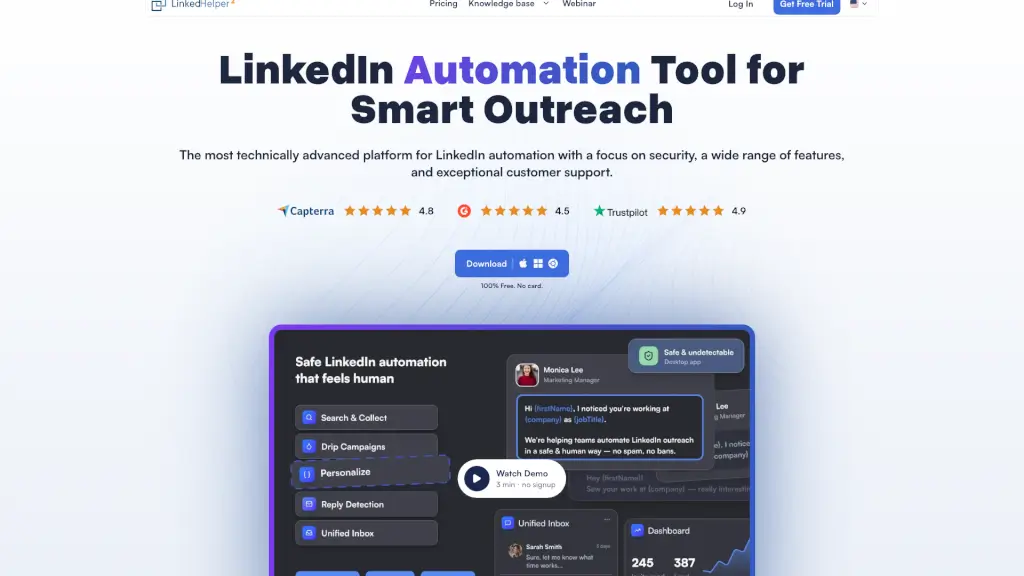
Linked Helper is a powerful LinkedIn automation tool designed to help sales teams, recruiters, and marketers generate high-quality leads without manual grunt work. Instead of spending hours sending connection requests or follow-up messages, you can automate your entire LinkedIn outreach—from warming up prospects to closing conversations—while staying safely under LinkedIn’s radar.
Unlike browser extensions that inject code into LinkedIn (which can trigger bans), Linked Helper runs as a standalone desktop app with built-in safety features like randomized delays, smart daily limits, and dedicated proxies. Trusted by over 300,000 users across 180 countries, it’s built for long-term, sustainable growth—not quick hacks that risk your account.
What are the features of Linked Helper?
- Safe Automation Architecture: Desktop app (not a Chrome extension) with no code injected into LinkedIn, unique browser fingerprints, and one proxy per account to mimic real human behavior.
- Smart Outreach Sequences: Build multi-step message chains with reply detection—campaigns automatically pause when someone responds, so you never send robotic follow-ups.
- Built-in CRM & Data Enrichment: Tag leads, track interactions, and enrich profiles with verified emails and phone numbers using the included Email Finder (up to 95% accuracy).
- Multi-Platform Compatibility: Works seamlessly with LinkedIn Basic, Premium, Sales Navigator, and Recruiter accounts—even share lead lists from one paid Navigator seat across free accounts.
- Advanced Engagement Tools: Auto-like posts, comment, endorse skills, invite to groups/events, and “boost” posts by tagging prospects to warm them up before messaging.
- CRM Integrations: Direct sync with HubSpot, Salesforce, Pipedrive, Zoho, Close, and more—or connect to 5,000+ apps via Zapier, Make, or webhooks.
What are the use cases of Linked Helper?
- A B2B SaaS company automates personalized connection requests to IT decision-makers, follows up with tailored case studies, and sends replies directly to their sales team in HubSpot.
- A recruiter uses Sales Navigator to find passive candidates, warms them up by liking and endorsing their profiles, then invites them to a job-related LinkedIn group before sending a message.
- An agency managing multiple client LinkedIn accounts uses Linked Helper’s workspace to assign roles, share templates, and track campaign performance—all from one dashboard.
- A solopreneur builds brand awareness by auto-inviting 1st-degree connections to follow their Company Page and join niche industry groups.
- A webinar host invites all relevant 1st-degree connections to an upcoming event, then follows up with attendees who engaged but didn’t sign up.
How to use Linked Helper?
- Start with the 14-day free trial—no credit card needed—to test all Standard and Pro features.
- Set smart daily limits and working hours to match natural user behavior and avoid triggering LinkedIn’s anti-bot systems.
- Always enable reply detection in message sequences so real conversations aren’t interrupted by automated follow-ups.
- Use Spintax and variables (like {first_name}, {company}) to ensure every message feels personal and unique.
- Pair profile visits with endorsements or likes to warm up cold leads before sending connection requests—this can boost acceptance rates by 15–25%.
- Export enriched lead data to your CRM or Google Sheets using native integrations or webhooks for seamless pipeline management.