What is nao?
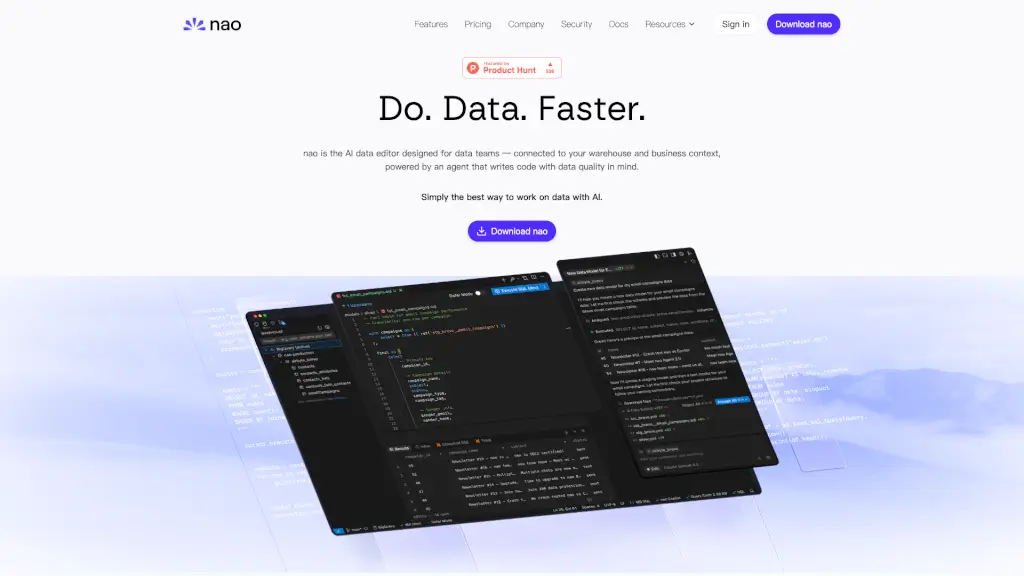
Meet nao, the AI data editor that's changing the way data teams work. Designed to streamline your data workflows, nao connects directly to your data warehouse and provides an intuitive, all-in-one interface for managing and analyzing data. Say goodbye to juggling multiple tools and windows—nao is here to make your data work faster and more efficient.
With nao, you can connect to popular data warehouses like Postgres, Snowflake, and BigQuery, and enjoy features like AI-powered auto-complete, data quality checks, and the ability to create and run complex queries. Whether you're a data analyst, data scientist, or data engineer, nao is built to help you do your best work with less hassle.
What are the features of nao?
- AI-Powered Auto-Complete: Get smart suggestions as you write SQL queries, ensuring your code matches your data schema.
- Data Quality Checks: Let the AI agent test your data, run data diffs, and ensure data quality.
- Data Pipeline Creation: Quickly turn raw data into clean, production-ready models.
- Analytics and Insights: Ask the AI agent to run complex analyses, explore trends, and surface key insights.
- Multiple Warehouse Support: Connect and manage data from multiple warehouses in one place.
- Drag-and-Drop Interface: Easily add data to the AI agent for analysis and visualization.
- Security and Privacy: Your data stays secure and private, with no data sent to nao unless explicitly allowed.
What are the use cases of nao?
- Data Analysis: Analyze payment volume trends, customer behavior, and more with just a few clicks.
- Data Pipeline Management: Automate the creation of data pipelines and ensure data is always up-to-date and ready for use.
- Data Quality Assurance: Ensure your data is accurate and reliable by running automated tests and checks.
- Team Collaboration: Share SQL worksheets and collaborate with team members on data projects.
- Reporting and Visualization: Create beautiful charts and visualizations to present your findings clearly.
- Integration with Data Stack Tools: Seamlessly integrate with tools like dbt for a complete data development experience.
How to use nao?
- Connect Your Data Warehouse: Start by connecting nao to your data warehouse (e.g., Postgres, Snowflake).
- Explore Your Data: Use the AI-powered auto-complete to explore and query your data tables.
- Create and Save SQL Worksheets: Write and save SQL queries for future use.
- Run Analytics: Ask the AI agent to run complex analyses and get insights instantly.
- Check Data Quality: Use the built-in data quality checks to ensure your data is accurate and reliable.
- Visualize Data: Create charts and visualizations to present your data in a clear and engaging way.