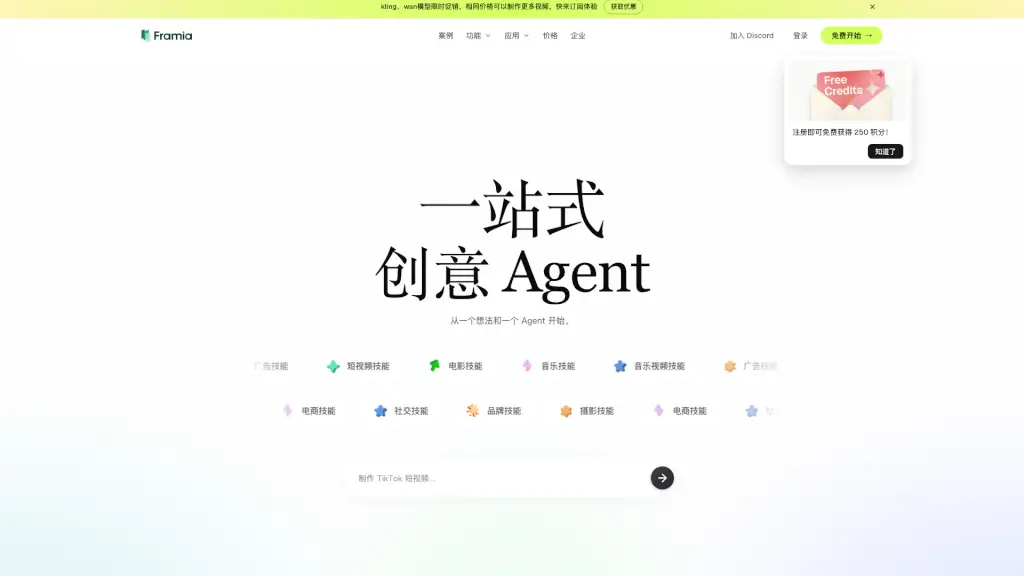
What is Framia?
Framia is an all-in-one AI creative platform built for independent creators who want to bring bold ideas to life—without juggling a dozen different tools. Think of it as your personal creative team: intelligent AI Agents connect top-tier models like Sora 2, Veo 3.1, Kling 3.0, and Suno v5 into one seamless workspace. Whether you're making a music video, social ad, or short film, Framia keeps characters consistent, visuals high-quality, and your workflow smooth—all inside a single, interactive canvas.
Unlike traditional AI tools that just spit out static images or clips, Framia lets you collaborate with AI in real time. Describe your vision, tweak scenes by pointing and clicking, edit layers like in professional design software, and even regenerate shots without leaving the timeline. It’s designed to replace fragmented workflows (looking at you, CapCut + Midjourney + ElevenLabs) with one unified studio that evolves as new models drop.
What are the features of Framia?
- Multi-Model Creative Hub: Access 20+ cutting-edge AI models—including Sora 2, Kling 3.0, Veo 3.1, Suno v5, and Gemini 3.0—in one place.
- AI-Powered Storyboard Editor: Drag, reorder, and re-generate video clips with smart timeline editing and real-time previews.
- Editable AI Layers: Turn generated images into fully customizable designs with movable text, shapes, and objects.
- Role-Specific AI Agents: Use dedicated Video Agents for ads or movies, and Design Agents for branded posters and social content.
- Character Consistency: Generate videos where characters stay visually consistent across scenes—ideal for storytelling.
- Smart Interactive Canvas: Point to any part of your project and ask the AI to adjust it, no complex prompts needed.
What are the use cases of Framia?
- Create character-consistent animated explainers for YouTube or education platforms.
- Produce high-quality brand ads with synchronized motion and voiceover using UGC-style templates.
- Design social media reels and TikTok videos quickly with AI-driven pacing and music sync.
- Build cinematic movie trailers using emotion-aware dialogue and film-grade visuals from Sora 2 Pro.
- Generate custom album art and music videos synced to AI-composed tracks from Suno v5.
- Rapidly prototype e-commerce product visuals with natural logo integration and lifestyle scenes.
How to use Framia?
- Sign up for free to get 250 starter credits and immediate access to core features.
- Choose a creative skill (e.g., “Music Video” or “Brand Ad”) to auto-load the best AI Agent and model combo.
- Describe your idea in plain language—no technical prompts required—on the interactive canvas.
- Use the storyboard editor to arrange scenes, then click to re-generate specific shots if needed.
- Edit generated visuals as layered files: move elements, change text, or resize objects freely.
- Export your final video, image, or audio directly or continue refining with real-time AI feedback.