
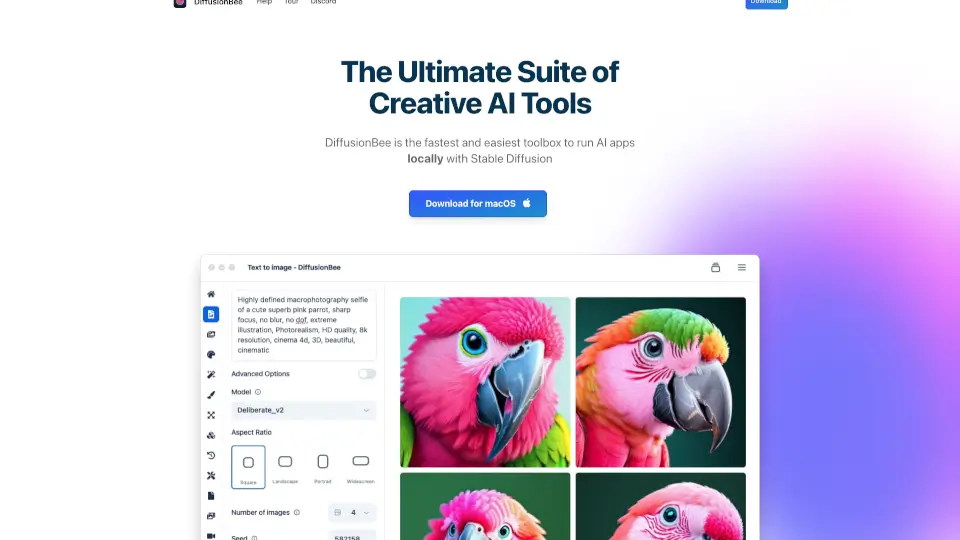
What is DiffusionBee?
DiffusionBee is a free, user-friendly app that lets you create AI-generated art right on your Mac—no internet required. Powered by Stable Diffusion, it runs 100% locally, so your prompts, models, and images stay private on your device. Whether you're an artist, designer, or just curious about AI creativity, DiffusionBee makes advanced image generation accessible without technical hassle.
With tools for everything from text-to-image creation to video generation and model training, DiffusionBee bundles cutting-edge AI features into one sleek, offline package. It’s built for speed on Apple Silicon (like M1/M2 Macs) but also works—albeit slower—on Intel-based machines, giving everyone a chance to explore generative AI safely and freely.
What are the features of DiffusionBee?
- Text to Image: Turn simple text prompts into stunning, high-quality artwork in seconds.
- Generative Fill: Add or remove objects in specific parts of your image using smart AI editing.
- Image Upscaler: Boost resolution and sharpness of any image with AI-powered enhancement.
- Image to Image: Transform existing photos or drawings using descriptive text prompts.
- Train Custom Models: Create personalized AI models from your own image dataset—locally and privately.
- Control Images: Guide AI output with pose, depth, or edge maps for precise structural control.
- Video Tools: Generate short animations and AI-powered video content directly in the app.
- Illusion Generator: Craft mind-bending optical illusions using advanced diffusion techniques.
What are the use cases of DiffusionBee?
- Digital artists generating concept art or illustrations for personal projects or clients.
- Content creators making unique social media visuals without relying on stock imagery.
- Educators demonstrating AI art concepts in classrooms while keeping data offline.
- Hobbyists experimenting with custom styles by training models on their own photo collections.
- Designers quickly mocking up product ideas or interior scenes using text prompts.
- Privacy-conscious users who want full control over their creative data and outputs.
How to use DiffusionBee?
- Download and install DiffusionBee from the official website (macOS 13.1 or later required).
- Launch the app and start with a simple text prompt in the AI canvas to generate your first image.
- Use the built-in tools like Generative Fill or Upscaler to refine and enhance your results.
- For advanced projects, upload your own images to train a custom model in just a few clicks.
- Save your creations locally—everything stays on your computer, never uploaded to the cloud.
- Explore the Video Tools or Illusion Generator for experimental and dynamic AI art forms.