
What is Craft?
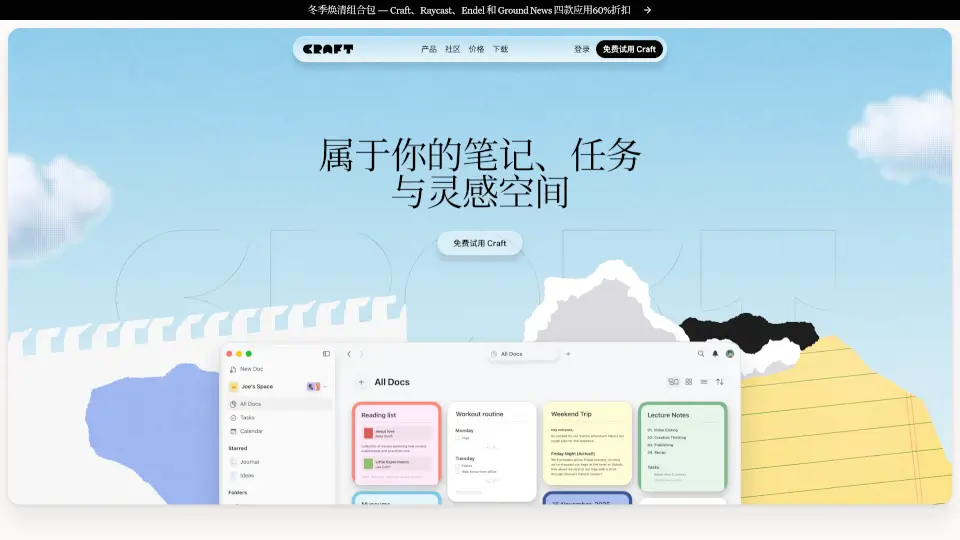
Craft is a free, all-in-one productivity app that blends notes, tasks, documents, calendars, and whiteboards into one seamless workspace. Designed for thinkers, creators, and doers, it helps you capture fleeting ideas on your phone and later turn them into polished documents—no matter what device you’re using. With optional Plus features for power users, Craft grows with your needs without overwhelming beginners.
Unlike rigid tools that force you into one way of working, Craft adapts to your workflow. Whether you're drafting a novel, planning a photoshoot, or tracking sourdough bread recipes, everything stays connected in one intuitive space that’s as beautiful as it is functional.
What are the features of Craft?
- Unified Workspace: Combine notes, tasks, calendars, whiteboards, and daily journals in one place.
- Cross-Device Sync: Start a note on iPhone and finish it on Mac or Windows—everything updates instantly.
- Embedded Tasks: Turn any sentence into a to-do item that lives right inside your document.
- Flexible Organization: Use folders, tags, Spaces (like work vs. personal), or database-style Collections.
- AI-Powered Writing: Get smart suggestions, refine drafts, and polish content with built-in AI tools.
- Templates & Publishing: Share directly to the web, export beautifully, or use community templates.
- MCP & API Integrations: Connect with tools like Claude, ChatGPT, VS Code, Apple Shortcuts, and more.
- Custom Styling: Personalize fonts, colors, and layouts to make your notes both useful and inspiring.
What are the use cases of Craft?
- A podcast host uses Craft to draft show notes, schedule social media posts, and store interview transcripts.
- A photographer plans shoots with timelines, mood boards, outfit notes, and client checklists—all in one doc.
- A student organizes lecture notes, links assignments to deadlines, and tracks project progress daily.
- A product manager jots down feature ideas, manages sprint tasks, and drafts blog posts in the same space.
- A home baker logs sourdough experiments with ingredient lists, step-by-step instructions, and photo updates.
- A teacher builds course outlines, scripts video lessons, and collects daily teaching reflections.
- A traveler books flights, curates restaurant lists, and logs trip memories with embedded reminders.
How to use Craft?
- Start free at craft.do or download from the App Store—no credit card needed.
- Create a new document and type
/to insert tasks, tables, images, or embed calendars instantly. - Use Spaces to separate work and personal projects (e.g., “Freelance Work” vs. “Family Recipes”).
- Turn any line of text into a task by clicking the bullet or typing
[]—it’ll sync to your Today view. - Explore community templates for blogs, reading trackers, dream journals, and more under the “Start Building” section.
- Enable MCP connections to link Craft with AI tools like Claude or coding environments for smarter workflows.