What is Chatbot App?
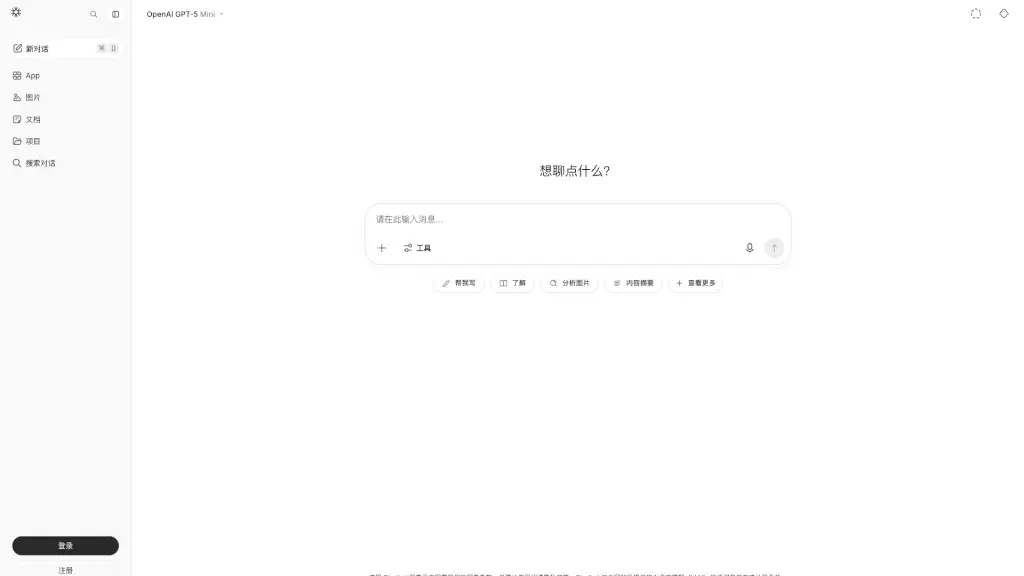
Meet Chatbot App - AI Chatbot, your new go-to smart assistant. Designed for everyone from students to professionals, this free web app connects you with the powerful GPT-5 Mini model. It’s not just another chatbot; it’s a versatile tool that can write, analyze images, summarize documents, answer questions, and more. Whether you need help brainstorming ideas, understanding complex topics, or getting work done faster, this app is built to make your life easier with a friendly, no-nonsense interface.
What are the features of Chatbot App?
- GPT-5 Mini Integration: Experience the latest in AI conversation with the lightweight yet powerful GPT-5 Mini model, offering fast, smart, and context-aware responses.
- Multi-Modal Capabilities: Go beyond text. Upload an image or document and ask the AI to analyze, summarize, or extract information from it.
- Free & Unlimited Access: Start chatting immediately without any paywalls or credit cards. The core features are completely free to use.
- Smart Tool Suite: Access built-in tools like "Write," "Explain," "Analyze Image," "Summarize," and "Search" for specific tasks, making it more than just a chat window.
- Conversation Management: Keep your chats organized. Use the "New Chat" button or ⌘O shortcut to start fresh conversations, and easily search through your dialogue history.
- Privacy-Focused: Your conversations are handled with care. The service states its own terms and privacy policy, separate from the LLM developers.
What are the use cases of Chatbot App?
- Student Homework Help: Stuck on a math problem or need a book summary? Upload a picture of your worksheet or a PDF of a chapter, and get step-by-step explanations.
- Professional Content Drafting: Quickly draft a professional email, a blog post, or a social media caption. Use the "Write" tool to generate ideas and refine your tone.
- Quick Image Understanding: Take a photo of a poster, a diagram, or a menu and ask the AI to describe it, translate it, or explain the concepts shown.
- Creative Brainstorming: Need ideas for a project, a name for a business, or a plot for a story? Have a natural conversation with the AI to generate and explore creative concepts.
- Document Summarization: Instead of reading a long report or article, upload it and ask the AI to provide a concise summary of the key points.
How to use Chatbot App?
- Access the App: Go to the website https://chat.chatbotapp.ai/gpt5 on your browser.
- Start a New Chat: Click the "New Chat" button or use the keyboard shortcut ⌘O to open a fresh conversation window.
- Choose Your Input: Type your question in the text box, or click the "Image" or "Document" icons to upload a file for analysis.
- Select a Tool: For specific tasks, click the "Tools" menu (e.g., "Write," "Explain") to fine-tune the AI's response style.
- Review & Continue: Read the AI's response. You can ask follow-up questions, request a rewrite, or start a new topic entirely.