

Qu'est-ce que Chatbox AI ?
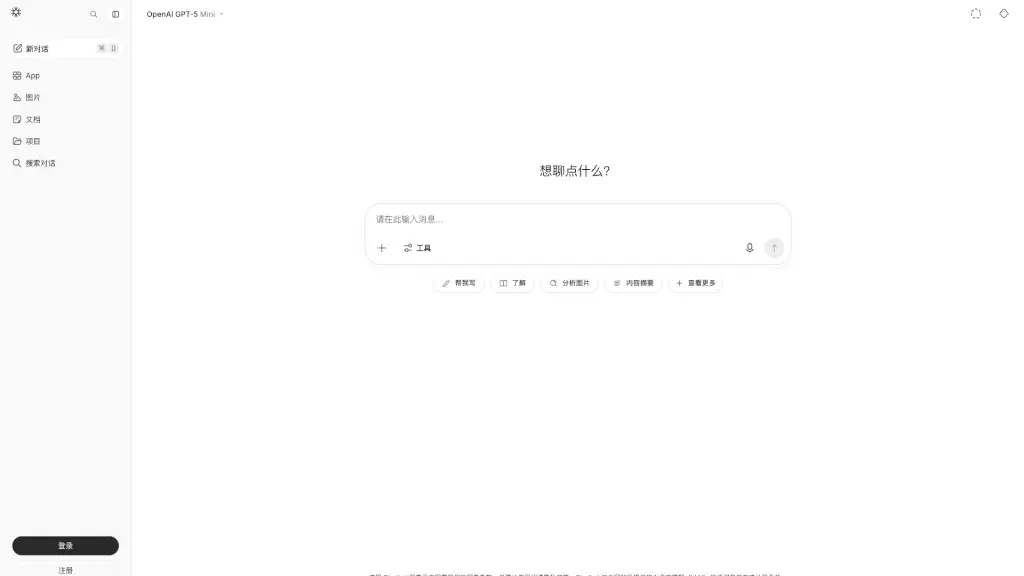
Chatbox AI est votre assistant intelligent pour le travail et l'apprentissage. Disponible sur de nombreuses plateformes, y compris Windows, MacOS, Android, iOS, Linux, et en version web, Chatbox AI vous permet d'interagir avec des modèles d'IA avancés de manière simple et efficace. Que vous ayez besoin d'aide pour la rédaction, la programmation, ou simplement pour organiser vos idées, Chatbox AI est là pour améliorer votre productivité et votre créativité.
Quelles sont les caractéristiques de Chatbox AI ?
- Interactions avec les documents et images: Envoyez n'importe quel fichier (PDF, DOC, PPT, XLS, Image, Code) à Chatbox, qui comprendra son contenu et fournira une réponse intelligente.
- Génération et prévisualisation de code: Outil de codage plus efficace avec des fonctionnalités comme la génération de code, la prévisualisation, la vérification de syntaxe, et plus encore.
- Recherche en temps réel: Accédez à des informations actualisées, des nouvelles, et des données en ligne grâce à la recherche AI connectée.
- Visualisations de données générées par IA: Intégrez des visualisations claires et personnalisables dans vos conversations pour mieux comprendre les concepts complexes.
- Génération d'images par IA: Transformez vos idées en images incroyables en décrivant simplement ce que vous imaginez.
- Rendu LaTeX et Markdown: Utilisez le support intégré pour exprimer clairement des idées complexes et des formules mathématiques.
- Stockage local: Toutes vos données sont stockées localement, garantissant ainsi la confidentialité et la sécurité de vos informations.
Quels sont les cas d'utilisation de Chatbox AI ?
- Aide à la rédaction académique: Utilisez Chatbox pour générer des idées, structurer des essais, et vérifier la grammaire.
- Développement de logiciels: Améliorez votre productivité en utilisant l'assistant de codage pour générer, tester, et optimiser du code.
- Analyse de données et visualisation: Créez des graphiques et des diagrammes pour illustrer des tendances et des statistiques complexes.
- Traduction et apprentissage linguistique: Obtenez des traductions précises et des explications linguistiques pour apprendre de nouvelles langues.
- Organisation personnelle et professionnelle: Gérez vos tâches, planifiez des réunions, et organisez vos notes avec l'aide de l'IA.
- Création artistique: Transformez vos descriptions en images uniques et expressives.
Comment utiliser Chatbox AI ?
- Téléchargez et installez l'application Chatbox sur votre appareil.
- Lancez l'application et créez un nouveau chat ou chargez un fichier existant.
- Posez vos questions ou envoyez vos fichiers à l'IA pour obtenir des réponses et des suggestions.
- Utilisez les fonctionnalités de génération de code, de recherche, et de création d'images pour augmenter votre productivité.
- Sauvegardez et exportez vos conversations pour un accès ultérieur.