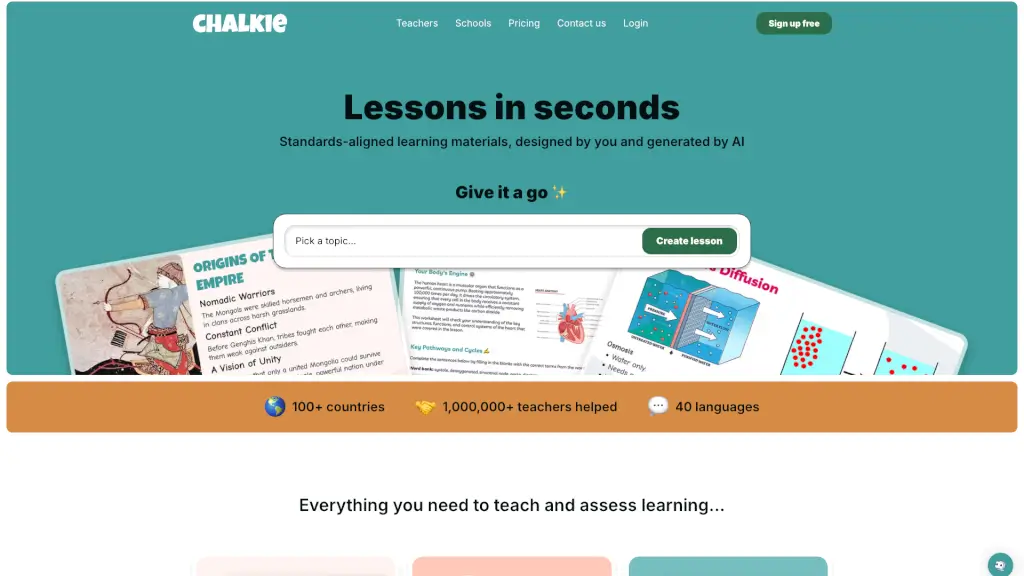
What is Chalkie?
Tired of spending hours planning lessons while your to-do list keeps growing? Meet Chalkie—the AI-powered lesson generator built by teachers, for teachers. Whether you're juggling multiple preps, differentiating for diverse learners, or just trying to reclaim your evenings, Chalkie helps you create standards-aligned, classroom-ready lessons, slides, and activity sheets in seconds. No more reinventing the wheel or sifting through generic online resources.
Designed with real classroom needs in mind, Chalkie lets you generate custom materials that reflect your teaching style and your students’ levels—from 6th-grade math to high school Algebra I and beyond. Just describe your topic, pick your standards, and let AI do the heavy lifting. Then tweak, personalize, and teach with confidence.
What are the features of Chalkie?
- AI Lesson Generator: Instantly create engaging, accurate lesson slides aligned to Common Core or your state’s standards.
- Lesson Series Builder: Plan full units with sequenced lessons, built-in recaps, and quizzes for deeper learning.
- Activity Sheet Creator: Generate printable or shareable worksheets that match your lesson content and student needs.
- Standards Alignment: Automatically aligns to national frameworks like NGSS, C3, and state-specific math or ELA standards.
- Custom Themes & Editing: Change colors, fonts, and layouts in seconds—or use the AI editor to “make it more fun” with one click.
- Flexible Export Options: Teach directly in Chalkie or export to Google Slides, PowerPoint, or PDF effortlessly.
- Multi-Format Input: Start from a topic, paste a lesson plan, upload a file, or even pull content from a URL.
- 40+ Language Support: Create materials in dozens of languages for multilingual or ESL classrooms.
What are the use cases of Chalkie?
- A middle school math teacher creates differentiated worksheets for both on-level and advanced 6th graders in under two minutes.
- A first-year ELA teacher builds a 5-lesson series on rhetorical devices, complete with daily warm-ups and exit tickets.
- A special education supervisor generates universally designed activities that support students across ability levels.
- A high school science teacher aligns a climate change unit to NGSS while embedding short videos and source verification tasks.
- A computer science instructor develops a Digital CSI lesson on fake news with interactive slides and critical thinking prompts.
- A multi-prep teacher cuts weekly planning time in half by generating three standards-aligned lessons before lunch.
How to use Chalkie?
- Click “Create lesson” and enter your topic (e.g., “solving two-step equations”).
- Select your grade level and choose relevant standards (Common Core, TEKS, etc.).
- Review the AI-generated slides and activity sheet—then edit text, add examples, or adjust difficulty using the built-in tools.
- Use the “Make it more fun” or “Differentiate” AI commands to adapt content for varied learners.
- Apply a custom theme or school color scheme for consistent branding.
- Export to Google Slides, PowerPoint, or PDF—or present directly from Chalkie.